


- Status
- Resolved
- Reported for
- WPML Multilingual CMS 4.6.6
- Related plugin/theme
- Divi
- Topic tags
- ATE, Compatibility
Overview of the issue
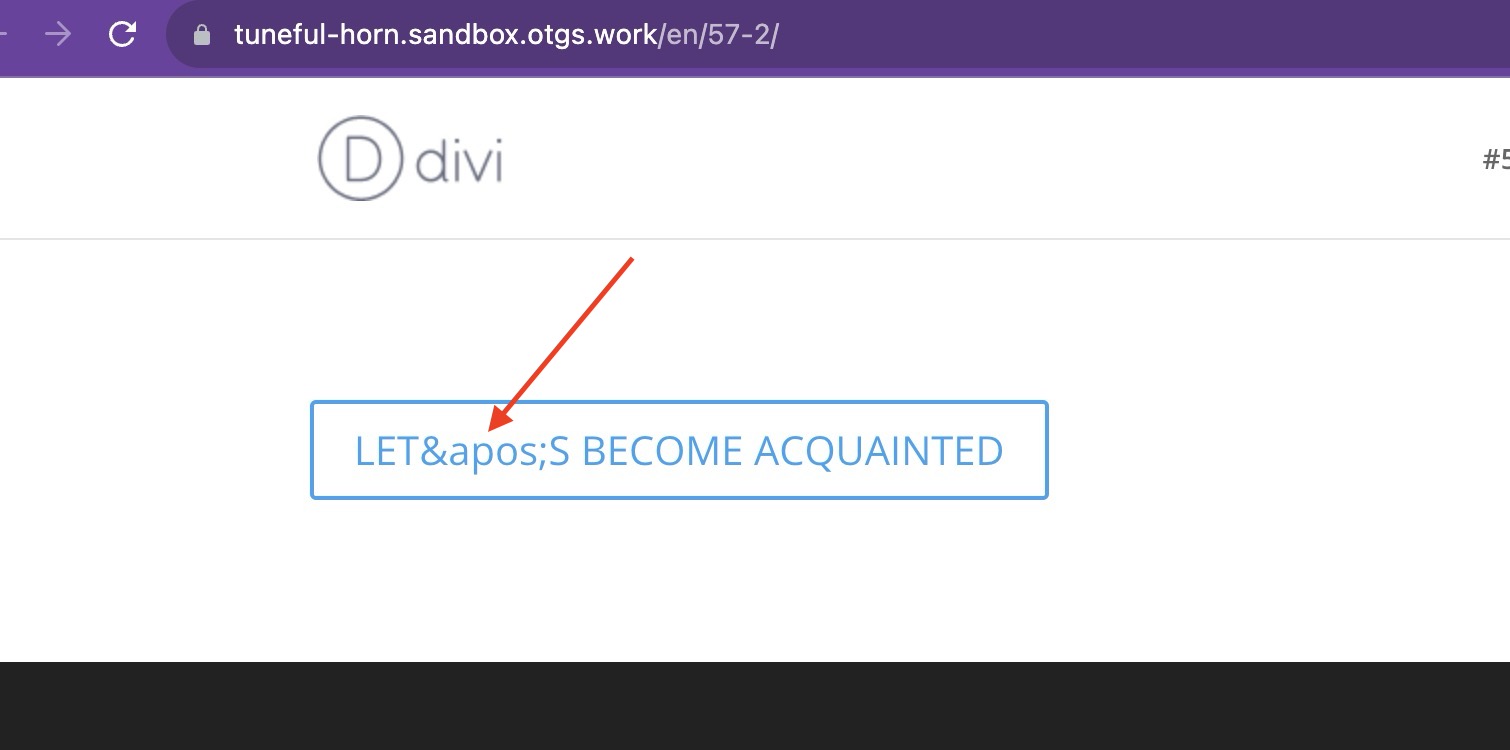
When using the Divi theme, you will notice that when a button’s text containing an apostrophe is translated using the WPML, the apostrophe displays as the HTML entity.
Workaround
Please, make sure of having a full backup of your site before proceeding.
- Add the following code into your theme’s functions.php file:
// WPML workaround for compsupp-7001
add_filter('do_shortcode_tag', 'wpml_compsupp7001_decode_et_pb_button_text', 10, 4);

function wpml_compsupp7001_decode_et_pb_button_text($output, $tag, $attr, $m) {
    if ( class_exists('Sitepress') && 'et_pb_button' === $tag && isset($attr['button_text'])) {
        // Decode both the ampersand and the apostrophe
        $output = html_entity_decode($output, ENT_QUOTES, 'UTF-8');
    }

    return $output;
}
Note, keep in mind that if you are using a Slider button, you will need to use this line:
if ( class_exists('Sitepress') && 'et_pb_slide' === $tag && isset($attr['button_text'])) {Instead of:
if ( class_exists('Sitepress') && 'et_pb_button' === $tag && isset($attr['button_text'])) {
And if you are using a Accordion item, you will need to use this line:
if ( class_exists('Sitepress') && 'et_pb_accordion_item' === $tag && isset($attr['title'])) {Instead of:
if ( class_exists('Sitepress') && 'et_pb_button' === $tag && isset($attr['button_text'])) {