


- Status
- Resolved
- Reported for
- WPML Multilingual CMS 4.5.8
- Resolved in
- WPML 4.7.2
Overview of the issue
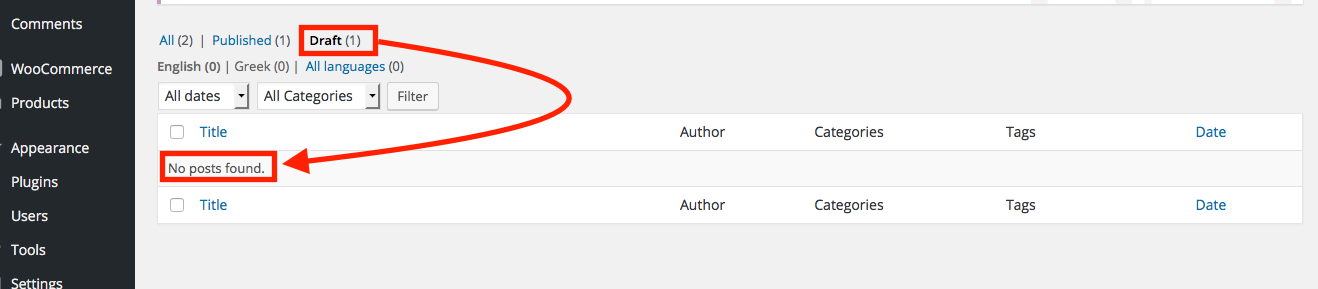
During the creation of a post, leaving the editing page without saving, causes the draft to become hidden: that is, the draft is saved, but not shown when WPML is active.
Here is an example of a WooCommerce draft product:
Workaround
Always saving the draft or publishing, will not cause the issue. In case you already have a hidden draft, follow these steps:
- Go to WPML->Support.
- Click on Troubleshooting.
- Click the Set language information button.
- The hidden draft should now be available.