


- Status
- Resolved
- Resolved in
- 4.3.3
Overview of the issue
When duplicating a page created using Elementor to any of the secondary languages on your website, the page layout won’t be copied to the secondary language.
Workaround
To duplicate a page to any of the secondary languages on your website follow the steps below:
- Go to the page editing screen and click on the plus icon found in the language box.
- Based on your translation editor of choice, this will open the Classic Translation Editor (CTE) or the Advanced Translation Editor(ATE).
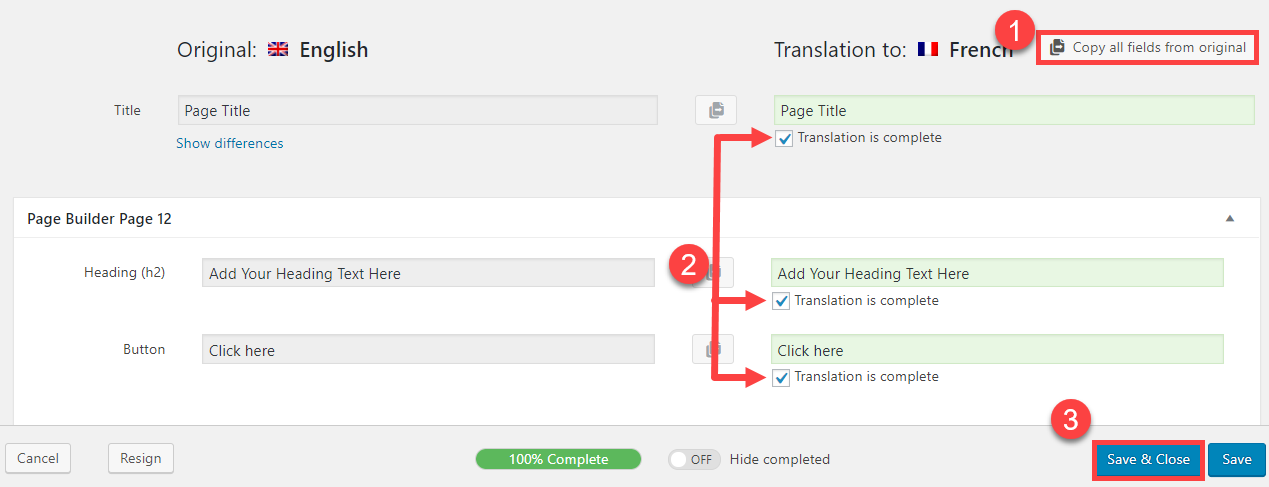
- To copy the original text fields in the CTE click the Copy all fields from original button, mark all fields as Translation is complete then Save & Close.
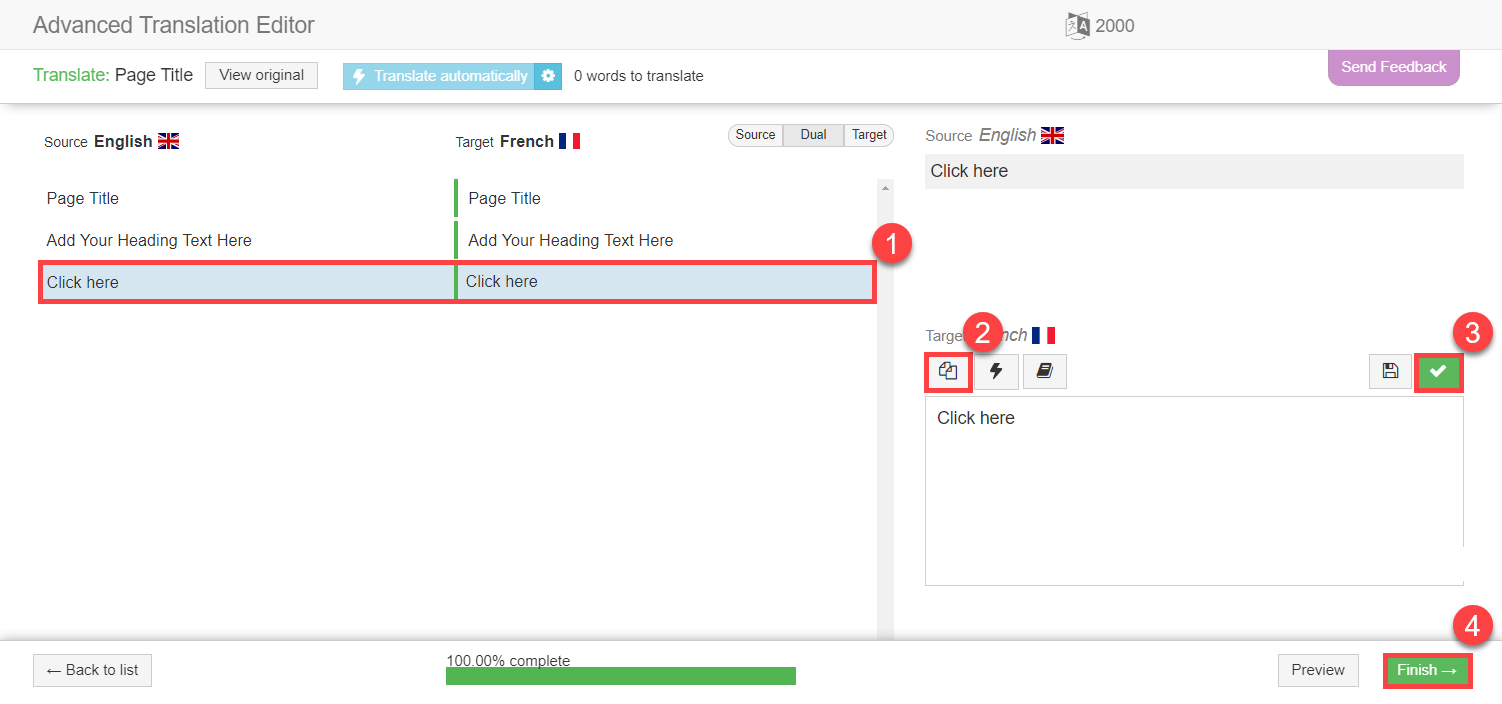
- To copy the original text fields in the ATE click on the copy original text to translation icon, click the save and complete icon, then click the Finish button.
- To copy the original text fields in the CTE click the Copy all fields from original button, mark all fields as Translation is complete then Save & Close.