


- Status
- Resolved
- Reported for
- WPML Multilingual CMS 4.4.10
Overview of the issue
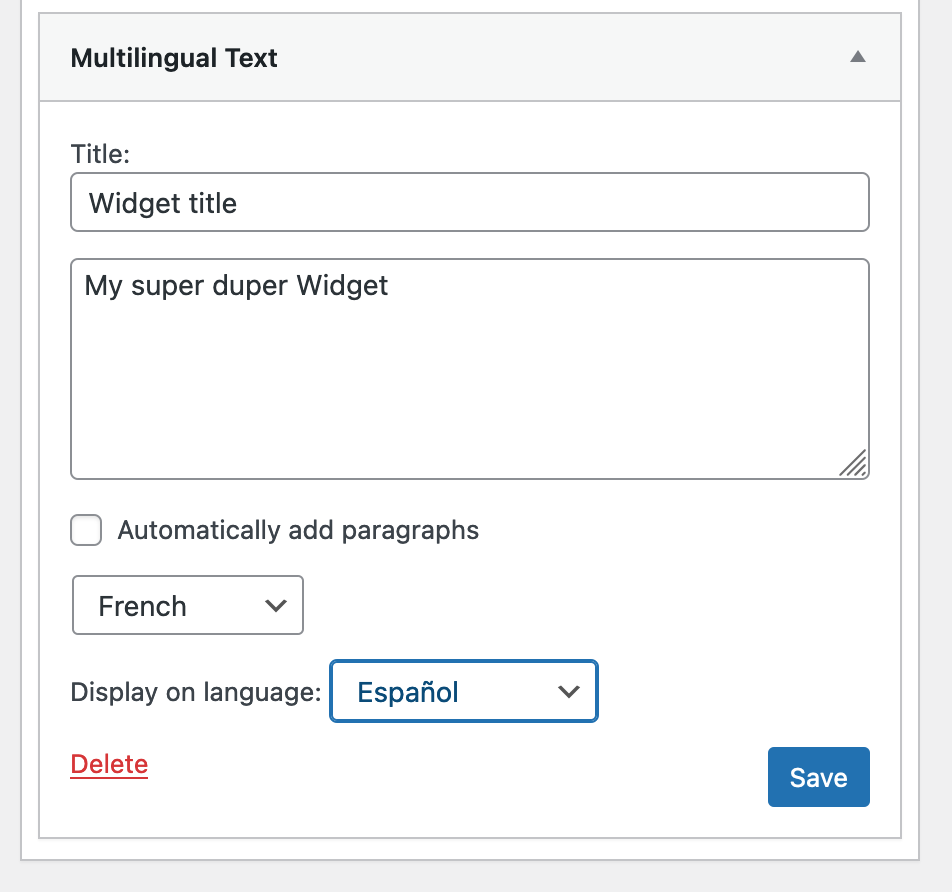
When using a multilingual text widget, WPML gives you the ability to select the widget language and choose for which languages you want the widget to display. However, if you set your widget as being written in one language but you choose to display it on a different one, the widget does not display at all on your site.
Workaround
As workaround you can use a default WordPress Text widget and display it on the desired language.
To avoid confusion, you can also completely remove the dropdown to select which language to display your widget. To do this, please applying the following workaround:
- Make a full backup of your site.
- Go to wp-content\plugins\sitepress-multilingual-cms\classes\widgets\class-wpml-widgets-support-backend.php
- Change:
echo $this->template_service->show( $model, 'language-selector.twig' );
to:
if (( $widget->name !== "Multilingual Text" ) && ( $widget->option_name !== "widget_text_icl" )) {
    echo $this->template_service->show( $model, 'language-selector.twig' );
}