


- Status
- Resolved
- Topic tags
- Not WPML issue
Overview of the issue
WPML provides you with a word count tool in Translation Management.
If you disable the WP-Cron functionality, you will see a warning mentioning that the DISABLE_WP_CRON constant should not be set to true in order to have an accurate word count estimate.
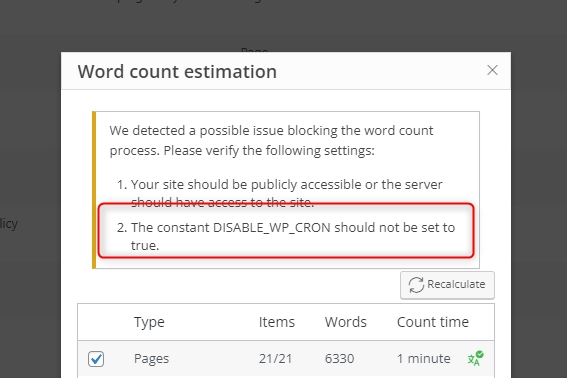
The usual way of disabling WP-Cron is by adding the following code in your wp-config.php file:
define('DISABLE_WP_CRON', true);
Workaround
If you decide to disable WP-Cron, you should enable some other cron method.
When WP-Cron is disabled, this WPML warning is not a bug but expected behavior.
What if I did set up another cron method?
If you disabled WP-Cron and enabled another cron method, then the WPML word count estimation will work. In this case, you can simply ignore this message as a false positive.
What if I disabled WP-Cron on a multisite?
If you set the
DISABLE_WP_CRON constant and you are using a multisite setup, it is possible that sub-sites are not running cron requests properly. In this case, the message might not be a false positive and you must enable additional cron job for each of the sub-sites.
To learn how to do this, check out how to correctly use WP-Cron on a multisite.