


- Status
- Resolved
- Reported for
- WPML Multilingual CMS 3.3
- Resolved in
- 3.3.1
Overview of the issue
When opening the Words Count tool, it might not be functional and you may get JavaScript issues:
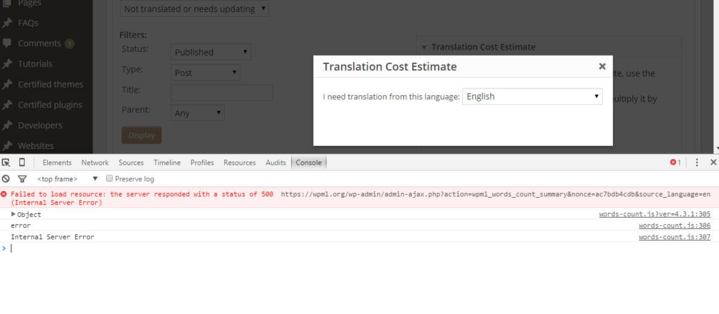
You may also get your logs an error which looks like this one: PHP Fatal error: Allowed memory size of 536870912 bytes exhausted (tried to allocate 32 bytes)
Workaround
You may want to try to raise the PHP Memory limit using one of these options:
- Edit your
php.inifile and editmemory_limitto your desired value (at least higher than the one displayed in the error message). - At the top of your
wp-config.phpaddini_set('memory_limit', '256M');, replacing “256M” with the desired value.