- Status
- Resolved
- Reported for
- WPML Multilingual CMS 4.5.7
- Resolved in
- 4.5.8
Overview of the issue
With the newest WordPress version, 6.0, posts may end up with duplicated taxonomy terms.
Workaround
This issue should be solved with WPML 4.5.8.
Please, make a full back up of your site before proceeding.
- Open the wp-content/plugins/sitepress-multilingual-cms/classes/query-filtering/class-wpml-term-adjust-id.php file.
- Look for line 59.
- Change:
		if (
			$adjust_id_url_filter_off
			|| ! $this->sitepress->get_setting( 'auto_adjust_ids' )
			|| $this->is_ajax_add_term_translation()
			|| $this->debug_backtrace->are_functions_in_call_stack(
				[
					'get_category_parents',
					'get_permalink',
					'wp_update_post',
					'wp_update_term',
- To:
		if (
			$adjust_id_url_filter_off
			|| ! $this->sitepress->get_setting( 'auto_adjust_ids' )
			|| $this->is_ajax_add_term_translation()
			|| $this->debug_backtrace->are_functions_in_call_stack(
				[
					'get_category_parents',
					'get_permalink',
					'wp_update_post',
					'wp_update_term',
					[ 'WP_Term_Query', 'populate_terms' ],
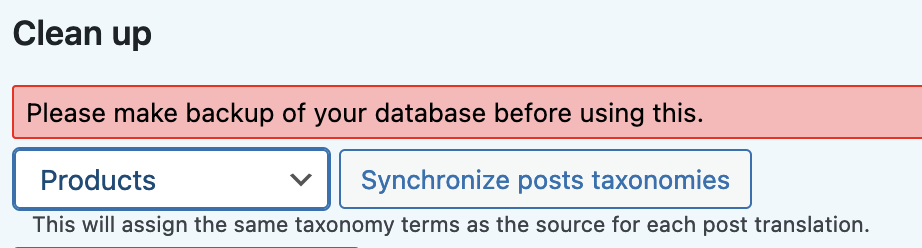
Note: You may need to go to WPML > Support > Troubleshooting page, select Products and click on the Synchronize posts taxonomies button as in the picture below.