Remember we wrote about WPML Multilingual & Multicurrency for WooCommerce 3.3 beta? Well, it’s released now and available for everyone.
WCML 3.3 comes with great new features, as well as stability and performance improvements. Some of the new features rely on WPML 3.1.5, so before you upgrade WCML, be sure to upgrade WPML and its addons.
Ready? Let’s talk about the new features!
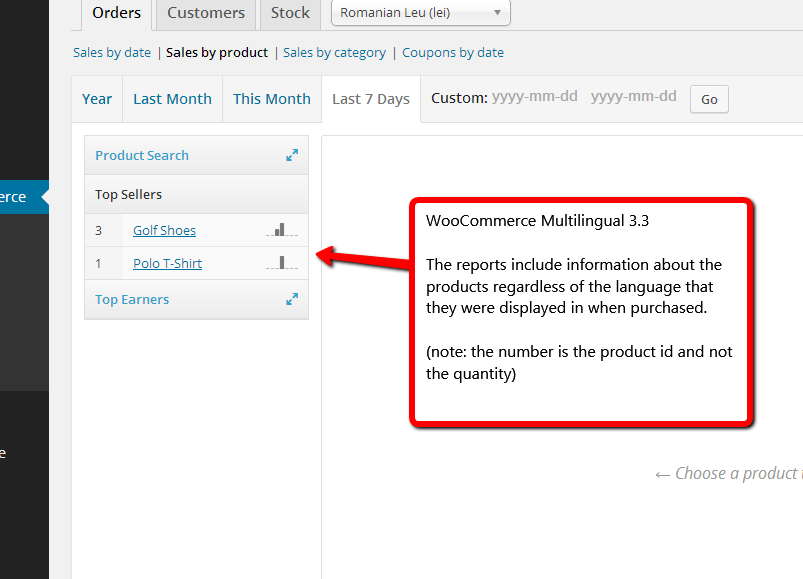
Better Multi-Currency Admin Reports
Previous versions already allowed to sell products in different currencies. WCML 3.3 also makes it easier to receive sales reports, per currency.
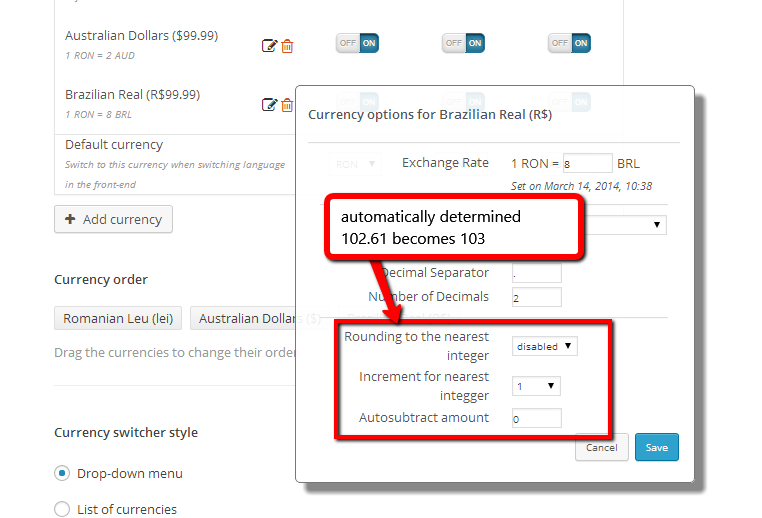
Automatic Currency Conversion
If you have a ton of products, entering their separate pricing, per currency, might be difficult. To help, WCML 3.3 lets you apply automatic currency conversions, complete with rounding and auto-subtract.
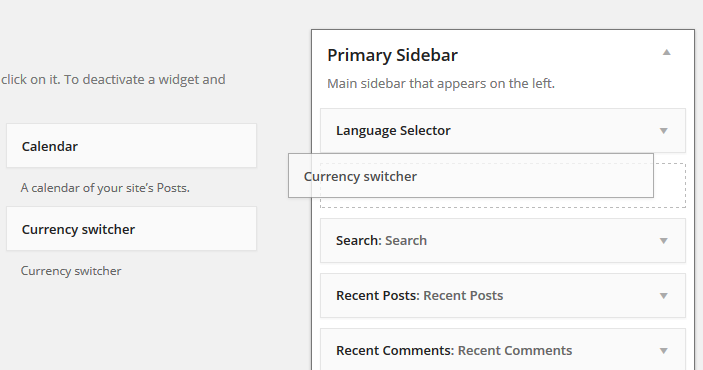
Currency Switcher GUI
Including a currency switcher in your site doesn’t get any easier than this. Go to the Widgets admin and drag the new ‘currency switcher’ widget.
More Stable and Faster
This release also comes with considerable performance improvements and better stability. Overall, we’ve stripped a good number of queries and functions from both the WordPress admin and front-end products display.
How to Update
This update is available on the WordPress.org WCML download page.
Remember to update WPML to 3.1.5 (or later). Then, click on Upgrade to receive this update too.
Questions? Ideas? Suggestions? Let us know and we’ll get back to you.