


ACF Multilingual 2.2.0 – Easier Options Page Translation and Better Local Fields Support
Translate Options Pages directly in Translation Dashboard, manage local fields more easily, and enjoy faster performance with ACFML 2.2.0.

We will soon be releasing ACFML 1.8.0, which contains significant usability improvements for translating Advanced Custom Fields. First, we need your help testing these changes in the beta!
Say goodbye to fields not saving or displaying the correct translations on the front-end! For this release, we focused on fixing several issues where this was the case.
You can now set field groups to be Translatable without any issues, which makes translating these field groups far more straightforward.
With ACFML 1.8 beta 3, you can also do the following:
A full list of included features and fixes is available in our changelog.
If you run into any issues, please let us know! Opening a support ticket is the quickest and best way to report issues and get assistance, and it also helps us track issues effectively.
To open a support ticket, please visit our support forum and start a live chat with a member of our team.
There are two ways of downloading this beta: manually or through the beta channel.
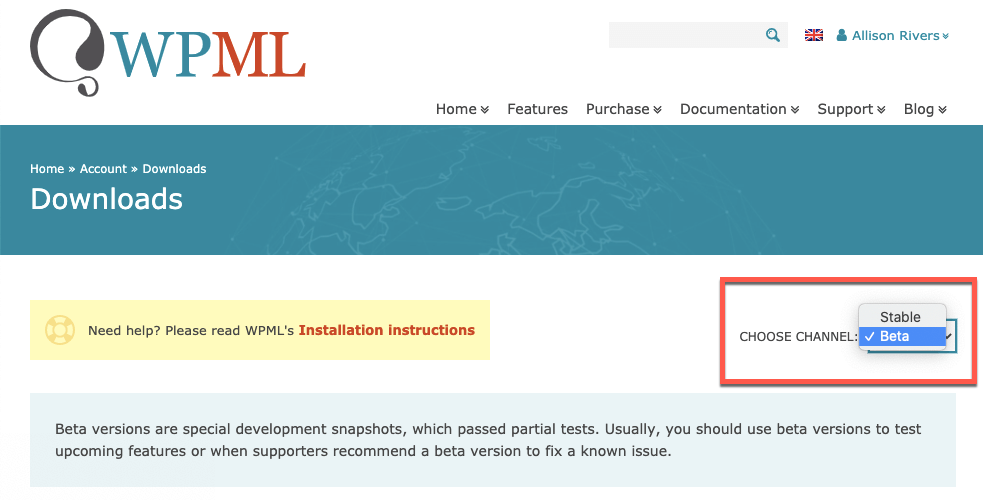
Go to your WPML Downloads page. In the Choose Channel dropdown, choose Beta. Download the ZIP file and add it to your site.
Go to Plugins → Add New, and then click the Commercial tab.
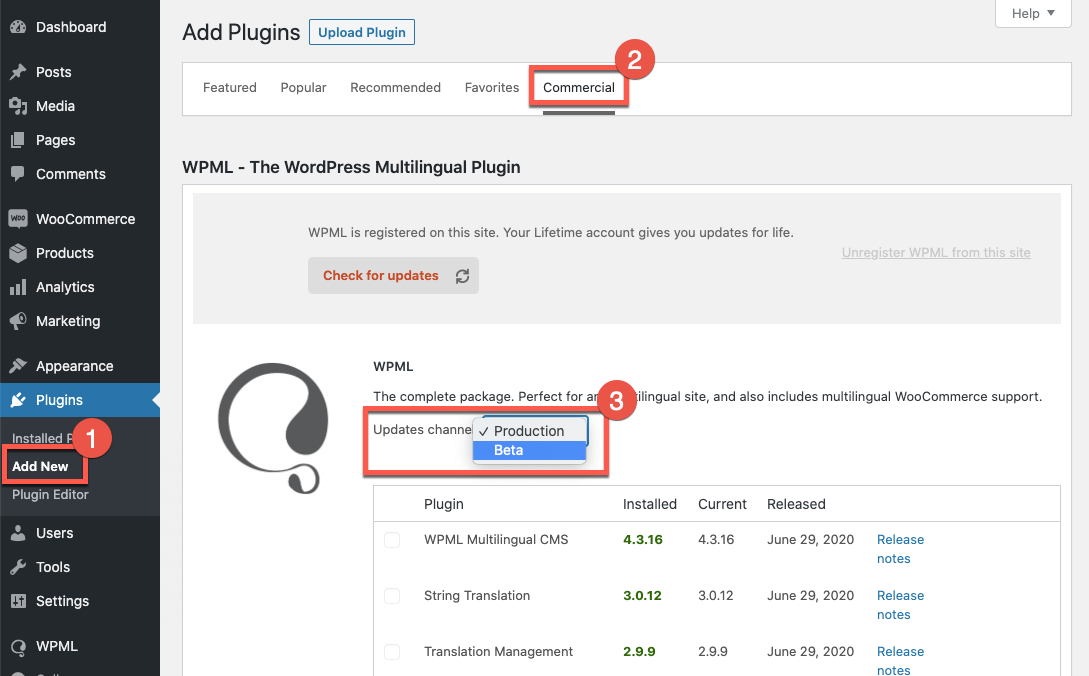
Under the Updates channel option, use the drop down menu to select the channel to switch to the Beta channel. Finally, click the Switch button in the dialog that appears. See our documentation for more details.
We appreciate your help with testing this beta. Please let us know if you have any questions by commenting on this post. And don’t forget to report any issues you find with the beta to our support team!
Translate Options Pages directly in Translation Dashboard, manage local fields more easily, and enjoy faster performance with ACFML 2.2.0.
We just released WPML Multilingual & Multicurrency for WooCommerce 5.5.0 Beta.
This update includes several important fixes to enhance your experience when translating and managing multilingual forms created with WPForms and WPML.