


WPML for WooCommerce 5.5.2.2 - Critical Fix for WooCommerce 10.3
There is a critical compatibility issue in the upcoming WooCommerce 10.3 release that causes miscalculation of product variation prices.

 3 minutes
Translate Options Pages directly in Translation Dashboard, manage local fields more easily, and enjoy faster performance with ACFML 2.2.0.
Since publishing this post, we’ve released ACFML 2.2.1, which includes two important fixes.
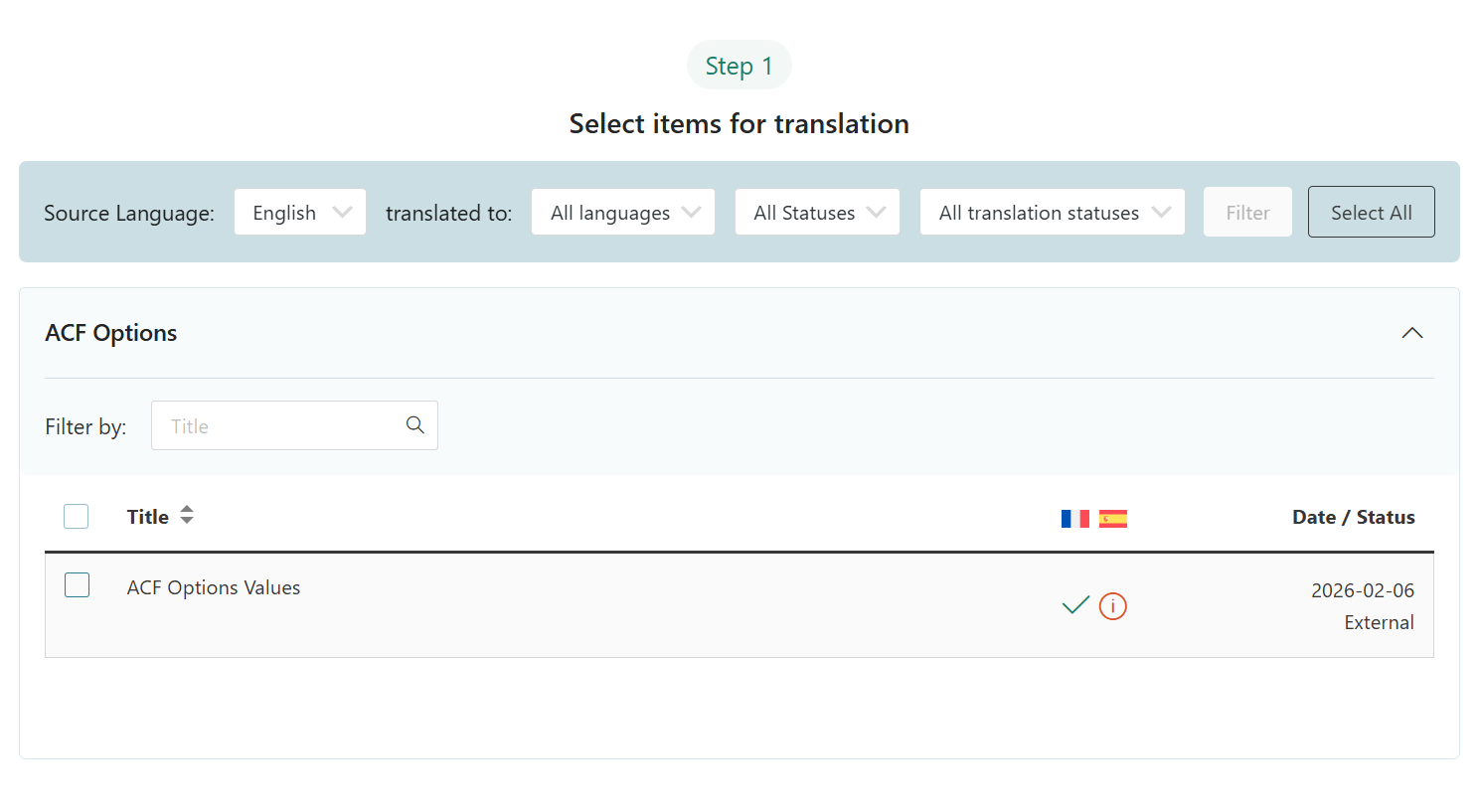
You can now translate Options Pages directly in WPML → Translation Dashboard. Just expand the ACF Options section and send your Options Page for translation.
ACFML 2.2.0 brings a number of updates relevant for developers using “Local Fields” – fields you define using PHP or JSON instead of the WordPress admin GUI.
After creating your custom fields and other content using PHP or JSON, you need to sync them with WPML. This makes them available for translation.
You can now easily sync the following types of local ACF content:
Just go to ACF → Tools after creating your local content, select Sync once now and click Apply.
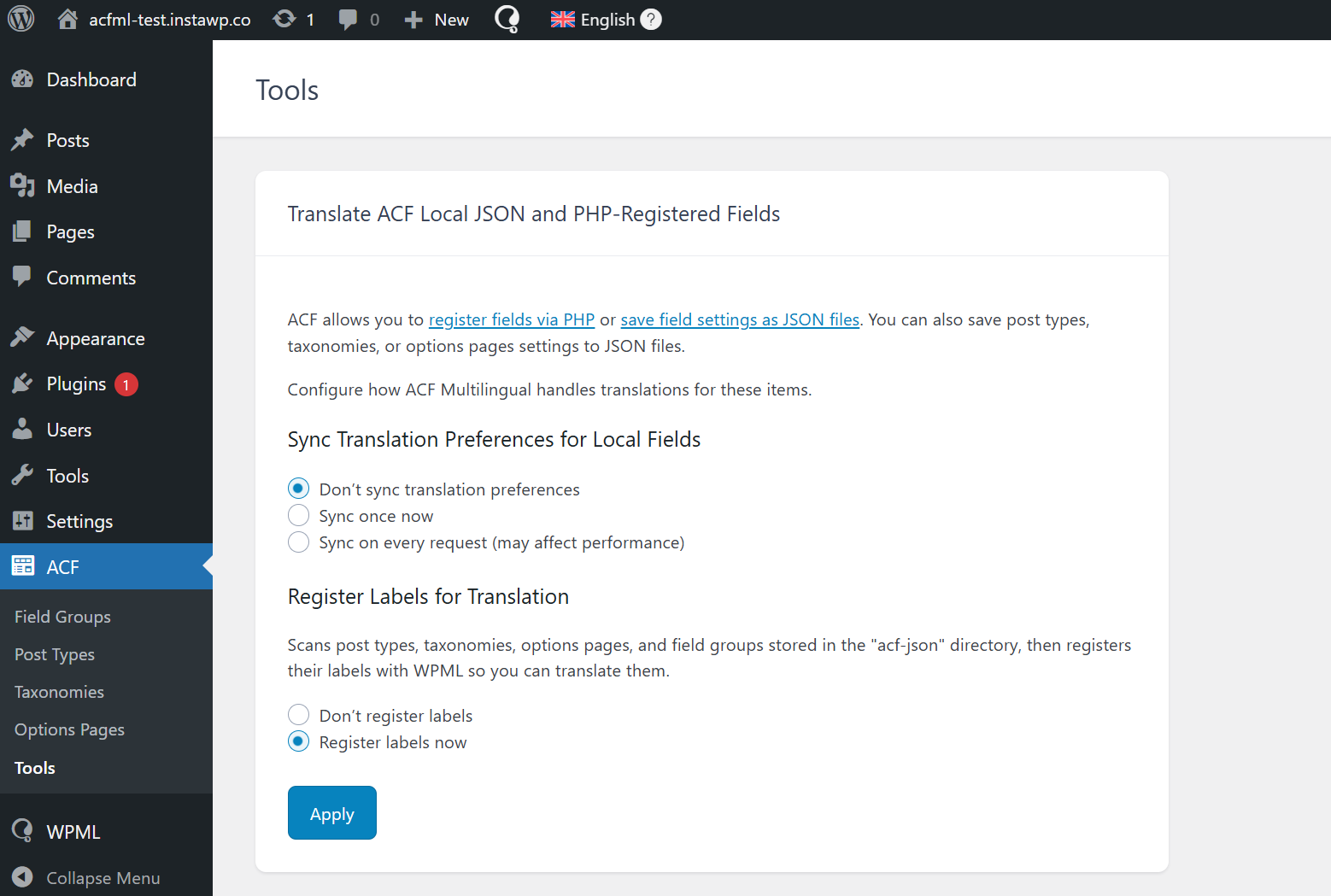
This way, you sync your local fields and content only once, when you want to. Until now, this would happen on every request, which could impact performance.
Local fields are now recognized as ACF fields, so they can appear in templates or blocks like fields in the original language.
ACFML no longer translates backend labels that never appear on your website, resulting in faster performance and lower translation costs.
ACFML now syncs translation settings more efficiently. It skips execution when nothing has changed, which effectively eliminates unnecessary database calls.
ACFML now uses existing data when converting field names, preventing name collisions when importing field groups or auto-syncing local fields – like repeaters and groups.
We’re rolling out this release in batches, so you may not see the update immediately. To update right away, follow these steps:
Have any questions about ACFML 2.2.0? Leave a comment below and we’ll reply to you.
There is a critical compatibility issue in the upcoming WooCommerce 10.3 release that causes miscalculation of product variation prices.
BuddyPress Multilingual 1.8.0 makes it possible to translate new content in BuddyBoss and BuddyPress user profiles.
This update includes several important fixes to enhance your experience when translating and managing multilingual forms created with WPForms and WPML.