


- Status
- Open
Overview of the issue
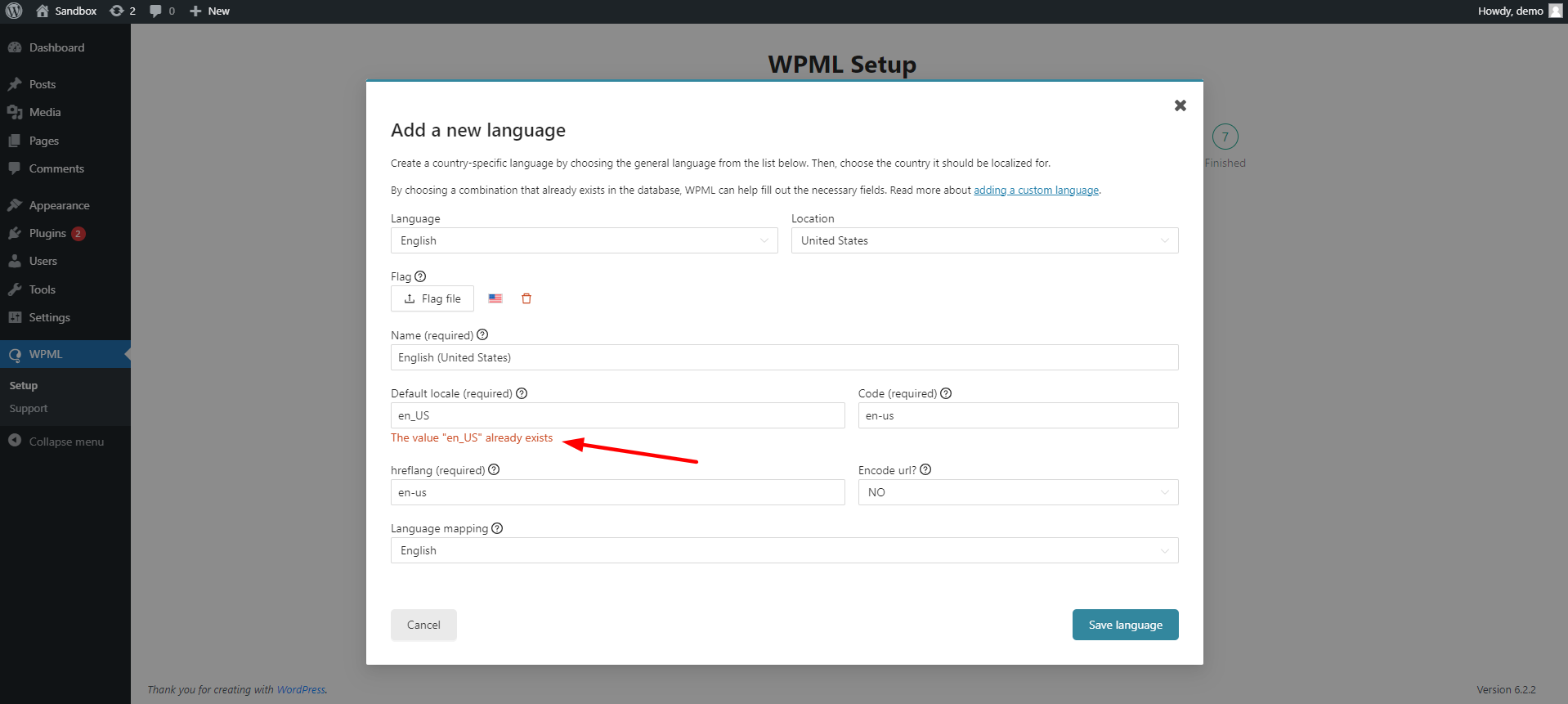
On the WPML setup page, when adding en_US (USA English) as a custom language, you will see an error saying “The Value en_US already exists.”
Adding an existing locale
By default, WordPress, and theme authors use the en_US locale for English. This is the reason you see the following error when trying to add a custom en_US locale: “The Value en_US already exists.”
Workaround
Instead of adding the en_US version, you can add any the English language (en locale) used in a different country other than the United States. Then, you can manually change the default flags to the respective ones.
How to add a new custom English language:
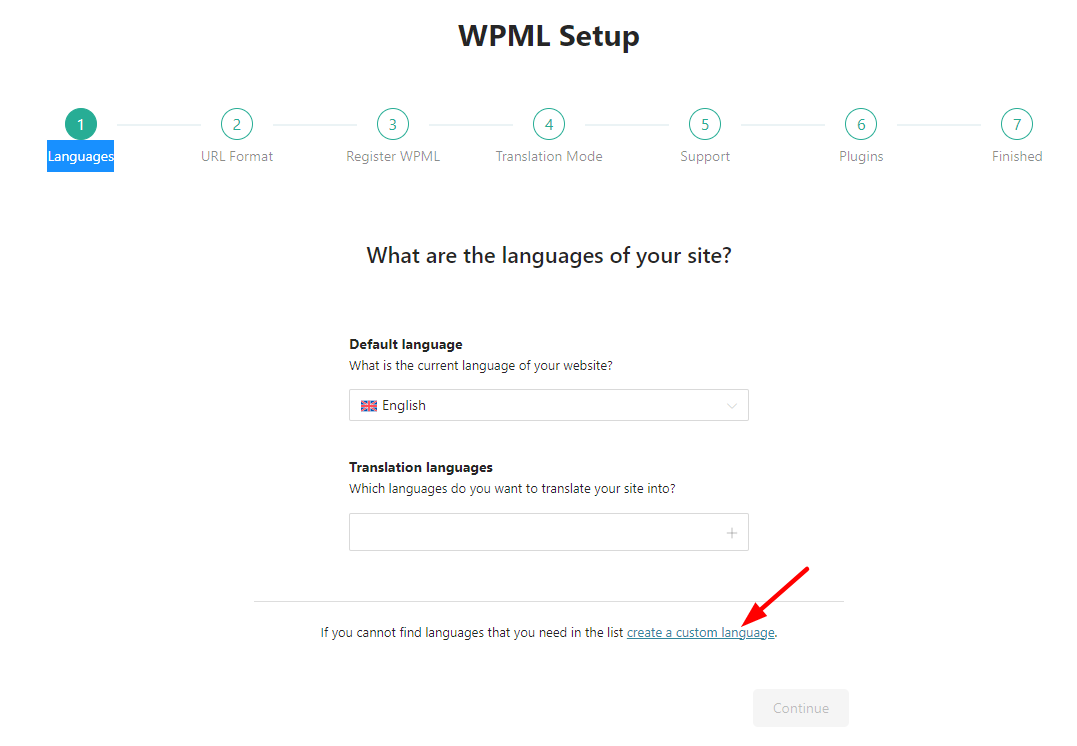
Go to your WPML setup page under the Languages tab, and click on Create a Custom Language.
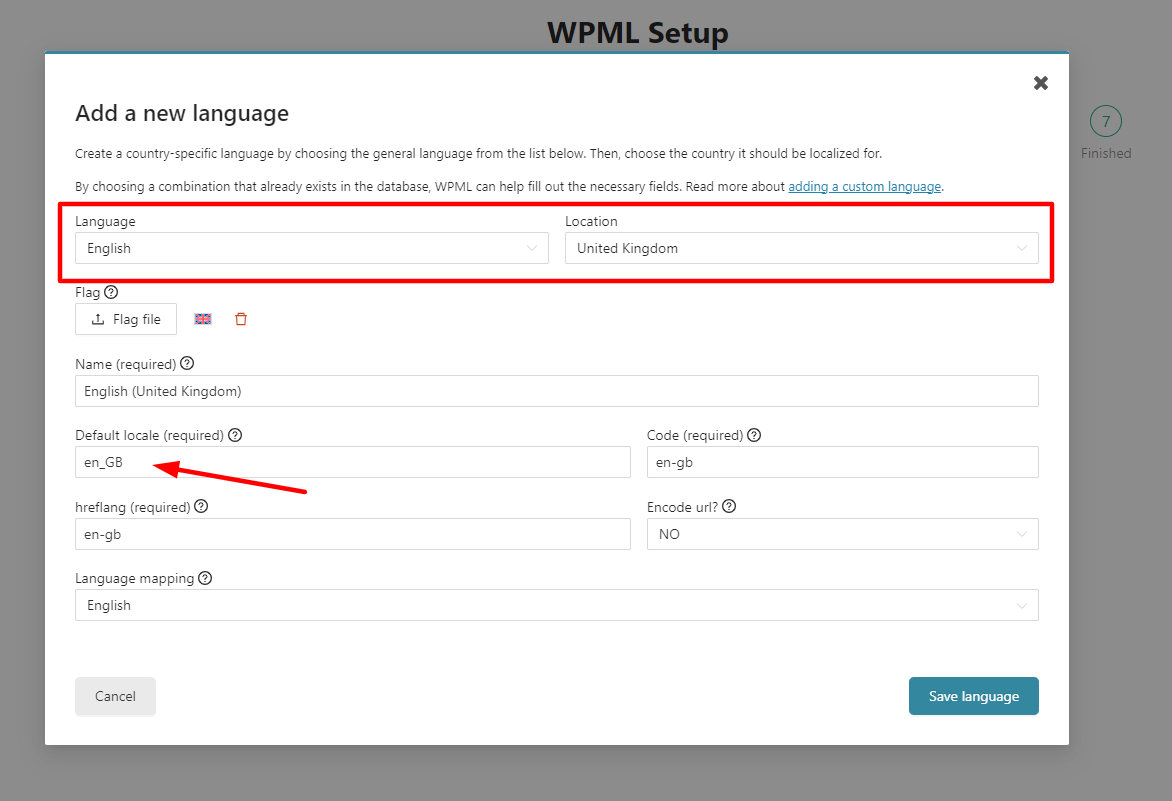
Choose English as the language, and select a location other than the United States (e.g., the United Kingdom). This way, the locale is set to en_GB (Language code and Country code), then click Save Language.
You now have two different versions of English:
- English: This one uses the en_US locale for The United States
- English (United Kingdom): This one uses the en_GB locale for The United Kingdom
Assign one of them as your default and the other as your translation language and continue with your WPML setup.
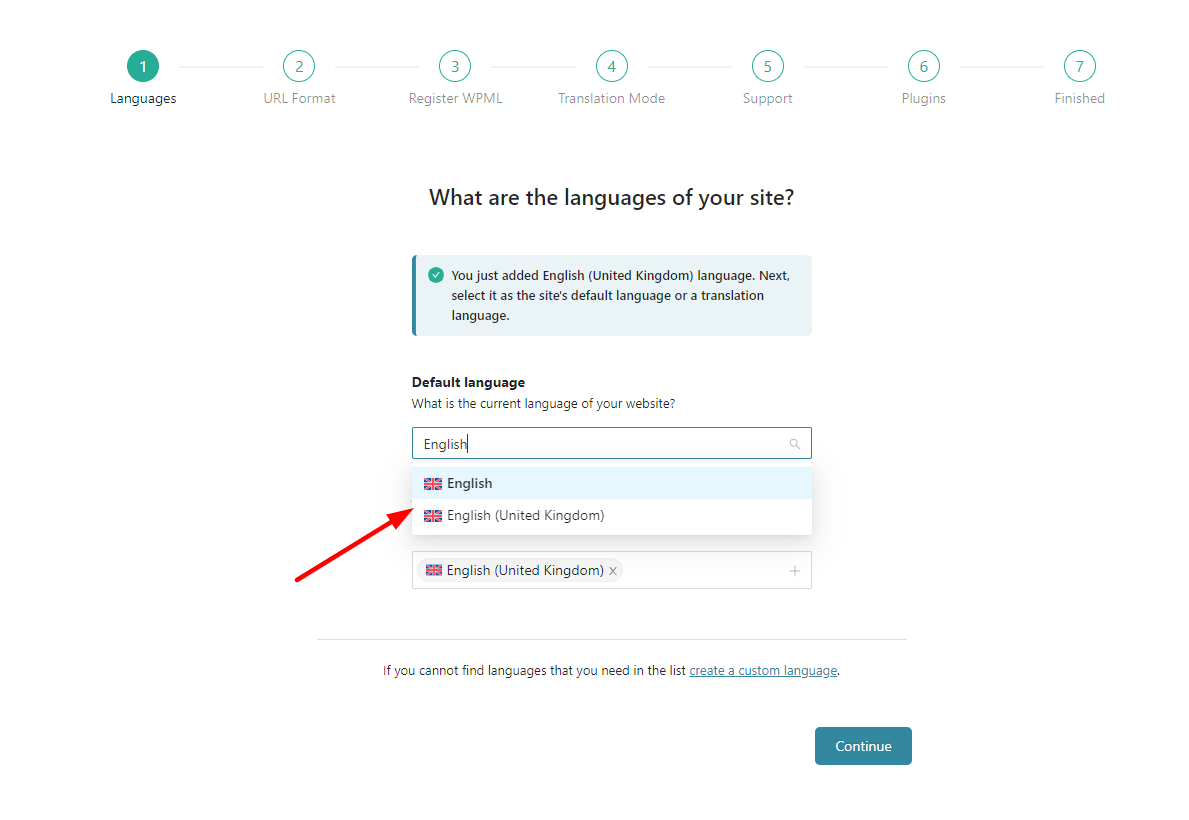
After completing your WPML setup, you can customize the language flag, as both versions are using the UK flag.