


Slider Revolution 7 Now Translates Automatically With WPML
WPML now translates every Slider Revolution 7 module automatically into every language on your site.

Need to add booking functionality to a new or existing WordPress site? See what to look for in great booking plugins and which ones WPML team recommends.
When looking for a plugin to handle appointments and reservations, check for three things:
Look for a plugin that makes it easy to add a simple calendar or a reservation form to your website. This will allow your customers to do the work of making and editing their reservations.
Check that it looks great and provides full functionality on both desktops and mobile devices.
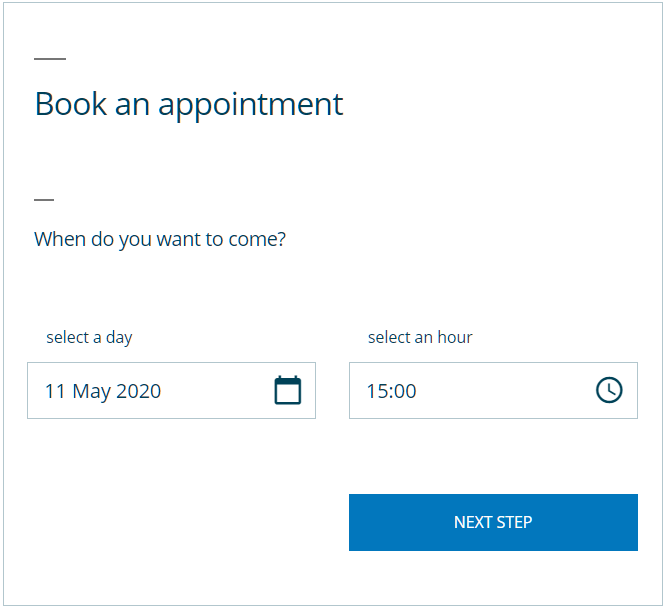
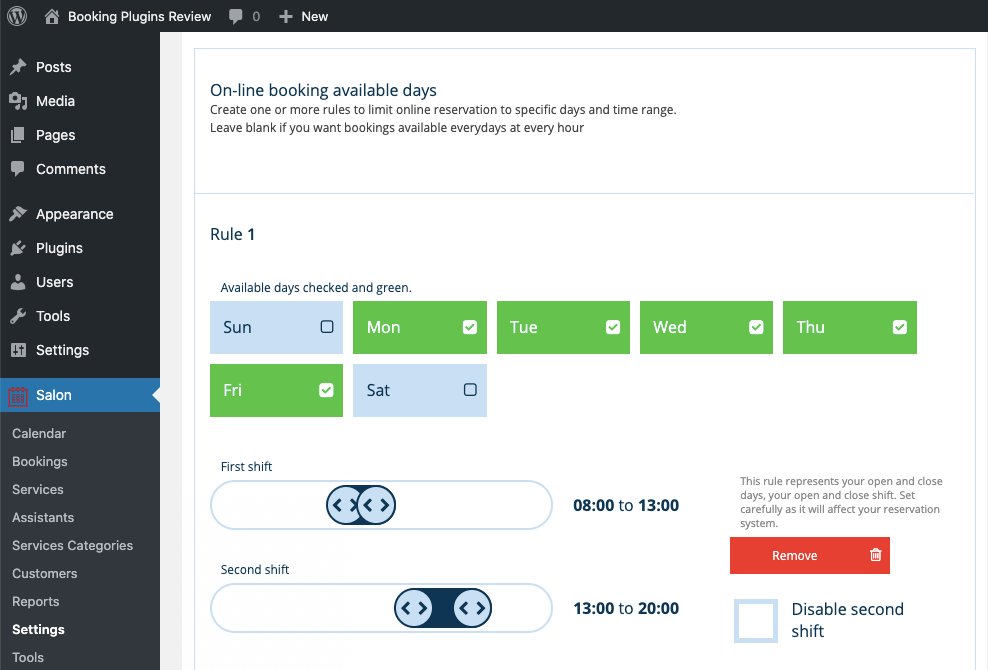
You’ll need to be sure you can easily customize the booking system to fit your business needs. This includes setting working days and hours, showing available time slots, and blocking vacation days.
Look for features like the ability to filter, search for, confirm, and cancel bookings.
If you run a business that has more than one service provider (such as a salon with multiple stylists), look for a plugin that allows users to set their own calendars and manage reservations.
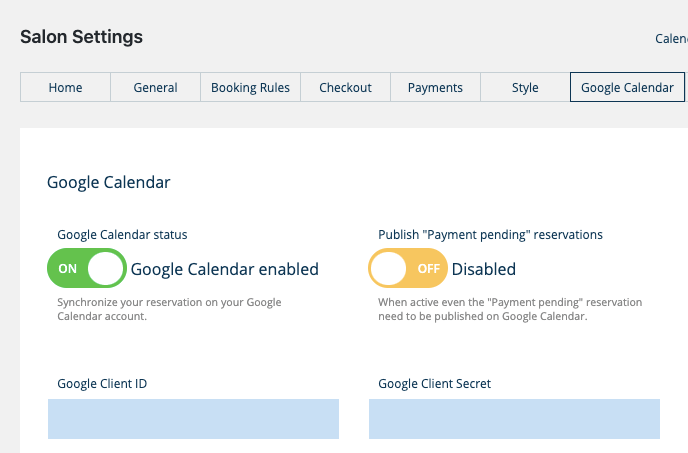
Email confirmations, reminders, and automatic Google Calendar holds will ensure neither customers nor service providers forget an appointment.
If you plan to charge a reservation fee, be sure your booking plugin integrates with your payment gateway of choice, such as PayPal or Stripe.
Make sure all your customers can navigate the booking process by translating it into their language with WPML.
Here’s how they stack up on some key features:
| WooCommerce Bookings | Team Booking | Salon Booking | WooCommerce Bookings & Appointments Premium | Sagenda | MotoPress Hotel Booking |
|---|---|---|---|---|---|
| Customize booking rules | |||||
| Yes | Yes | Yes – Free version | Yes | Yes – Free version | Yes |
| Manage bookings | |||||
| Yes | Yes | Yes – Free version | Yes | Yes – Free version | Yes |
| Email notifications | |||||
| Yes | Yes | Yes – Free version | Yes | Yes – Free version | Yes |
| Sync to Google Calendar | |||||
| Yes | Yes | Yes – Free version | Yes | No | No |
| Payment gateways | |||||
| Available as an add-on | Yes | Yes – Paid version | Yes | Yes – Paid version | Yes |
| Support for multi-service providers | |||||
| Available as an add-on | Yes | Yes – Free version | Available as an addon | No | Yes |
| Yearly pricing | |||||
| $249 | $28 | Free version or upgrade starting at €69 | Free version or upgrade for $99 | Free version or upgrade for $99 | $79 |
WPML makes it easy to cater to all your customers, no matter which language they speak. Use one of the booking plugins above to:
For an example on how this works, check out our tutorial for translating Salon Booking with WPML.
Adding the ability to book reservations and appointments through your website doesn’t have to be complicated. Use a plugin to easily add online booking to your site and streamline the process for both yourself and your customers.
WPML now translates every Slider Revolution 7 module automatically into every language on your site.

We tested six WooCommerce checkout plugins on field customization, editor usability, and Classic and Block checkout compatibility to help you find the right fit.
Learn how to customize your WooCommerce checkout page to improve the user experience for international customers, and sell more.