








Slider Revolution 7 Now Translates Automatically With WPML
WPML now translates every Slider Revolution 7 module automatically into every language on your site.

We tested six WooCommerce checkout plugins on field customization, editor usability, and Classic and Block checkout compatibility to help you find the right fit.
Your checkout is the last thing a customer sees before buying — and the first thing that sends them away if it asks for too much. Whether you want to add or remove fields, build a multi-step flow, or charge extra fees, the right WooCommerce checkout plugin depends on your store’s setup. Not every plugin works the same way, so we put six of them to the test to give you a clear answer.
Plugin
Best for
Pricing
Checkout Field Editor for WooCommerce
by themehigh.com
Stores that need checkouts with extensive fields.
Free
Flexible Checkout Fields for WooCommerce
by wpdesk.net
Stores planning to add more eCommerce features and want a bundle of premium plugins.
Free
Flux Checkout for WooCommerce
by iconicwp.com
Stores that want to configure their checkout by choosing from preset options rather than setting up fields manually.
Paid
Checkout Field Editor and Manager for WooCommerce
by acowebs.com
Stores that need a simple checkout and want a user-friendly, drag & drop editor.
Free
YITH WooCommerce Checkout Manager
by yithemes.com
Stores using the classic checkout and need extensive field customization.
Paid
WooCommerce Checkout Field Editor
by woocommerce.com
Stores using the classic checkout and only want to add new fields.
Paid
Every plugin in this roundup lets you customize your WooCommerce checkout. But they don’t all do it the same way — and the differences matter. Here’s what we looked at, and what’s worth asking yourself before you choose a plugin.

Checkout Fields
The number and variety of field types available, split by free and paid tier.

Field Controls
Whether you can add, hide, or reorder fields in the checkout form.

Ease of Use
The number and variety of field types available, split by free and paid tier.

Multi-step Checkout
The option to split the checkout into multiple steps to reduce friction.

Classic & Block Checkout
Compatibility with the WooCommerce Classic and Blocks Checkout.

WPML Compatibility
Whether you can translate your store with WPML, using the plugin’s free or paid tier.
Best for: Stores that need checkouts with extensive fields.
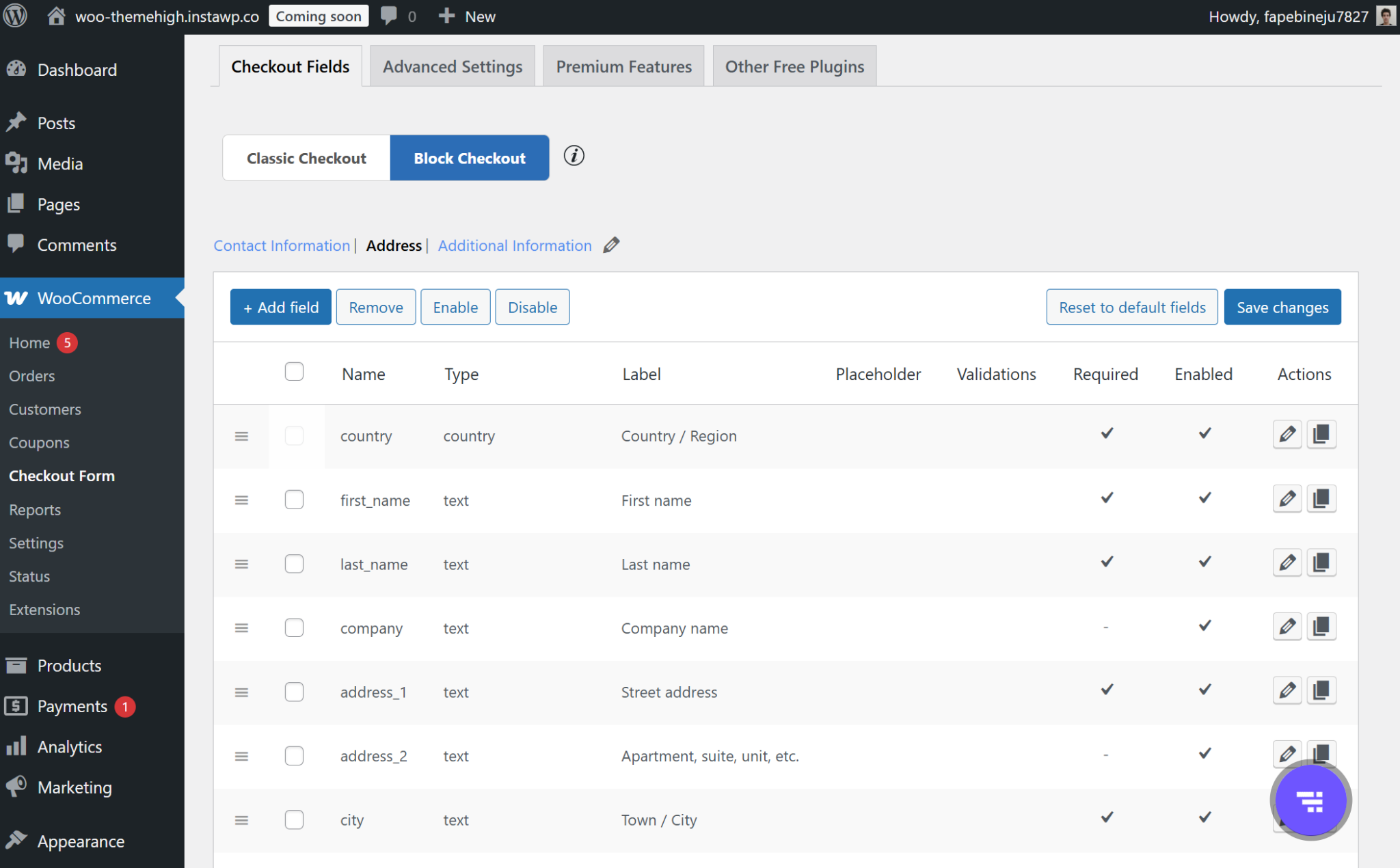
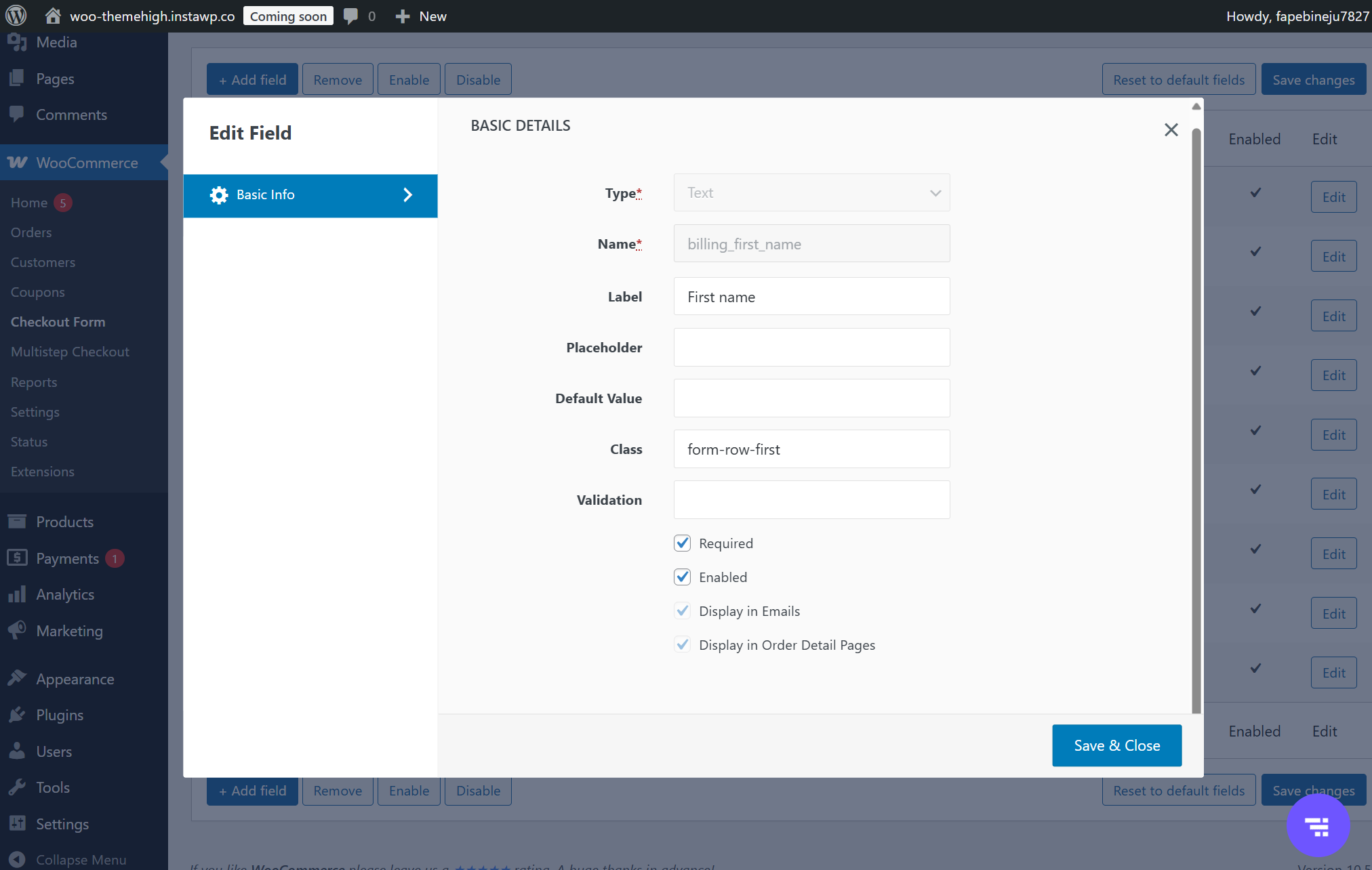
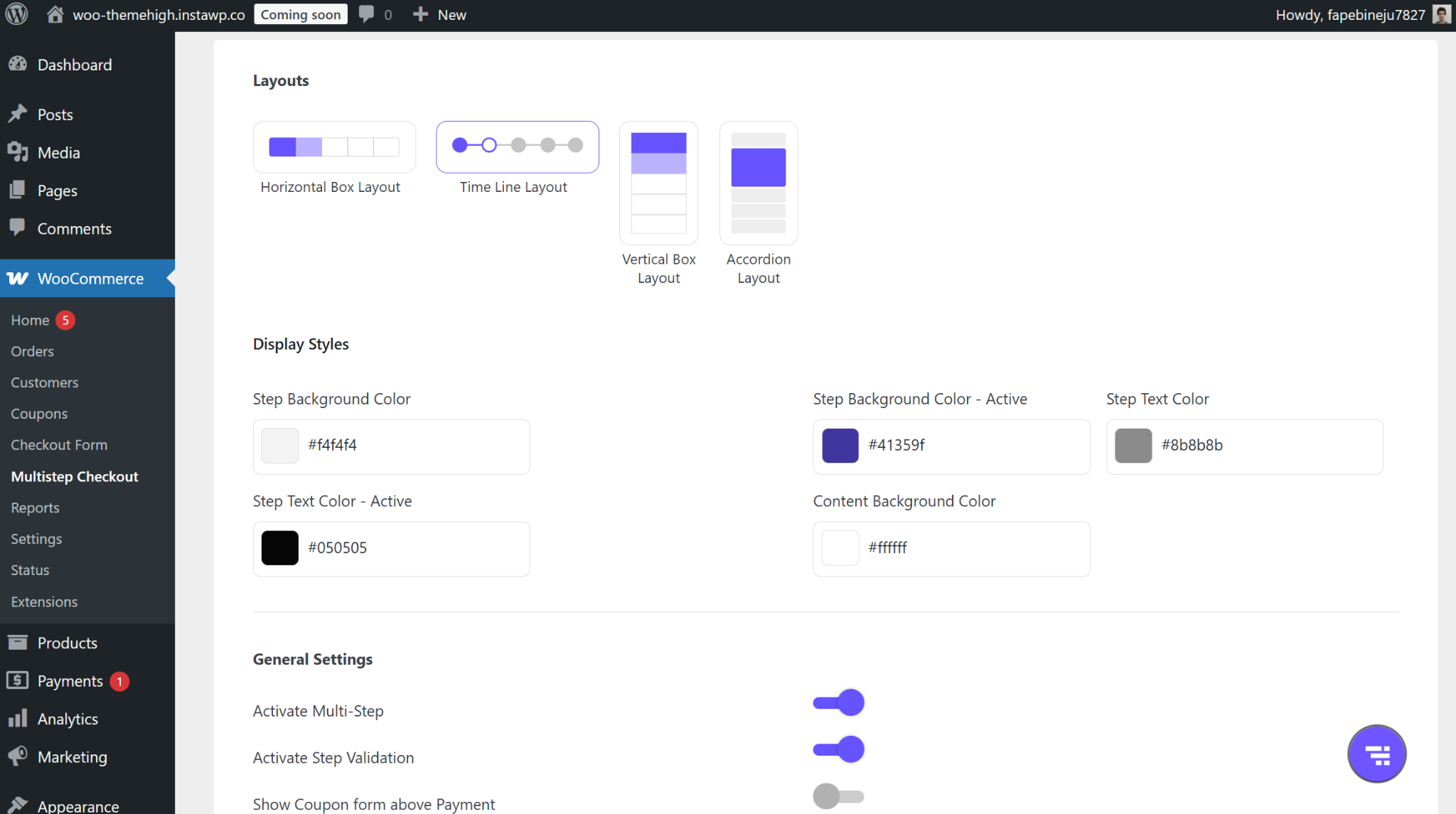
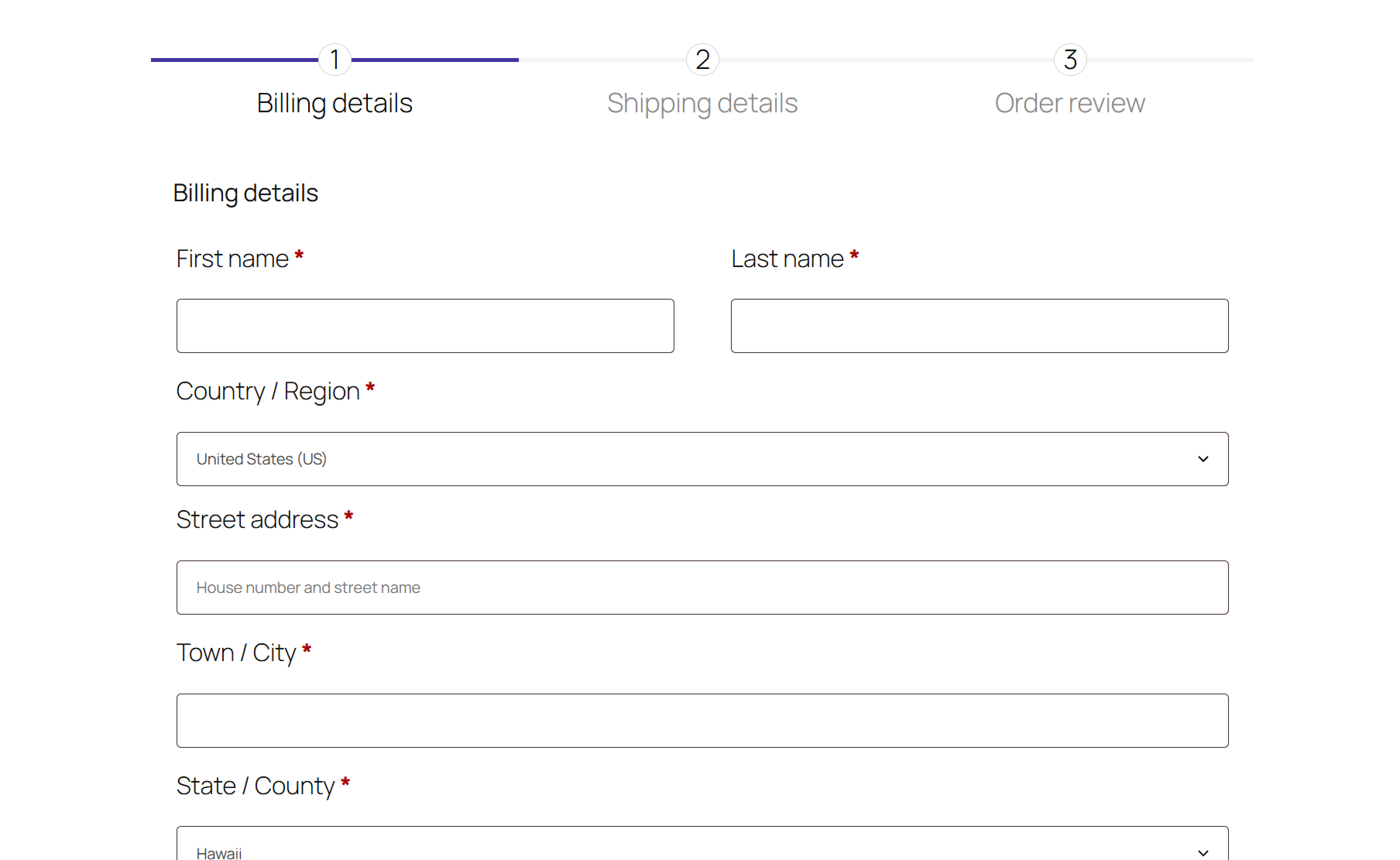
ThemeHigh’s Checkout Field Editor earns its spot through sheer field coverage and checkout compatibility. Where most plugins offer 9–12 field types, ThemeHigh gives you 20 in the free version alone. This includes everything from basic text inputs to date/time pickers, phone fields, and URL inputs. It works with both Classic Checkout and WooCommerce Blocks, follows WordPress styling closely, and has almost no learning curve. WPML compatibility is also included in the free version — something most competitors lock behind a paywall.
Text
Number
Hidden
Password
Phone
Textarea
Radio
Select
Multiselect
Checkbox
Checkbox Group
Heading
Datetime Local
Date
Time
Month
Week
URL
Paragraph
Date Picker
Time Picker
File Upload
Label
Add
Yes
Hide
Yes
Reorder
Yes
Stretch / Split
Yes
Multi-step checkout
Available as a free add-on (MultiStep Checkout for WooCommerce). Only works with Classic Checkout.
Classic Checkout
● Compatible
Checkout Block
● Compatible
WPML
● Compatible
FREE
$0

20 free fields
Add, remove & reorder fields
WPML compatible
Multi-step checkout (add-on)
PRO
$49/y
4 pro fields
Conditional logic (cart, role, fields)
Extra fees (fixed & dynamic)
“Easy to use, flexible field customization without coding.”
Cecconi • olens.it • Using 2 years
“I can add company code and VAT number fields — exactly what I need for client sites.”
Dainius Valiukas • Web developer • Using 3+ years
Best for: Stores planning to add more eCommerce features and want a bundle of premium plugins.
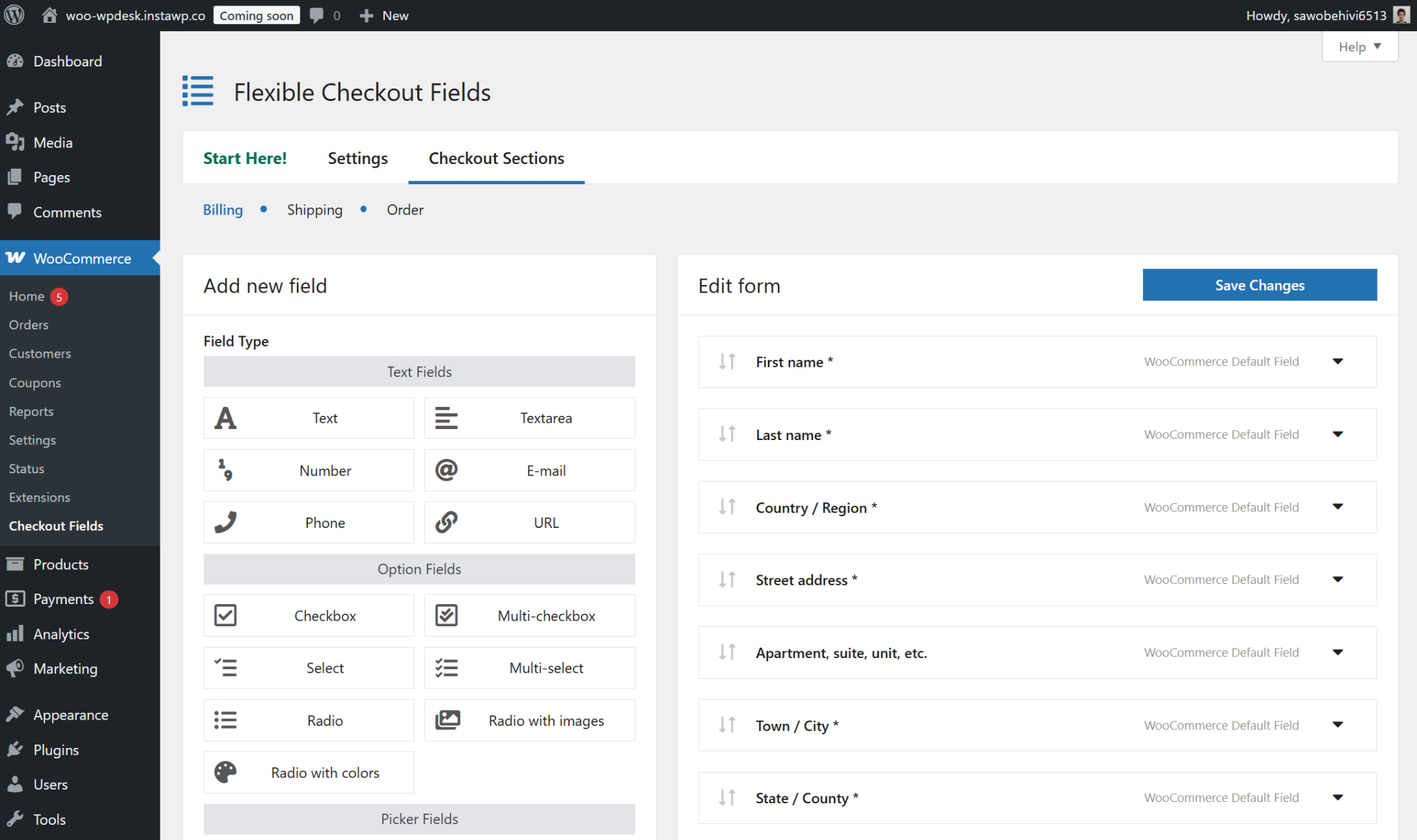
WPDesk’s Flexible Checkout Fields features a drag-and-drop editor — a usability edge shared with only one other plugin in this roundup. The free tier covers 12 field types, works with both Classic Checkout and WooCommerce Blocks, and includes WPML compatibility out of the box. That being said, the main reason to consider WPDesk is its bundle deal. The standard pro plan is $59/y — but for $99/y, you get access to 20 WooCommerce addons covering refunds, promotions, and more.
Text
Textarea
Number
Phone
URL
Checkbox
Headline
Paragraph
Image
HTML
Color
Multi-checkbox
Select
Multi-select
Radio
Radio with images
Radio with colors
Date
Time
File Upload
Hidden
Add
Yes
Hide
Yes
Reorder
Yes
Stretch / Split
Yes
Multi-step checkout
Not available.
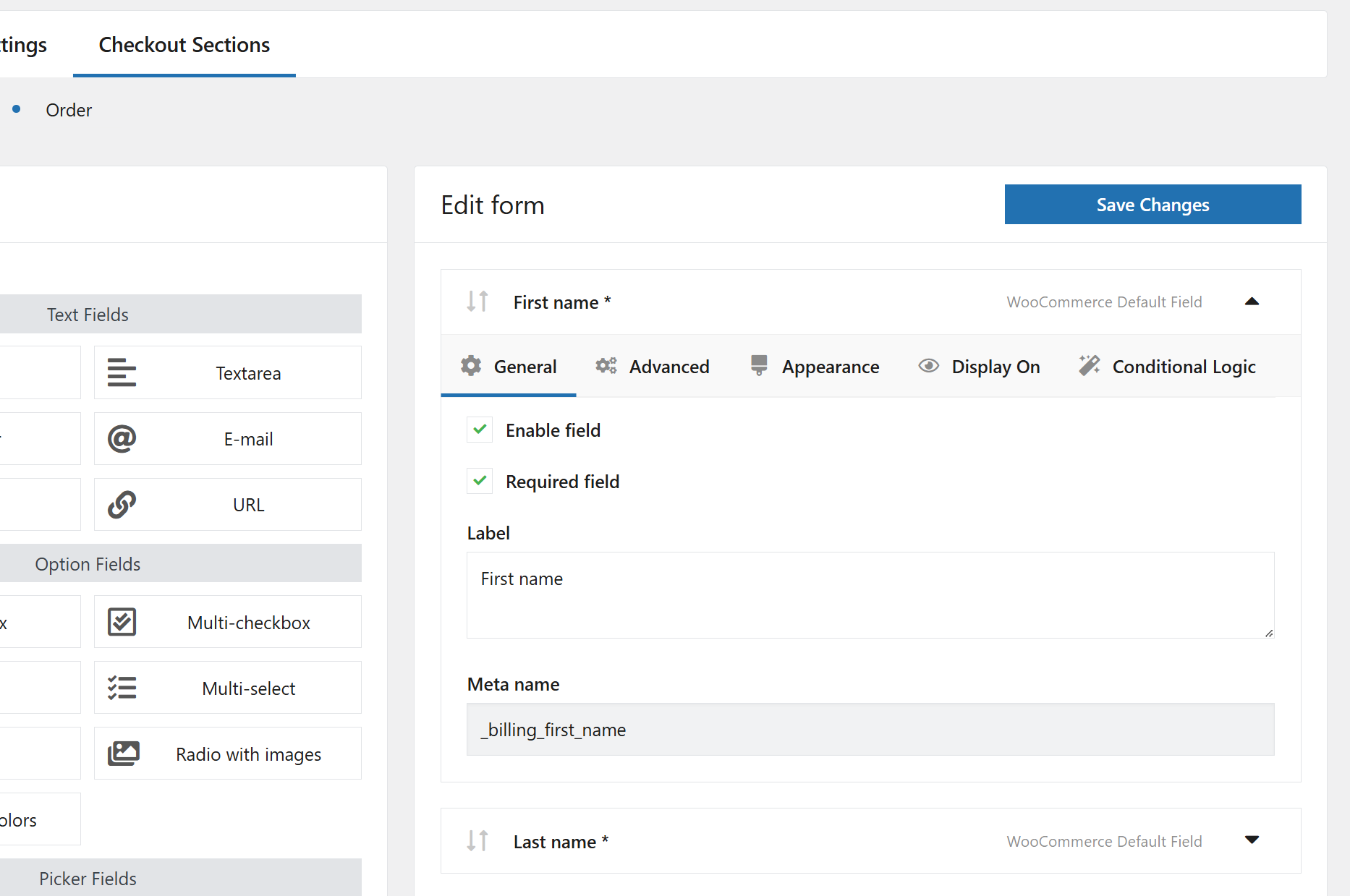
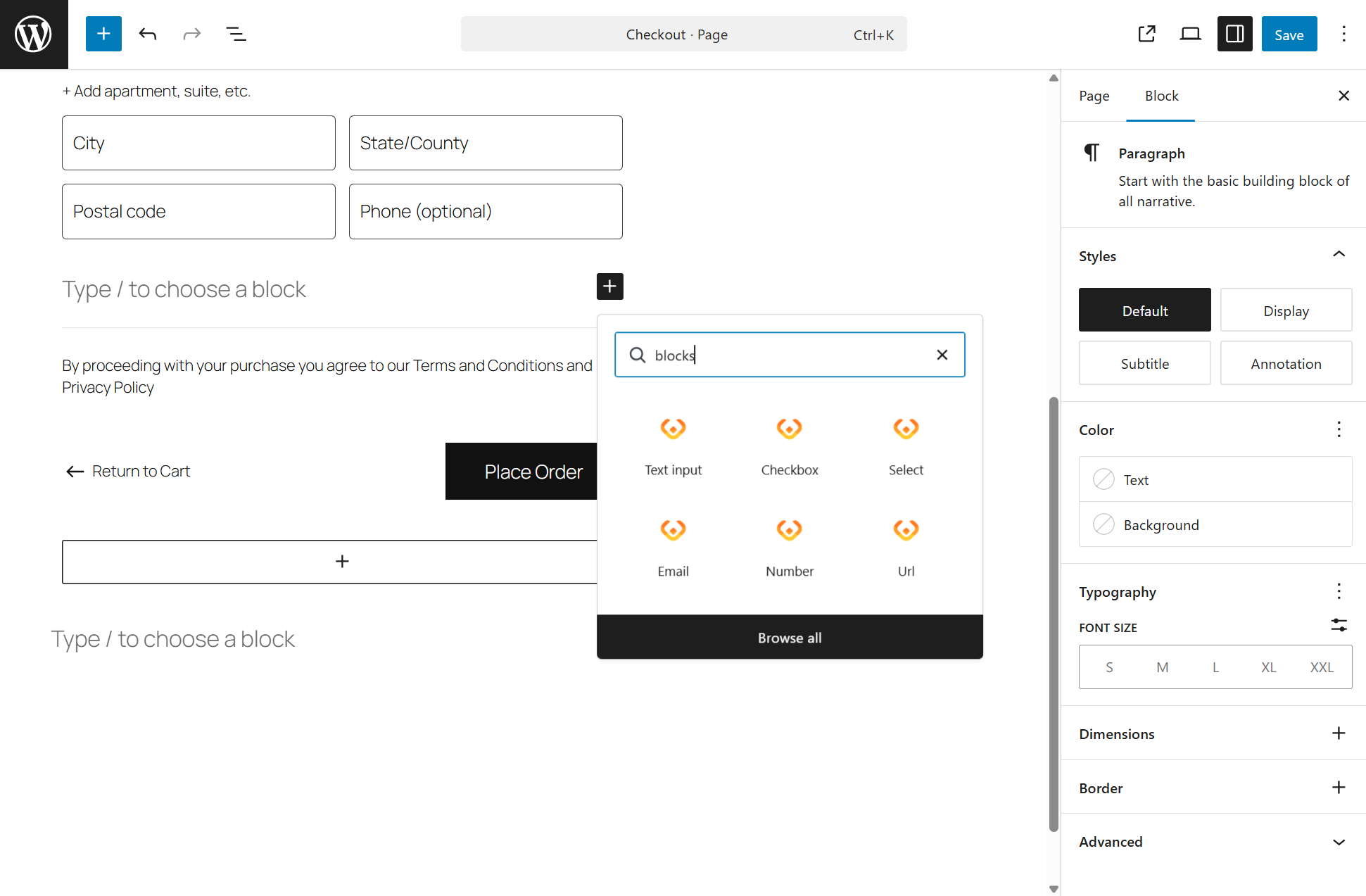

Classic Checkout
● Compatible
Checkout Block
● Compatible
WPML
● Compatible
FREE
$0
12 free fields
Add, remove & reorder fields
WPML compatible
PRO
$59/y
10 pro fields
Conditional logic (cart, role, fields)
Extra fees (fixed & dynamic)
Bundle deal: 25 WooCommerce plugins for $99 / year.
Best for: Stores that want to configure their checkout by choosing from preset options rather than setting up fields manually.

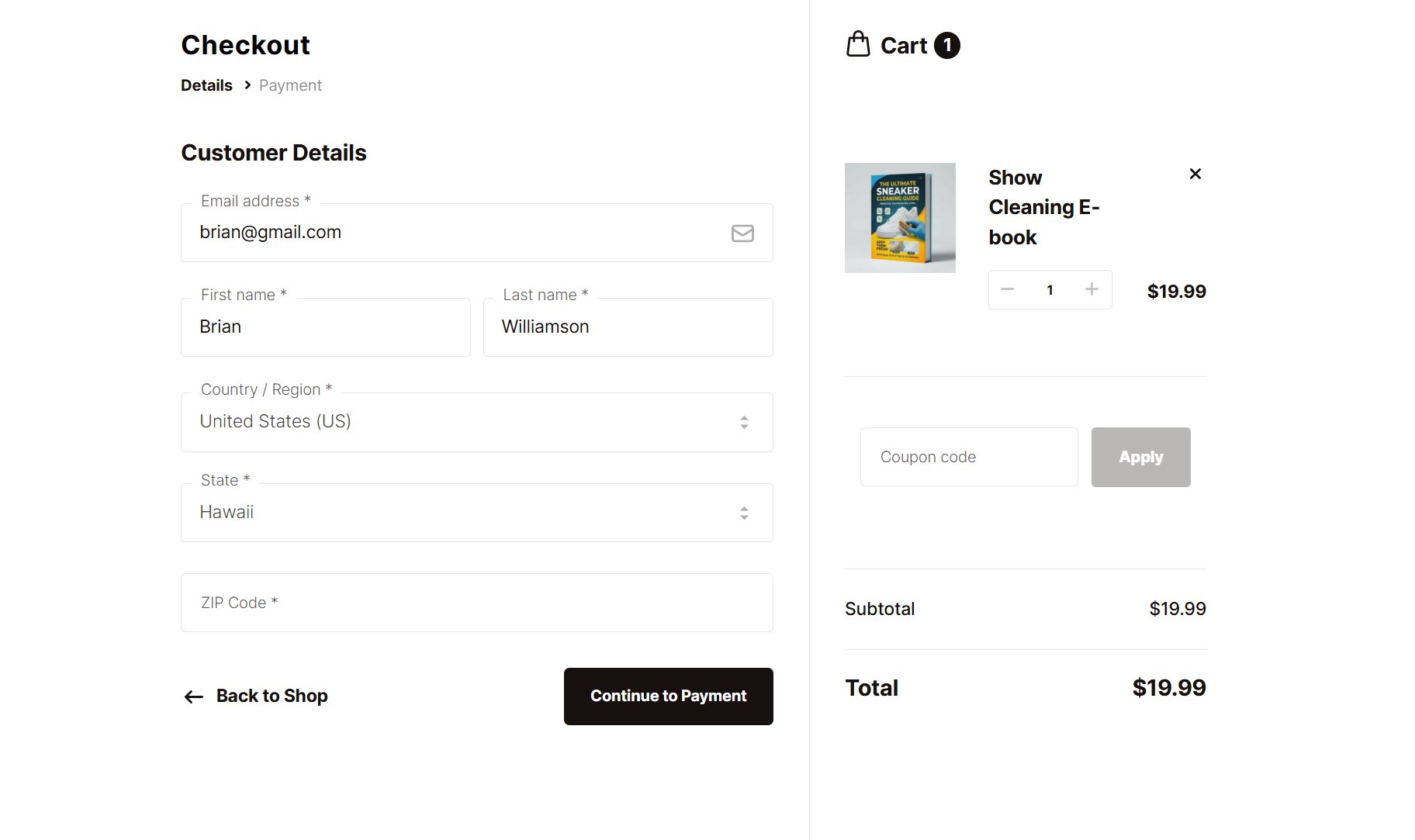
Flux Checkout for WooCommerce takes a different approach to checkout customization – it doesn’t let you add, remove, or reorder individual fields at all. Instead, it offers preset checkout templates tailored to different store types: physical products, digital products, company orders, and more. Each preset shows only the fields relevant to that context, which makes for a cleaner checkout without any manual configuration. It works with both Classic Checkout and WooCommerce Blocks, and is compatible with WPML. On top of checkout configuration, the plugin also offers address autocomplete and cross-sell products during checkout.
N/A
N/A
Add
No
Hide
No
Reorder
No
Stretch / Split
No
Multi-step checkout
Included in the plugin.
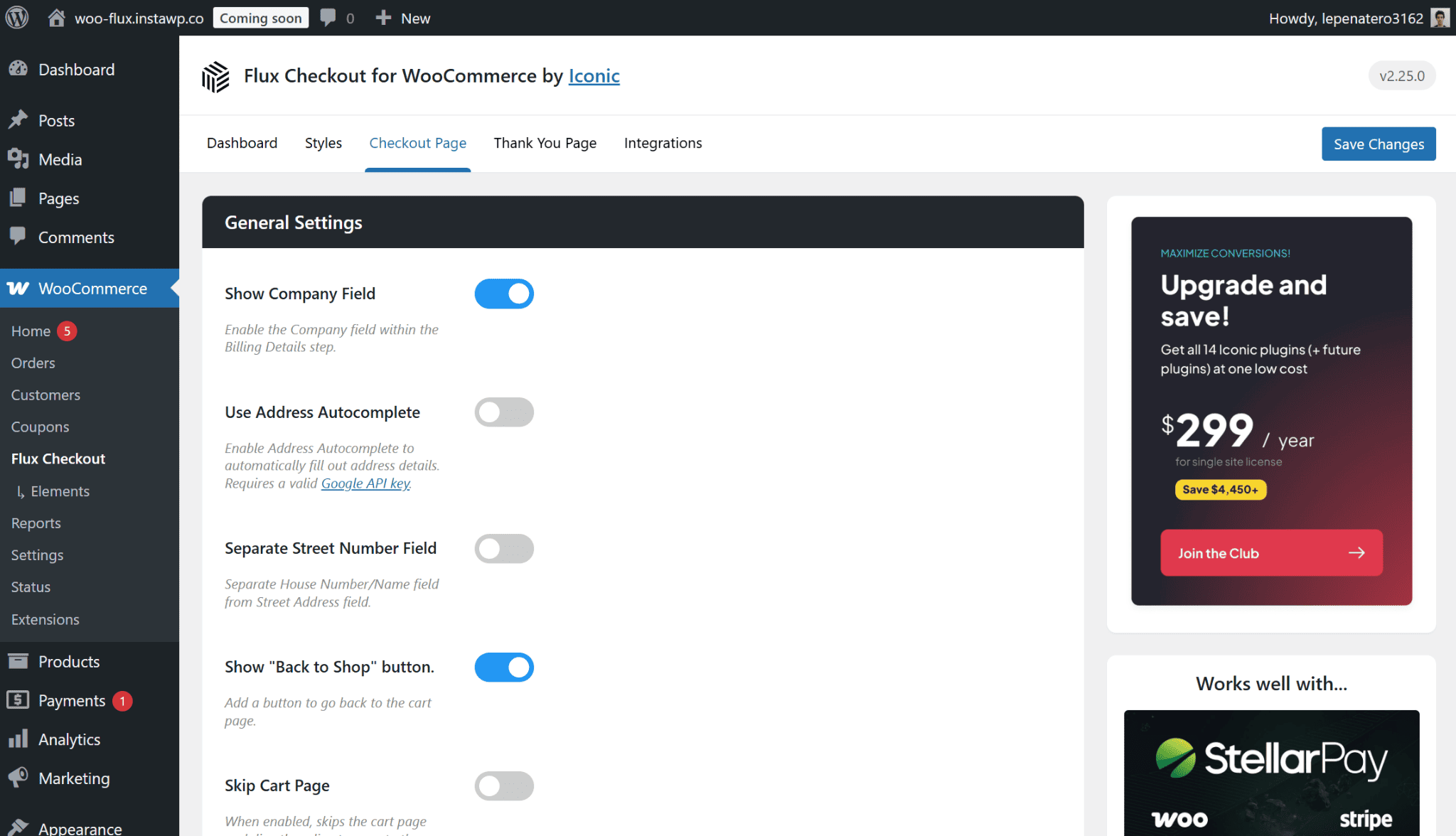
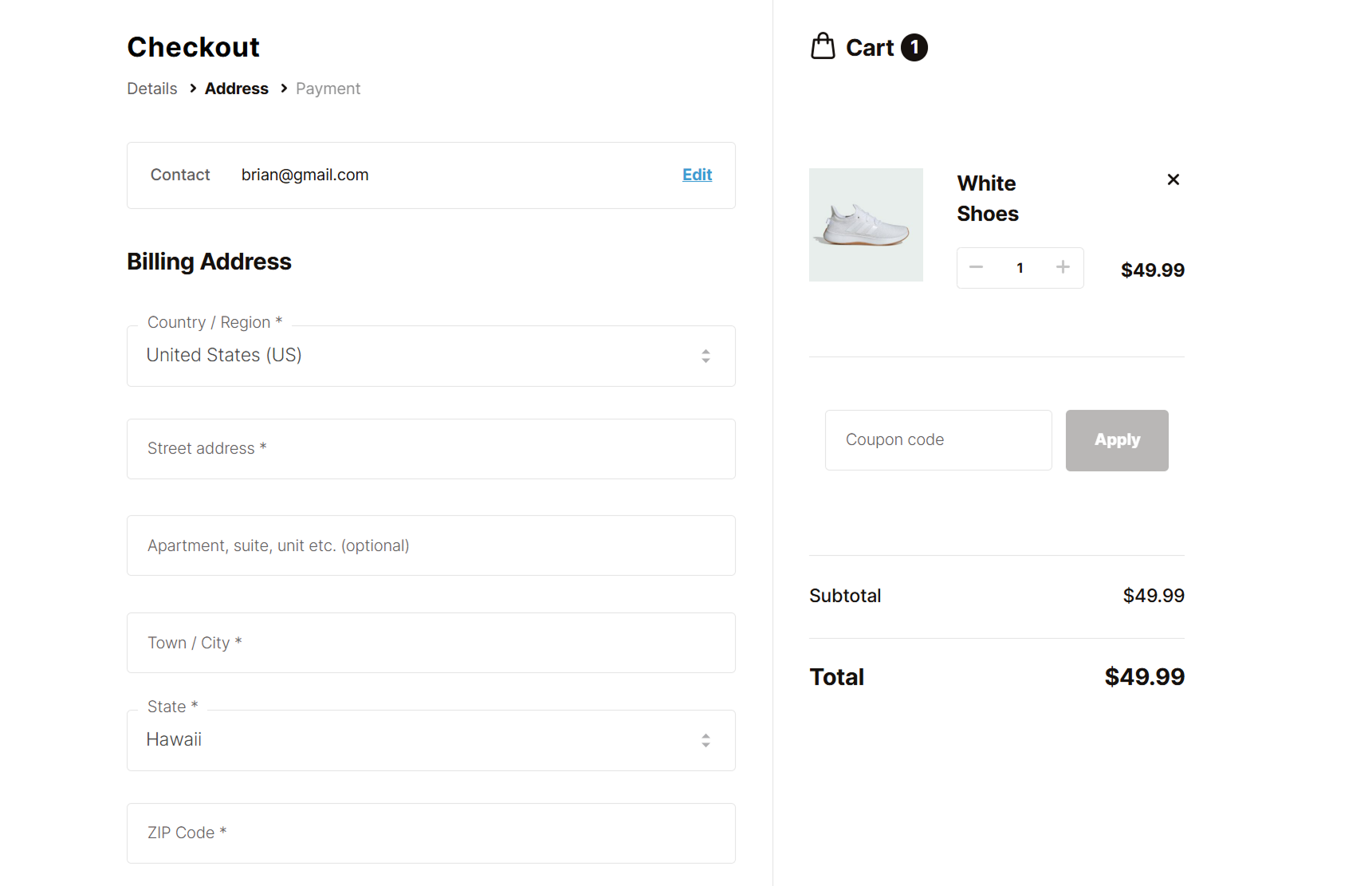

Classic Checkout
● Compatible
Checkout Block
● Compatible
WPML
● Compatible
FREE
No free version available.
PRO
$99/y
Multi-step checkout
Cross-sell during checkout
WPML compatible
Best for: Stores that need a simple checkout and want a user-friendly, drag & drop editor.

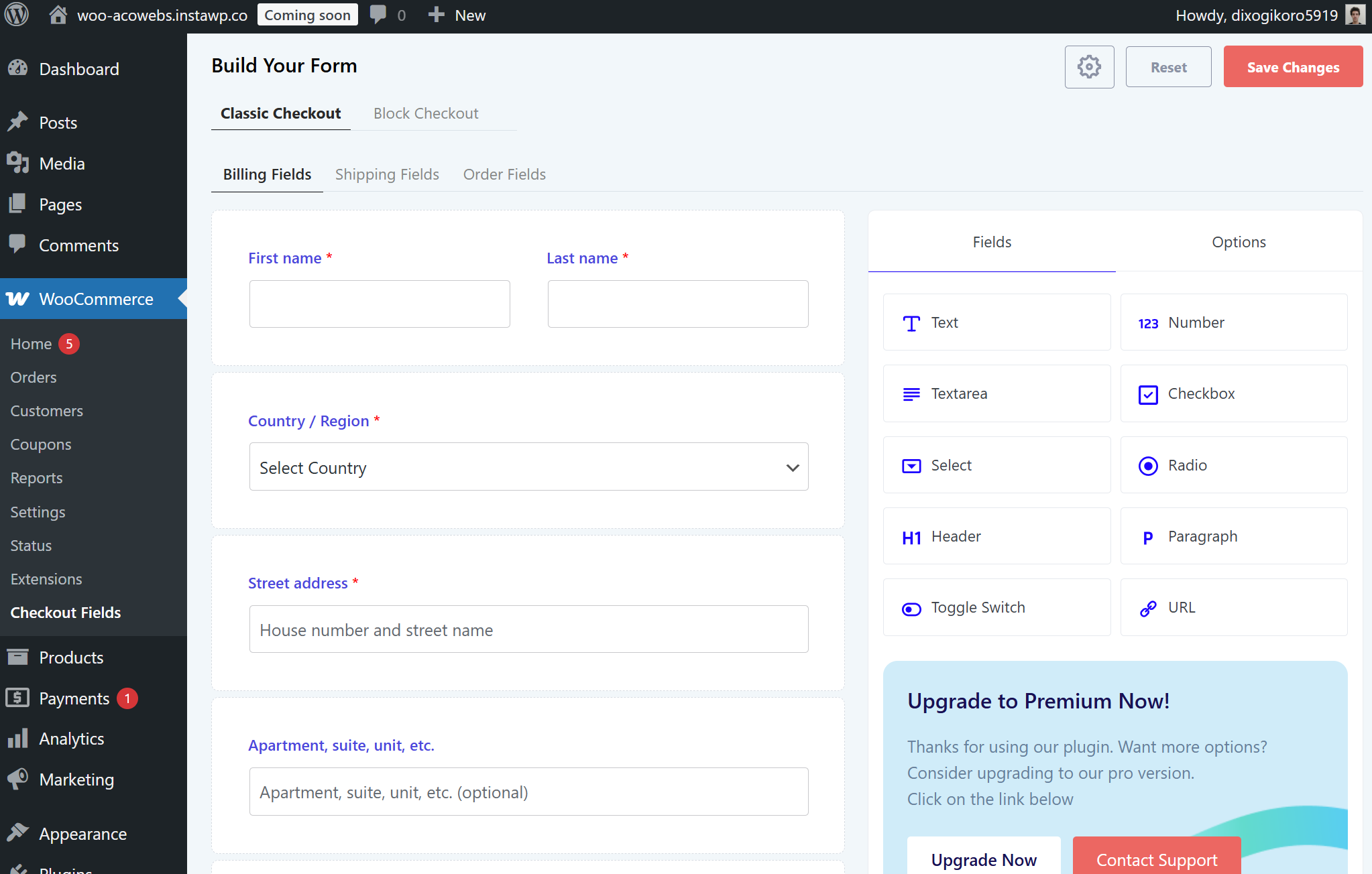
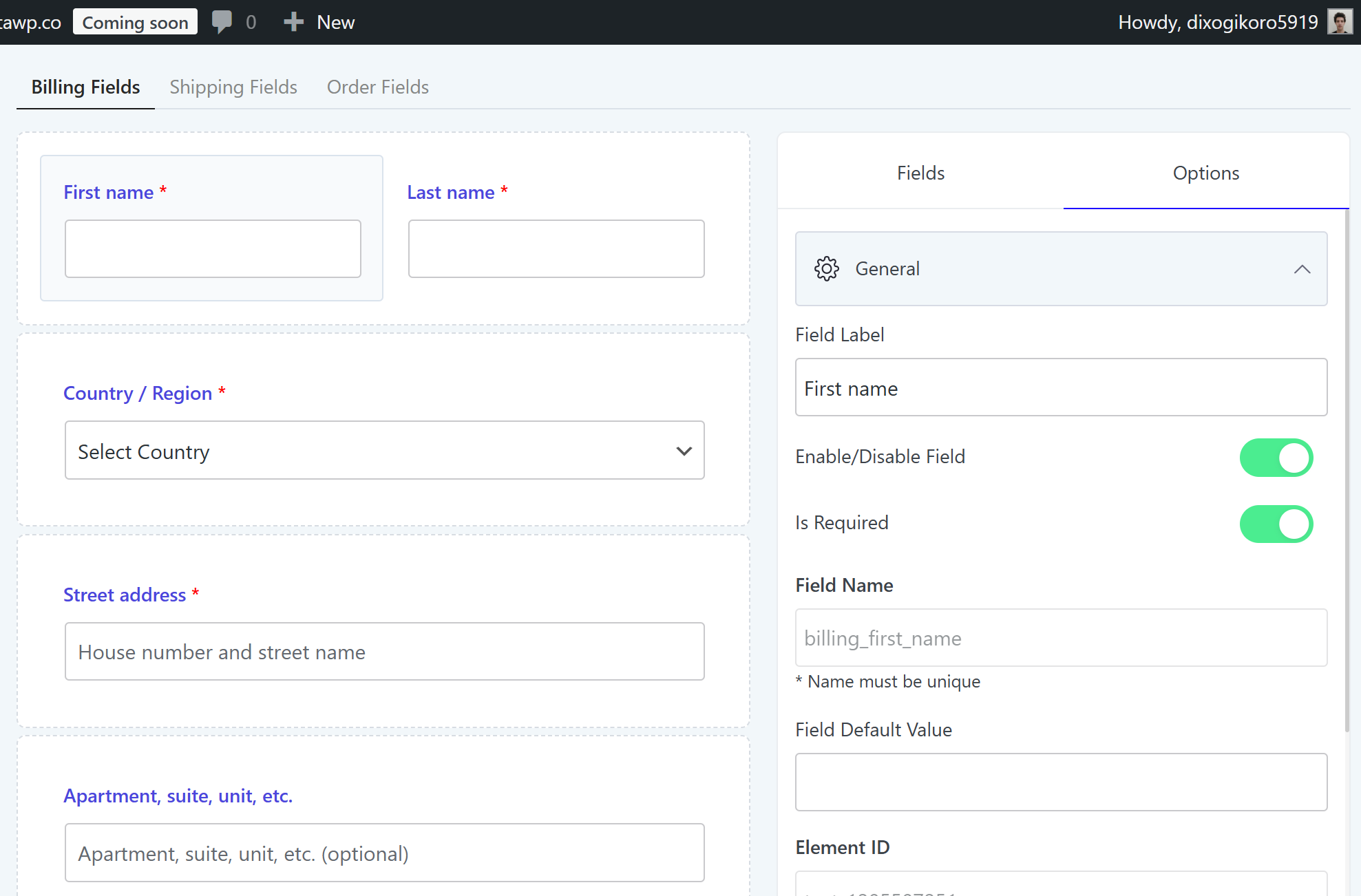
Checkout Field Editor and Manager for WooCommerce stands out in this roundup for having the most intuitive editor interface — a drag-and-drop builder. Unlike the table-based editors most competitors use, the layout makes it immediately clear what your checkout will look like as you build it. With 10 free fields and support for both Classic Checkout and WooCommerce Blocks, it covers most stores’ needs straight out of the box. That being said, you’ll need the plugin’s paid plan to enjoy WPML compatibility.
Text
Number
Textarea
Checkbox
Select
Radio
Header
Paragraph
Toggle Switch
URL
Password
Phone
Hidden
Multi-Select
Checkbox Group
Color Picker
Date
Time
File Upload
Label
Google Place Select
Image Group
Color Group
Add
Yes
Hide
Yes
Reorder
Yes
Stretch / Split
Yes
Multi-step checkout
Not available.
Classic Checkout
● Compatible
Checkout Block
● Compatible
WPML
● Compatible
FREE
$0
10 free fields
Add, remove & reorder fields
Drag-and-drop editor
PRO
$49/one-time
15 pro fields
Conditional logic (cart, role, fields)
Extra fees (fixed & dynamic)
WPML compatible
“Flexibility without writing a line of code.”
Saimeon • simplestudio.dev • Using 3+ years
Best for: Stores using the Classic Checkout and need extensive field customization.
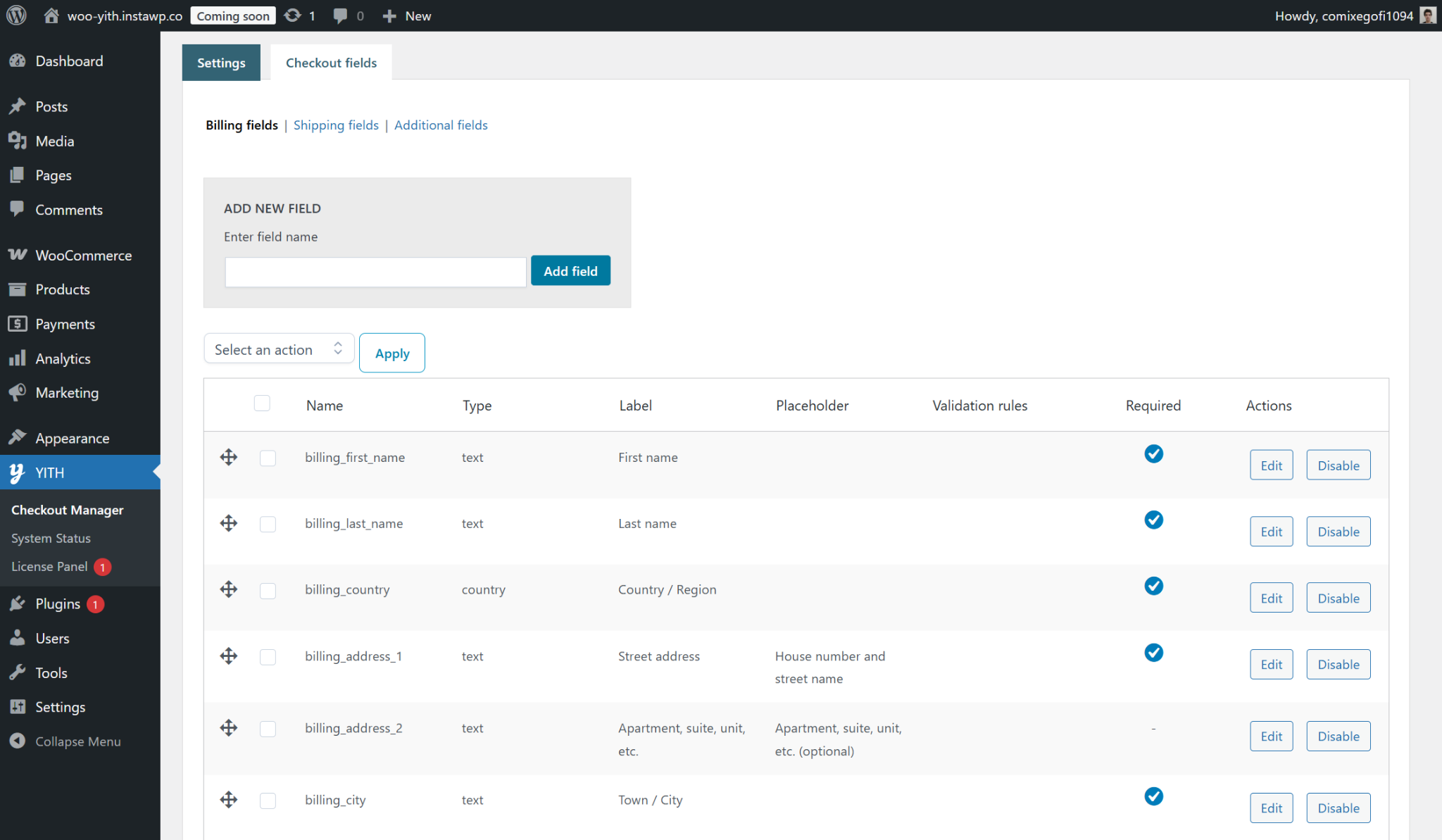
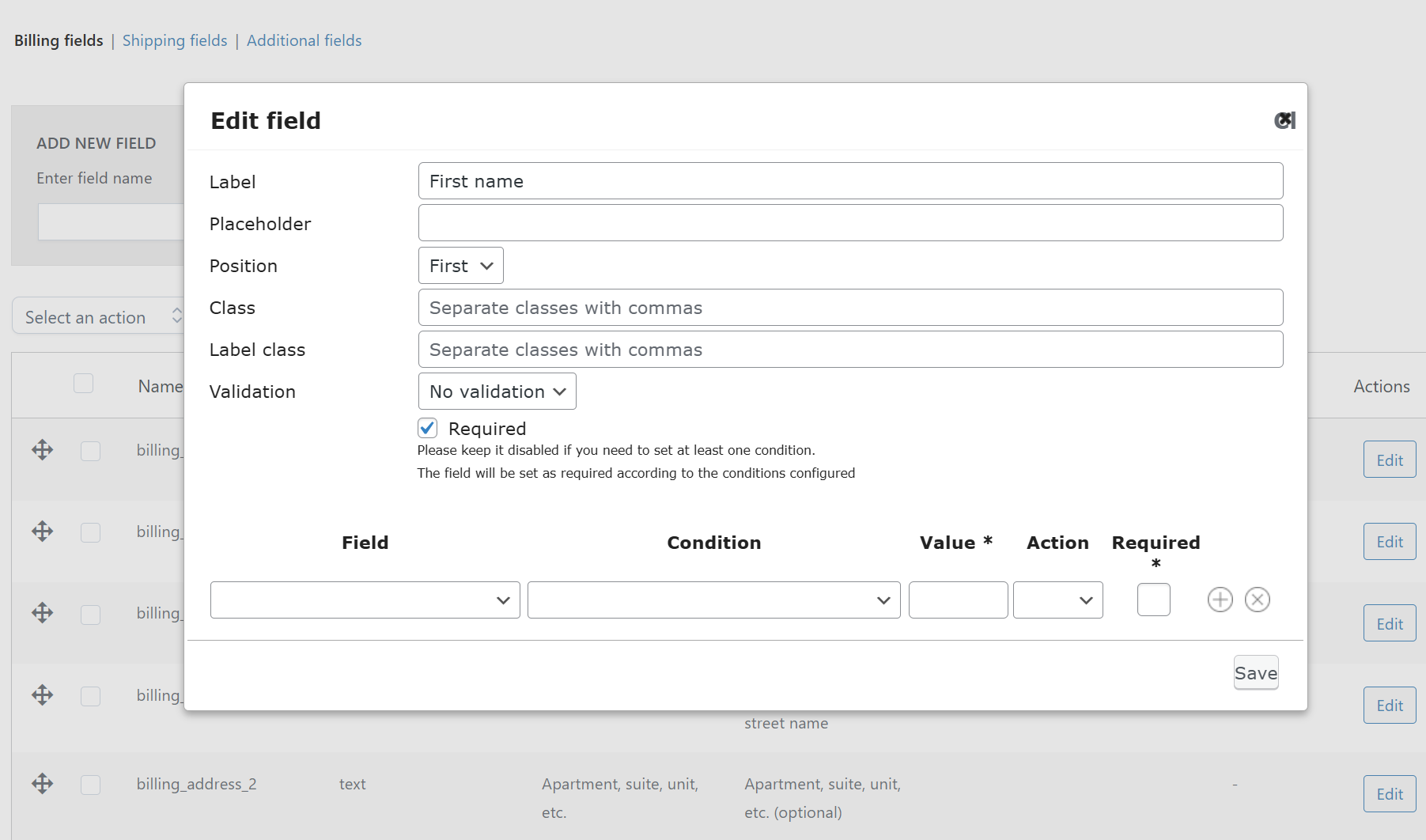
YITH WooCommerce Checkout Manager is a solid choice for stores that use the Classic Checkout and need deep field customization. With 11 field types, a clean table-based editor, and features like field tooltips and checkout styling, the plugin goes beyond basic field management. The trade-offs are significant though: there’s no free version, WooCommerce Blocks is not supported, and WPML is not compatible at any tier.
N/A
Text
Number
Password
Phone
Textarea
Radio button
Checkbox
Dropdown select
Multi-select
Date
Time
Add
Yes
Hide
Yes
Reorder
Yes
Stretch / Split
Yes
Multi-step checkout
Available as a paid add-on (YITH WooCommerce Multi-step Checkout) at $69.99 / year.
Classic Checkout
● Compatible
Checkout Block
● Not compatible
WPML
● Not compatible
FREE
No free version available.
PRO
$69/y
11 fields
Add, remove & reorder fields
Conditional logic (cart, fields)
Best for: Stores using the classic checkout and only want to add new fields.

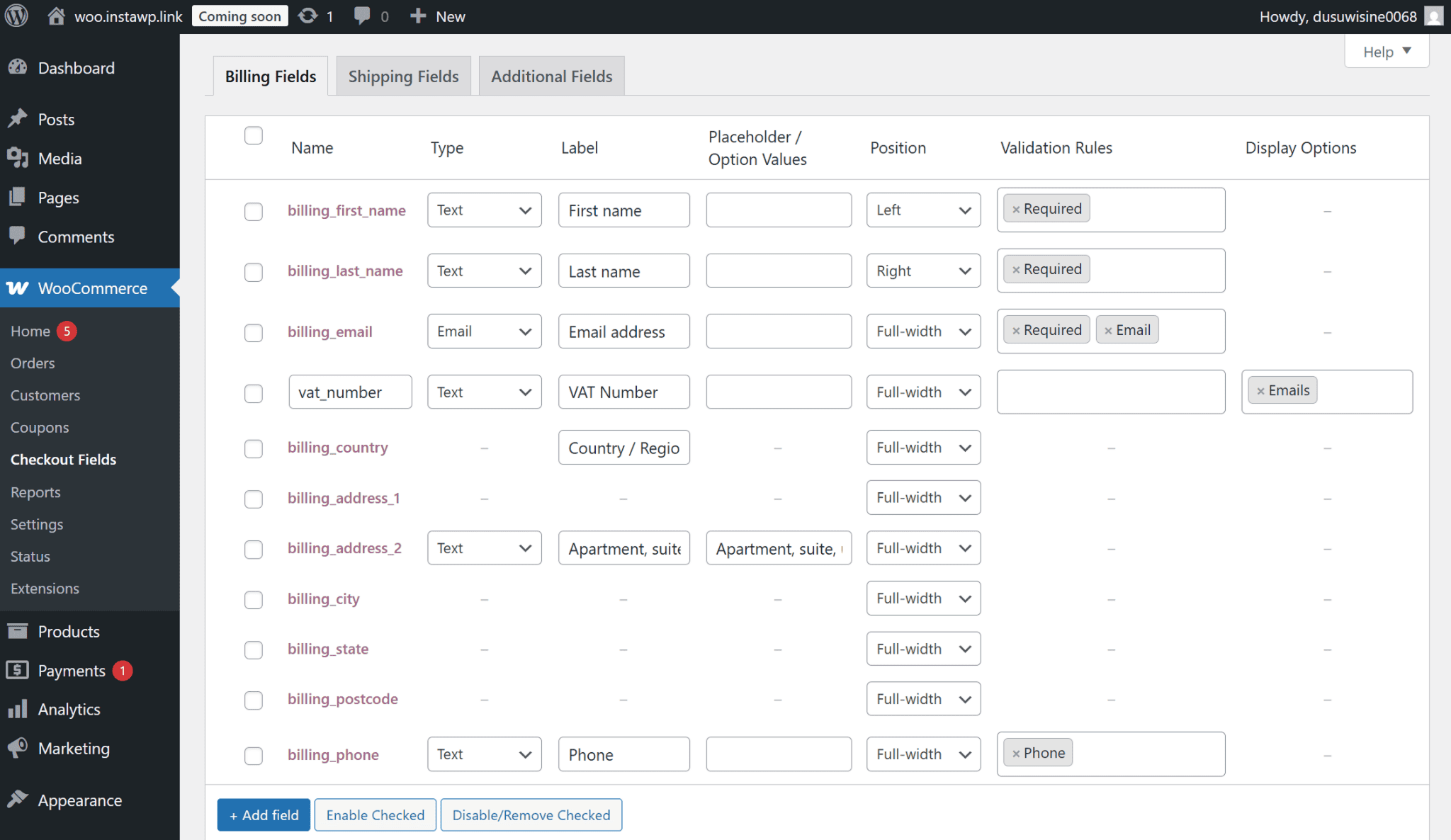
WooCommerce’s own checkout field editor is built for stores that need to collect additional information at checkout – not reconfigure what’s already there. Unlike other plugins in this roundup, it doesn’t let you hide or remove the default WooCommerce fields, and can only add new ones. The editor itself is clean and straightforward — a single screen with drag-and-drop reordering and half/full-width field positioning. The trade-offs are significant though: there’s no free version, and it only works with Classic Checkout.
N/A
Text
Password
Textarea
Select
Multi-Select
Radio
Checkbox
Date Picker
Heading
Add
Yes
Hide
No
Reorder
Yes
Stretch / Split
Yes
Multi-step checkout
Not available.
Classic Checkout
● Compatible
Checkout Block
● Not compatible
WPML
● Compatible
FREE
No free version available.
PRO
$49/y
9 fields
Add & reorder fields
WPML compatible
“Easy to add the extra checkout fields that WooCommerce doesn’t include by default — gives me the flexibility to adapt checkout to different client projects.”
Mario • flotarium.com • Using 3+ years
All six plugins let you customize your WooCommerce checkout — but which one is right for you depends on your needs.
You want a free plugin with many field types that works with both the Classic and Block checkout.
You need additional eCommerce features and want a bundle of premium plugins rather than paying for each one separately.
You want a polished multi-step checkout and prefer picking from preset options over configuring fields from scratch.
You need a simple checkout and prefer dragging fields into place over working from a table-based editor.
You’re using the Classic Checkout, need extensive field customization, and don’t plan to build a multilingual store.
You’re using the Classic Checkout, only need to collect extra information at checkout, and don’t need to hide or remove any existing fields.
Translate your store and display prices in different currencies with WPML Multilingual & Multicurrency for WooCommerce.
Learn moreWPML now translates every Slider Revolution 7 module automatically into every language on your site.
Translate Options Pages directly in Translation Dashboard, manage local fields more easily, and enjoy faster performance with ACFML 2.2.0.
Learn how to customize your WooCommerce checkout page to improve the user experience for international customers, and sell more.