


Why Community Translation Can't Scale for WordPress Themes and Plugins
Our analysis of 60,000+ WordPress plugins and themes shows community translation covers under 5% of needs in 40 languages.

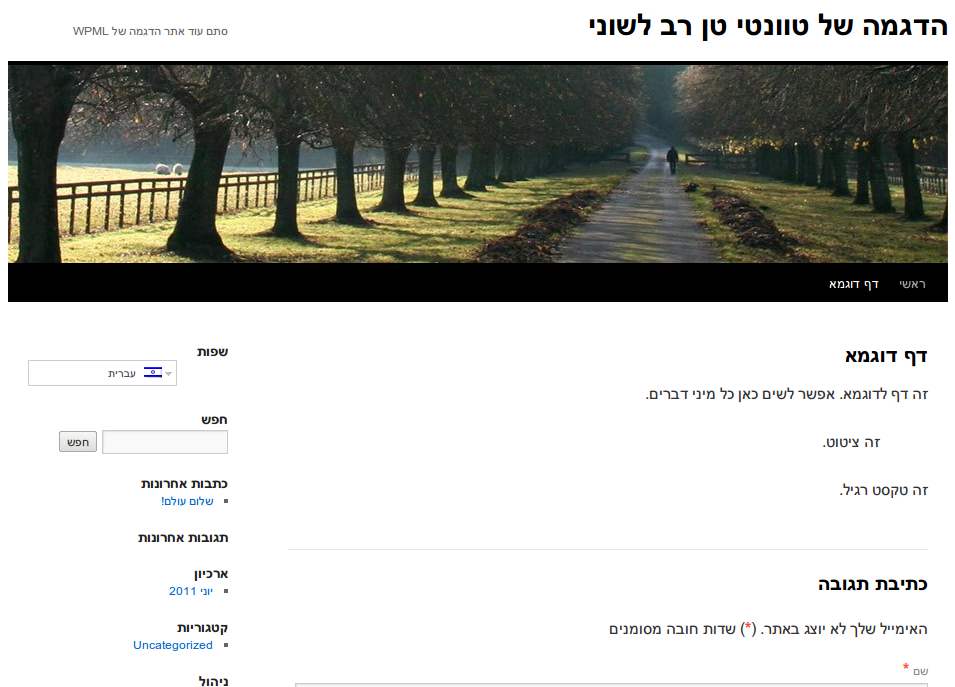
Right-to-Left languages pose a special challenge. Luckily, WordPress goes a long way to reduce the pain. We’ll show you how to create a perfectly functional RTL site, based on the default TwentyTen theme.
When you create a multilingual RTL / LTR site, you need to address two issues:
When displaying the site, your theme needs to handle correct display direction for RTL and LTR languages.
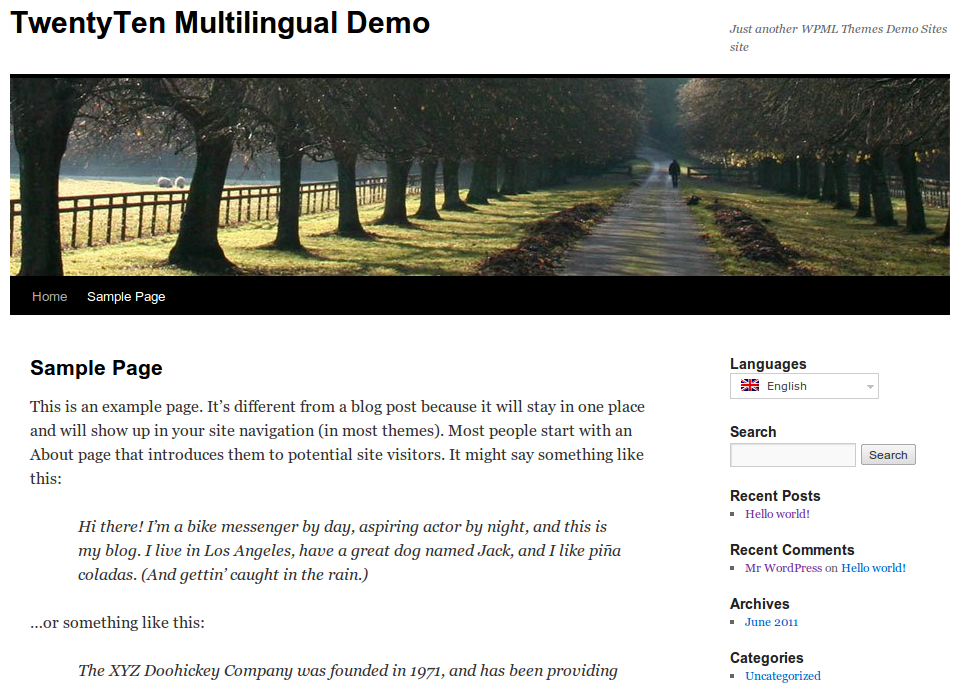
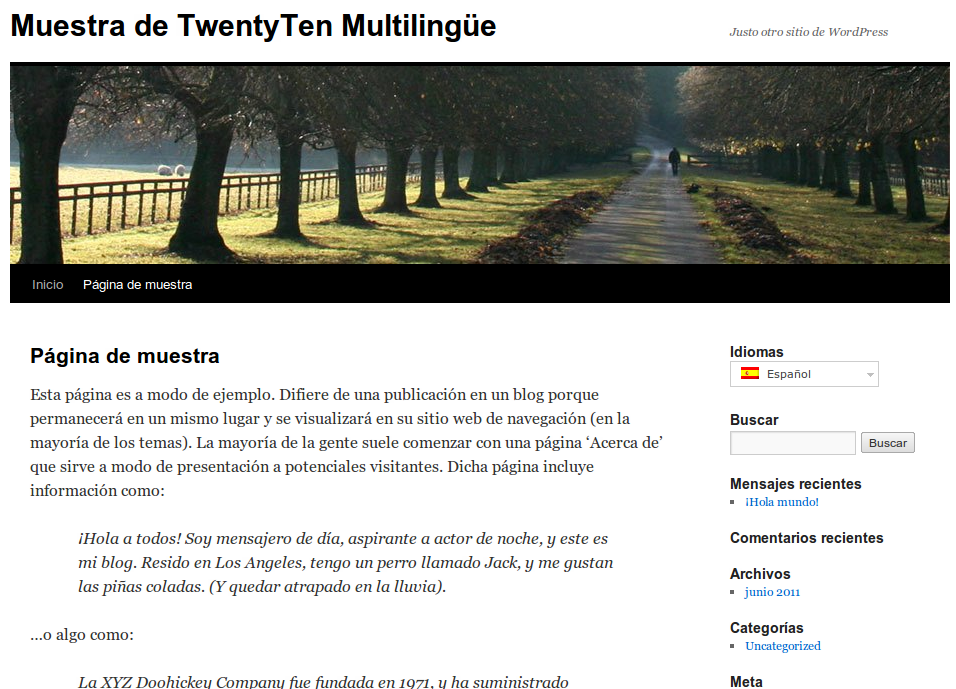
This tutorial will follow our Twenty Ten Multilingual Demo Site, available in English, Spanish and Hebrew (RTL).
You should also configure WPML to allow it to translate the theme and plugins.
If this is new to you, first read about the Translation Management module.
This is how it looks like when I translate the Hello World post to Hebrew.
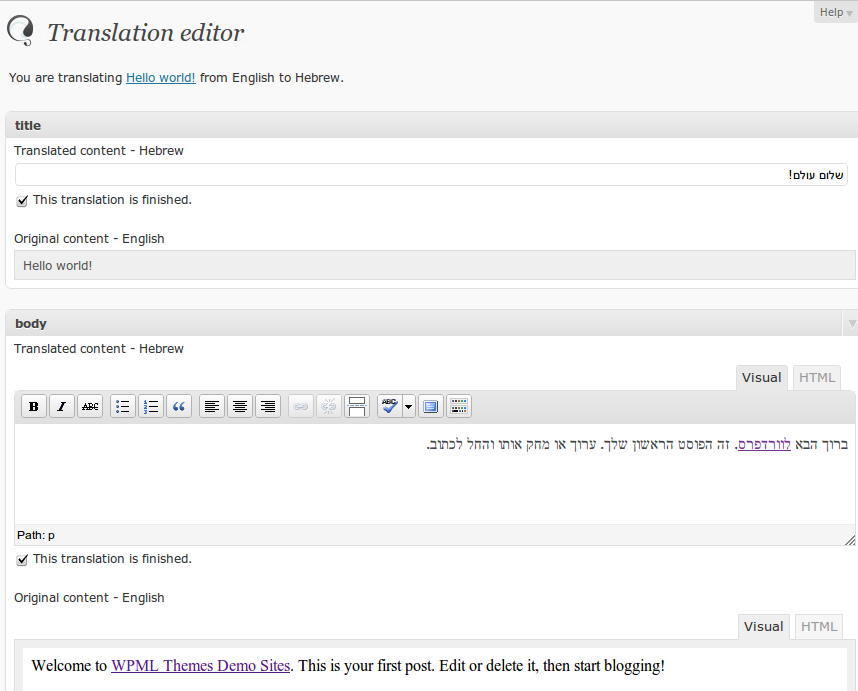
You can see that the English texts are aligned to the left, while Hebrew is aligned to the right. I can even use the HTML mode to copy and paste items from English. The HTML mode displays LTR, to allow you to enter tags correctly.
When you translate strings, WPML also displays them in the correct direction. This is how the String Translation screen looks like when I translate the Search widget title.
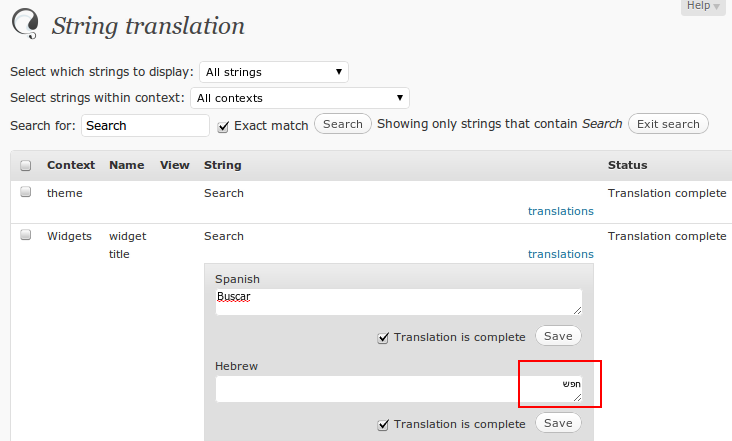
The Translation Editor and String Translation modules will allow us to translate the site completely. Next, we see how to display it properly in the right direction.
This little line does most of the magic:
<html dir="rtl" lang="he-IL">
The dir="rtl" attribute tells the site that the display direction for the entire site is Right to Left. Browsers understand it and will flip everything to right direction.
This single PHP line, from header.php, makes it happen:
<html <?php language_attributes(); ?>>
If your theme’s HTML and CSS follow ‘safe’ practices, this is really all you need. By safe, I mean no absolute positioning or widths. If you must use absolutes, you may consider loading different CSS per language.
You can do this easily using conditional statements that examine the ICL_LANGUAGE_CODE constant (described in WPML coding API).
|
|
|
|
Our analysis of 60,000+ WordPress plugins and themes shows community translation covers under 5% of needs in 40 languages.
WCML 5.5.3 focuses on how links work across languages, from category and account pages to Shop page links.
Many WordPress users are exploring ways to combine ChatGPT and WPML to translate their websites.