


WPML 5.0 Beta – A Redesigned Experience and Smarter Automatic Translation
WPML 5.0 is the biggest update we’ve shipped in years.

Since version 3.2, WPML can translate entities created by other plugins and themes. In this post, we show how to translate layouts. The idea is to use only one layout for all languages and only translate the texts inside it.
Layouts designs entire pages, from the first pixel to the last. By itself, Layouts is pretty plain, as it doesn’t include any fancy content elements. Layouts doesn’t need to have a huge (and sometimes bloated) library of page elements, because it works together with the rest of the Toolset plugins. Layout cells can display dynamic content from your site and forms. Instead of choosing a cell from a library and customizing it, Toolset plugins let you easily create your own cells without any programming.
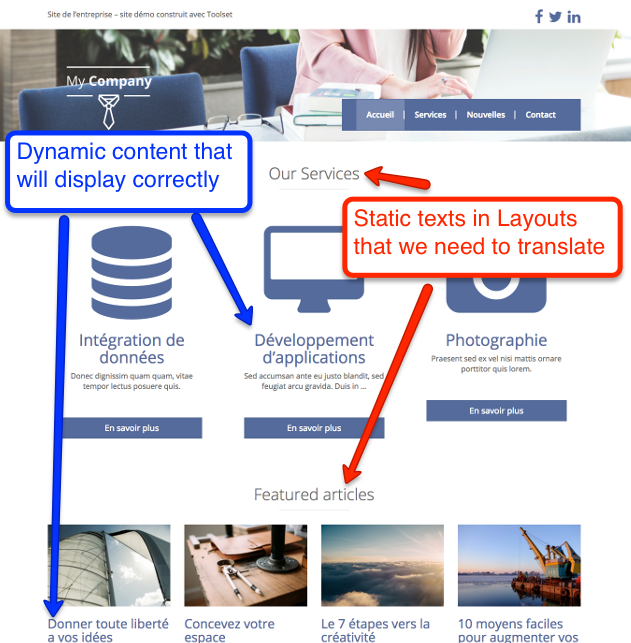
The dynamic elements include the list of services and featured articles. They are created using Views. A View is like a WP_Query with a display template. Since WPML hooks to queries and makes them load content in the right language, you don’t need to do anything to translate Views. The exact same View will load the correct content in the displayed language.
The static elements on this page are the headings. The texts ‘Our Services’ and ‘Features Articles’ are part of the layout. They don’t come from any dynamic content. When you use the same layout for the homepage in another language, you want these texts to appear translated. This is where WPML’s Packages Translation comes into play. It’s a new API that we’ve added to WPML 3.2 and is open for all other authors to use.
Layouts plugin creates packages for WPML. A package for a layout will include all the static texts that are in the layout and will require translation. These packages look very similar to normal WordPress content that you translate using WPML’s Translation Editor. You will see all the fields that require translation.
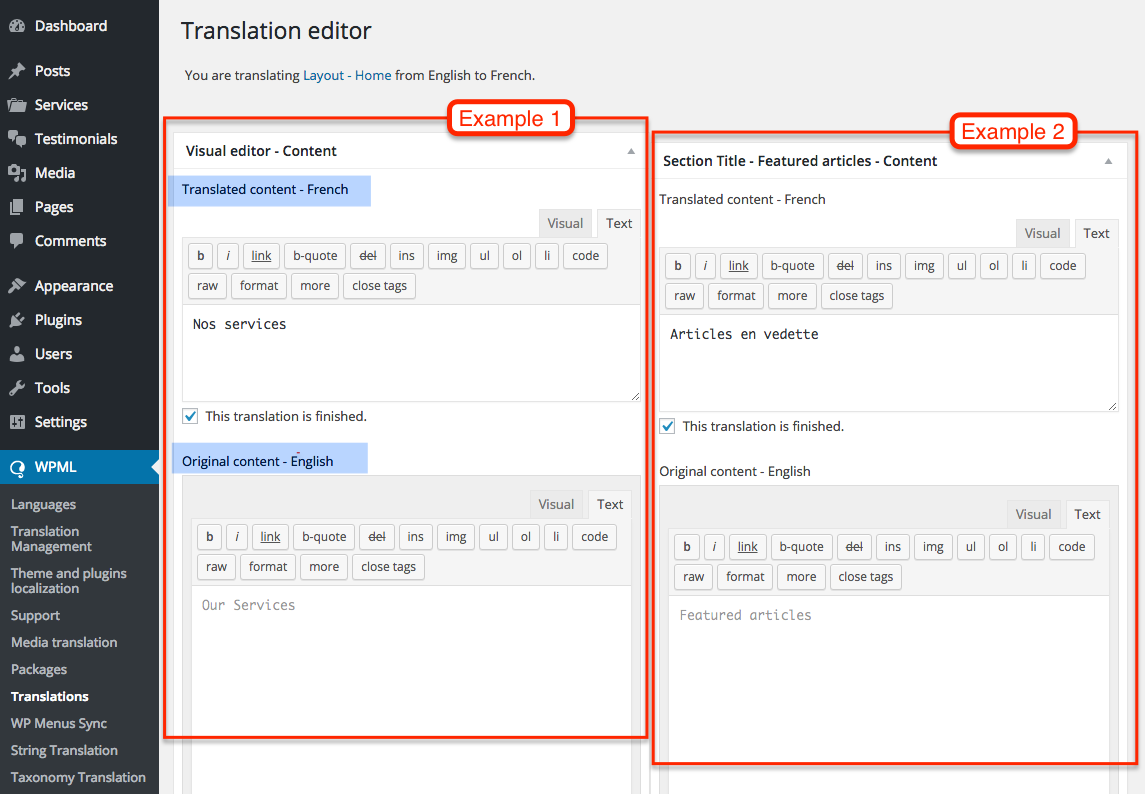
This way, you create one layout and use it for all your site’s languages. You translate only the static texts and all dynamic content displays in the correct language.
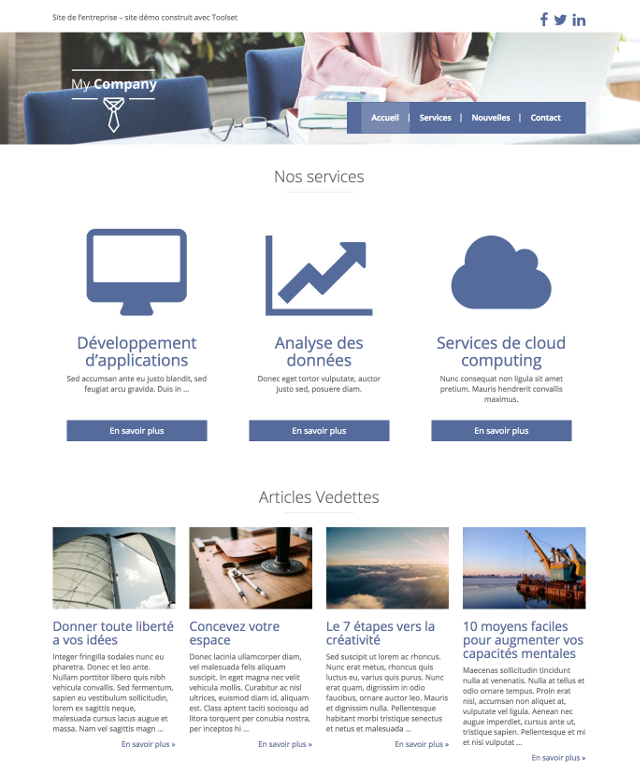
We’ve already created the test content for you, so you can experiment with Layouts and the translation process.
The site’s default language is English and it’s fully translated to Spanish. We’ve added content in French, but haven’t translated the layouts to French.
| English | French |
|---|---|
| Our Services | Nos services |
| Featured articles | Articles Vedettes |
| Testimonials | Témoignages |
| Company Overview | Présentation de l’entreprise |
| Recent News | Nouvelles récentes |
If you would like to follow the steps on your own site, refer to the ‘How to translate Layouts’ documentation at wp-types.com. There you will find the list of all required plugins and more examples.
We want to see many more plugins and themes offer easy translation for complex structures. If you are using page builders, forms, and other ‘non WordPress’ elements, we encourage you to contact the authors of these plugins and themes. Tell them about this possibility in WPML. We are very interested in working with other authors and integrating the Packages Translation API.
Leave your comments here and we’ll get back to you.
WPML 5.0 is the biggest update we’ve shipped in years.
Many WordPress users are exploring ways to combine ChatGPT and WPML to translate their websites.
How automatically translating our company website improved the user experience for thousands of visitors for just a few dollars.