


Best WooCommerce Checkout Plugins (6 Tested)
We tested six WooCommerce checkout plugins on field customization, editor usability, and Classic and Block checkout compatibility to help you find the right fit.

To build advanced WordPress sites, you’ll need custom fields. In this tutorial, we compare two leading alternatives – Toolset versus ACF + Elementor Pro.
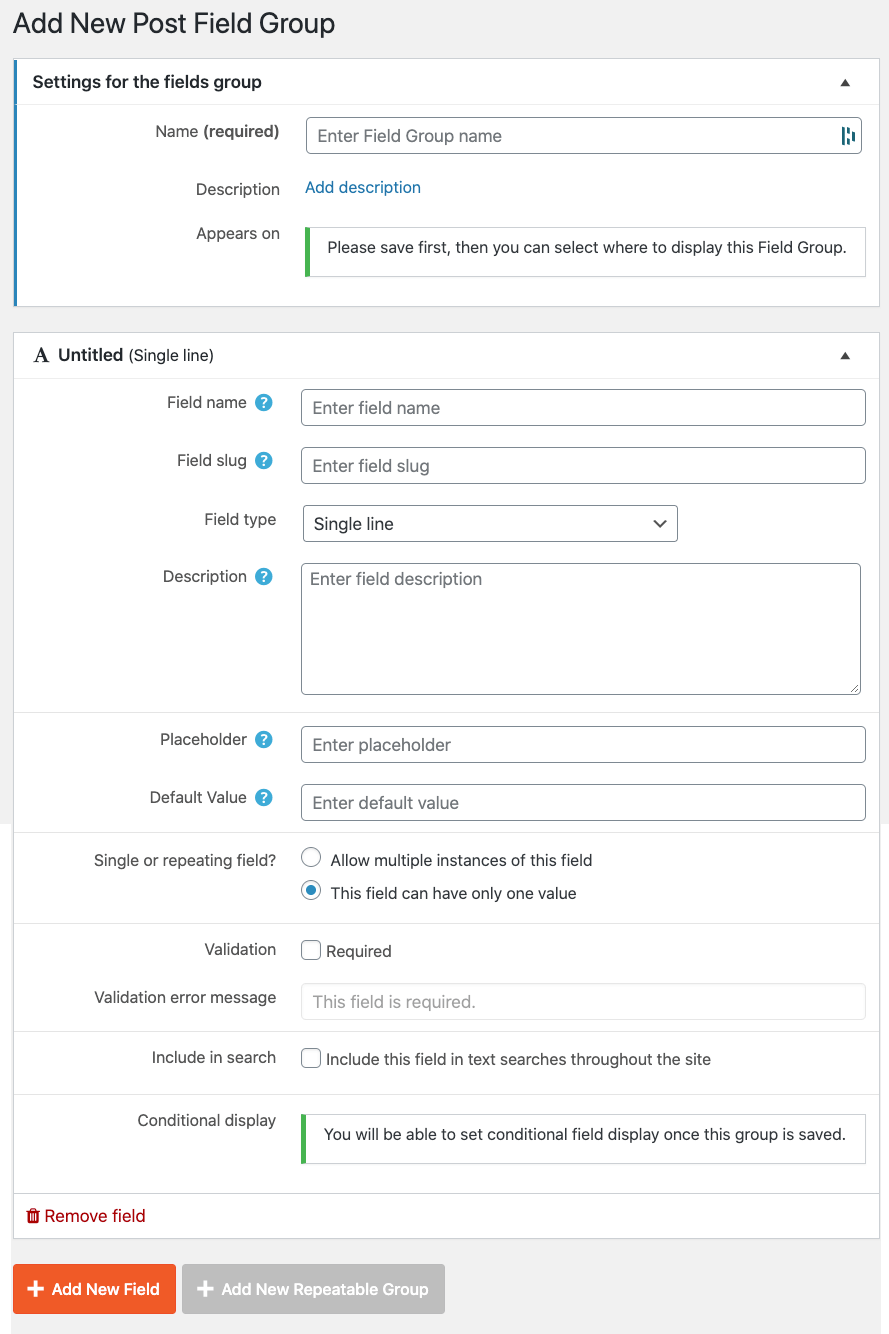
Both ACF and Toolset allow you to add custom fields to any kind of content. Both plugins offer different kinds of fields and let you choose on which posts to include them.
ACF and Toolset include the basic fields that you’d expect to see. These include “text fields”, “visual editor”, “selectors”, “radios”, “checkboxes”, etc.
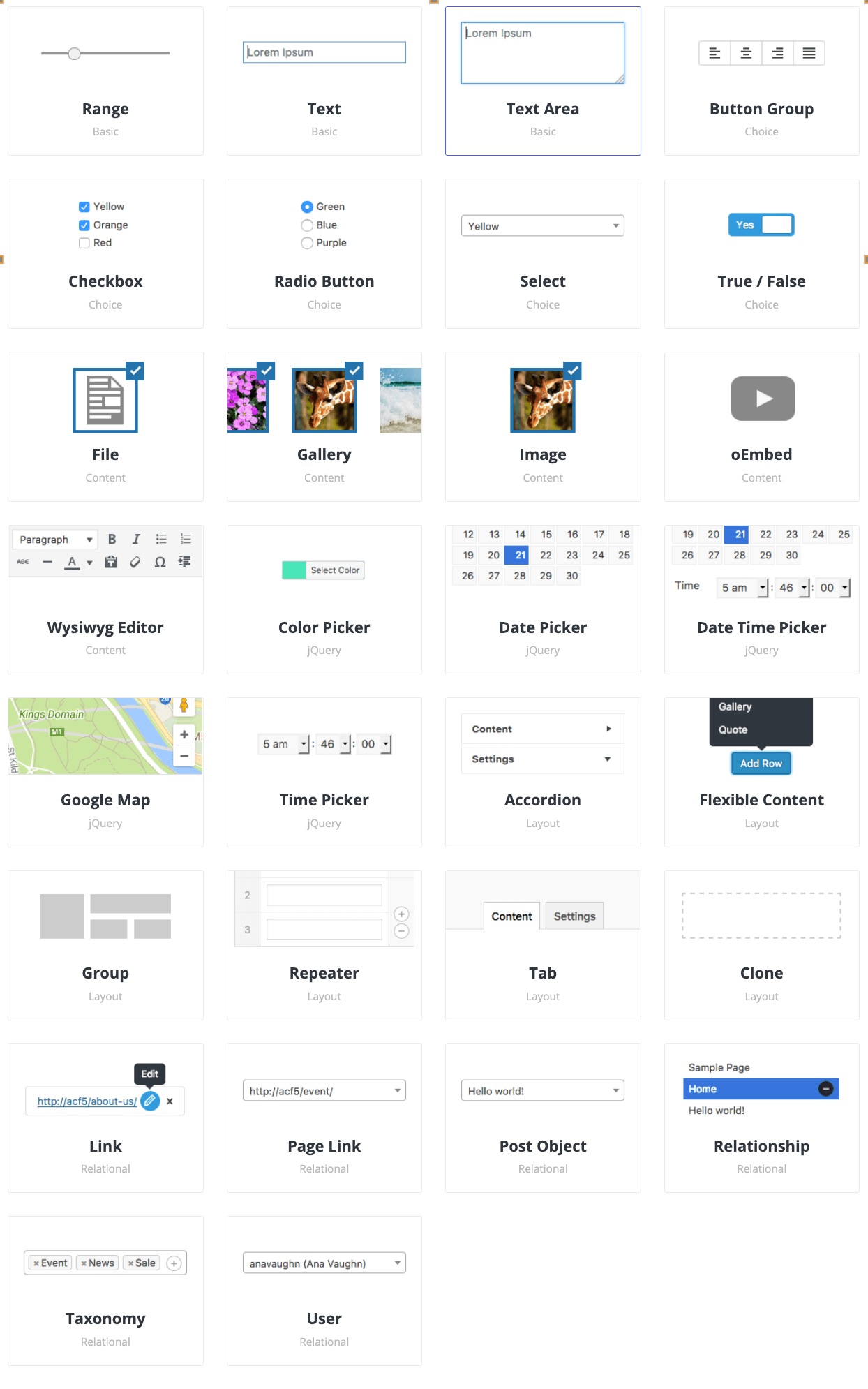
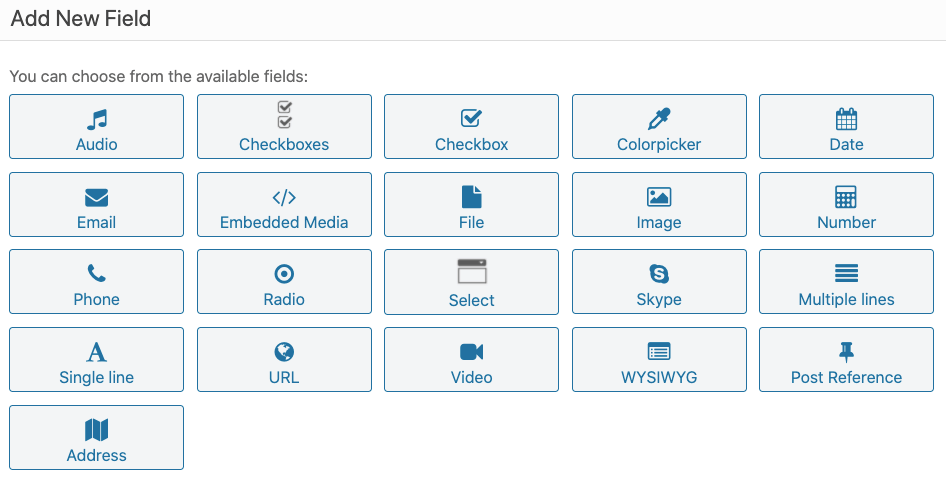
ACF and Toolset include the basic features for custom fields. With both, you can mark fields as “required”, customize error messages and provide description for fields.
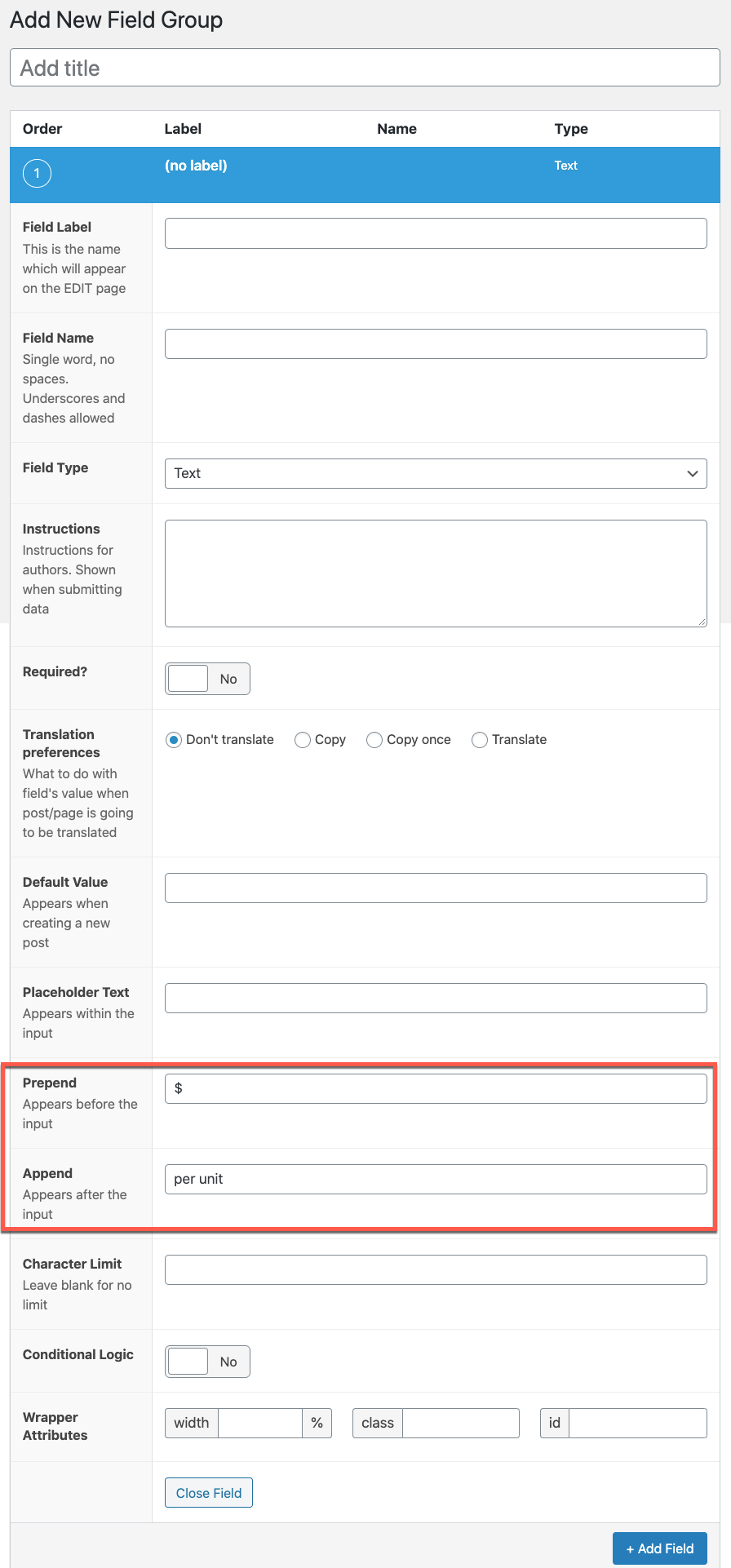
With ACF you can add a prepend or append (content before or after the value) which will appear on the backend when a user enters information. ACF also lets you limit the number of characters for fields, control the width and even duplicate an existing field.
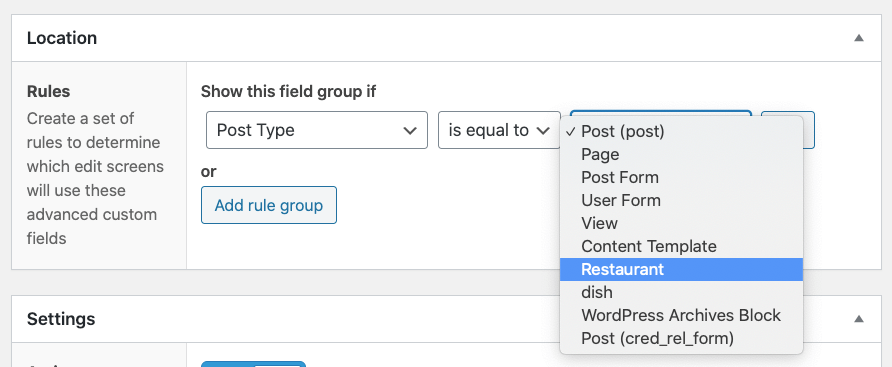
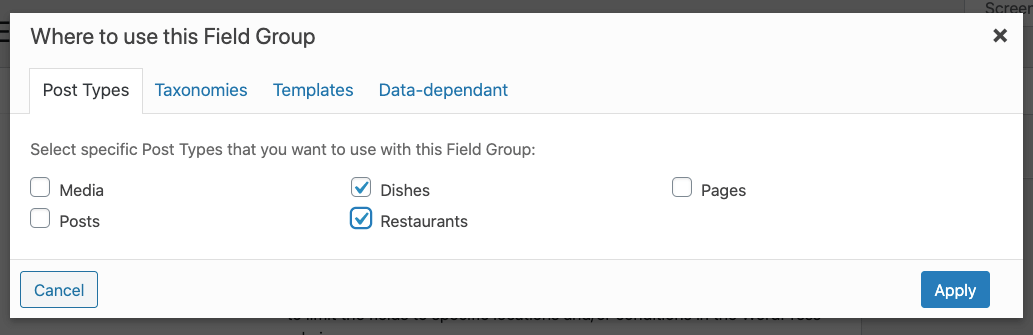
Both products allow you to select which post type, category or taxonomy your group appears on. ACF has more features for fine-grained control over which pages should show different fields. Toolset’s approach is more towards simple display logic, based on post type.
Toolset has everything needed to set-up custom fields and display them on the site’s front-end, without coding. ACF has an API for PHP developers and offers integrations with Elementor Pro and Divi.
If you prefer to build all your site’s templates using PHP, ACF offers a rich API that has you covered.
For people who want to build custom sites without coding, there are two options available. With Toolset, you’ll be using Blocks to display custom fields. With ACF, you can use Elementor Pro (there are ACF integrations with other page builders, but Elementor’s is the most popular).
Both Toolset and ACF offer repeatable field groups. Both plugins allow you to create your repeatable field groups visually on the back-end with a similar level of flexibility. For example, you can easily create a repeatable set of fields for a slider.
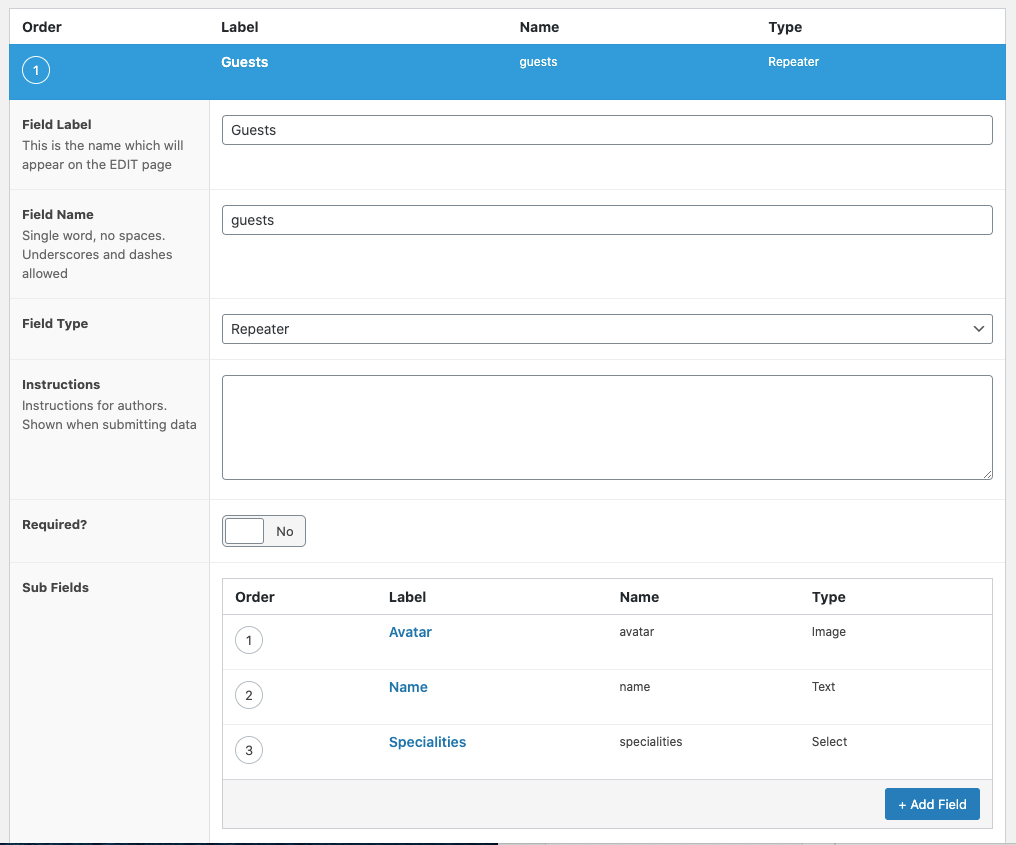
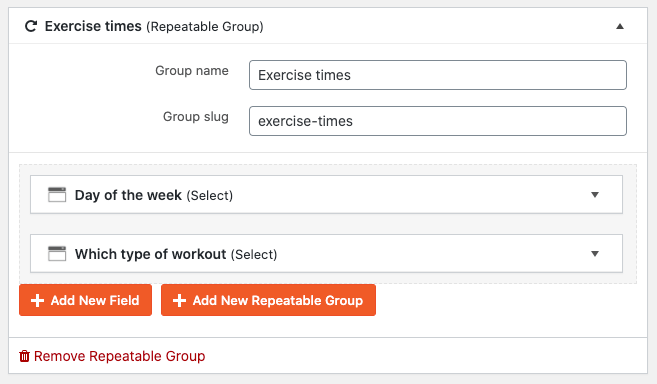
With both plugins, the repeating fields can have infinite nesting, different input options and other features that make it convenient to enter content.
Similarly to single fields, ACF and Toolset differ in how you can display repeating field groups.
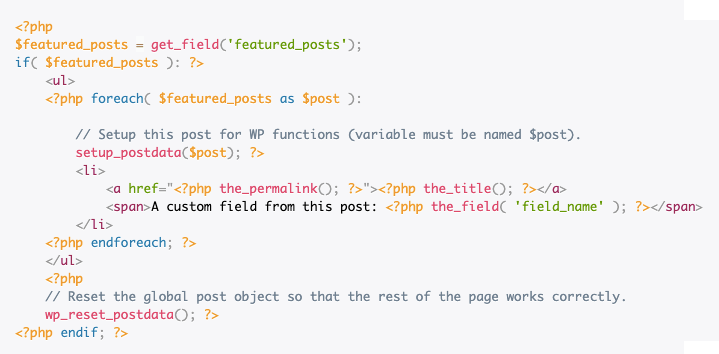
With ACF, you’ll need to write PHP code that loops through the repeating fields and displays them. ACF provides complete examples, which you can copy/paste and customize.
With Toolset, you can display repeating fields without coding. Toolset’s View block lets you loop through repeating fields and display them with your design.
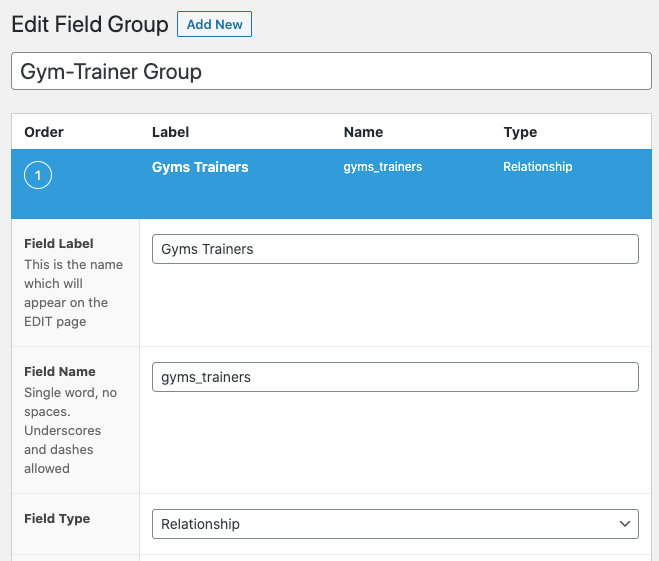
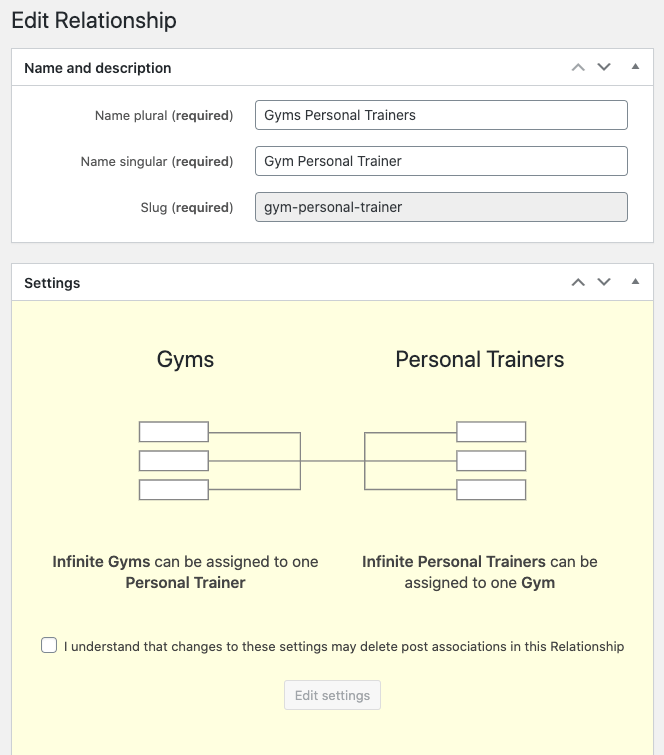
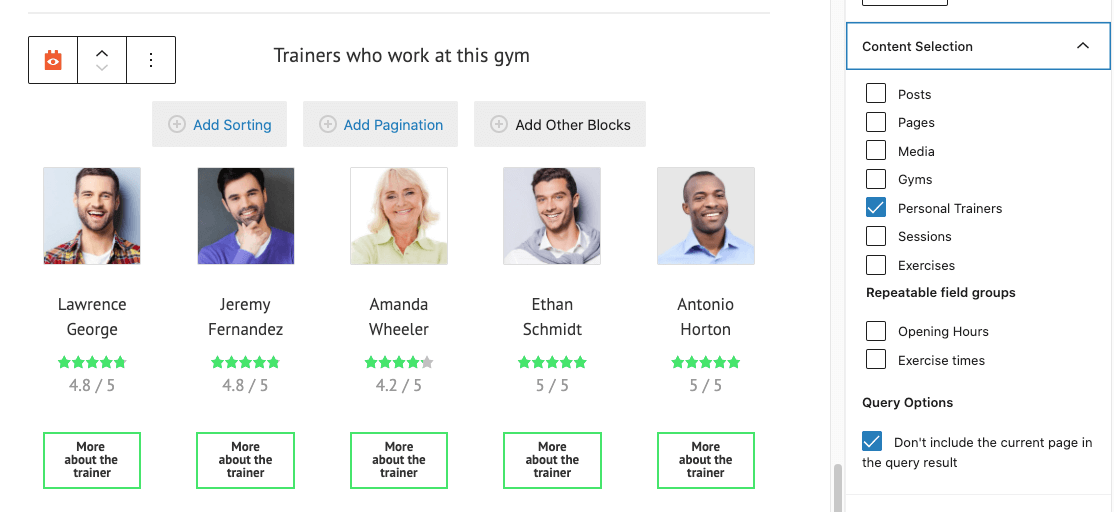
Post relationship is the ability to connect between different posts. For example, in a Real Estate site, you will want to connect properties with agents. In a Gyms Directory site, you will want to connect gyms and trainers. You can connect posts as “one to many” and “many to many”.
To connect posts using ACF, you can use ACF’s Relationship field. This field allows linking between posts in the database. ACF’s documentation explains how to use this information to display the related content, using PHP code, on the site’s front-end.
Toolset comes with complete support for setting up post relationships and displaying related posts (without coding).
When you’re building multilingual sites, you’re probably wondering how ACF and Toolset work with WPML. Since both ACF and Toolset are popular plugins, WPML team makes sure that both work smoothly with WPML.
To build multilingual sites with ACF, you’ll need to install our Advanced Custom Fields Multilingual glue plugin, and follow the instructions on translating sites built with ACF. ACFML allows you to translate content that has any kind of ACF field, including the complex repeater fields.
WPML support is built into Toolset, so you don’t need to install a glue plugin. You’ll be able to easily translate everything that you create with Toolset, right from WPML’s Translation Dashboard, or from the post-editor (whichever works best fits you).
ACF and Toolset are large packages that include more than custom fields. Here are some additional features and links to where you can learn more about them.
ACF FEATURES GALLERY
TOOLSET FEATURES GALLERY
Advanced Custom Fields offers a free version, which includes its basic features. Toolset has no free version.
Toolset 1 Site account covers everything we described in this article. It costs $69 (USD) with a yearly renewal of $51.
ACF Pro accounts start at $49 per year. An Elementor Pro account for one site costs an additional $49 per year.
The Unlimited accounts of both ACF and Toolset have very similar pricing.
Both ACF and Toolset offer a robust way for building custom WordPress sites. ACF has a free basic version, which doesn’t exist in Toolset. ACF by itself is appealing to experienced PHP developers. ACF lets you build sites visually using Elementor (and other page builders), while Toolset uses the WordPress Block Editor for visual design without coding.
We tested six WooCommerce checkout plugins on field customization, editor usability, and Classic and Block checkout compatibility to help you find the right fit.
Translate Options Pages directly in Translation Dashboard, manage local fields more easily, and enjoy faster performance with ACFML 2.2.0.
Many WordPress users are exploring ways to combine ChatGPT and WPML to translate their websites.