


ACF Multilingual 2.2.0 – Easier Options Page Translation and Better Local Fields Support
Translate Options Pages directly in Translation Dashboard, manage local fields more easily, and enjoy faster performance with ACFML 2.2.0.

 3 minutes
Today, we released Advanced Custom Fields Multilingual 1.10.0. This release includes several usability enhancements to make translating your custom fields easier and more straightforward.
With this latest update to ACFML, we focused on refining some important details:
All of these changes lead to less confusion and an overall better experience when translating your ACF fields and field groups.
This release also includes several bug fixes. Please see the ACFML changelog for more details.
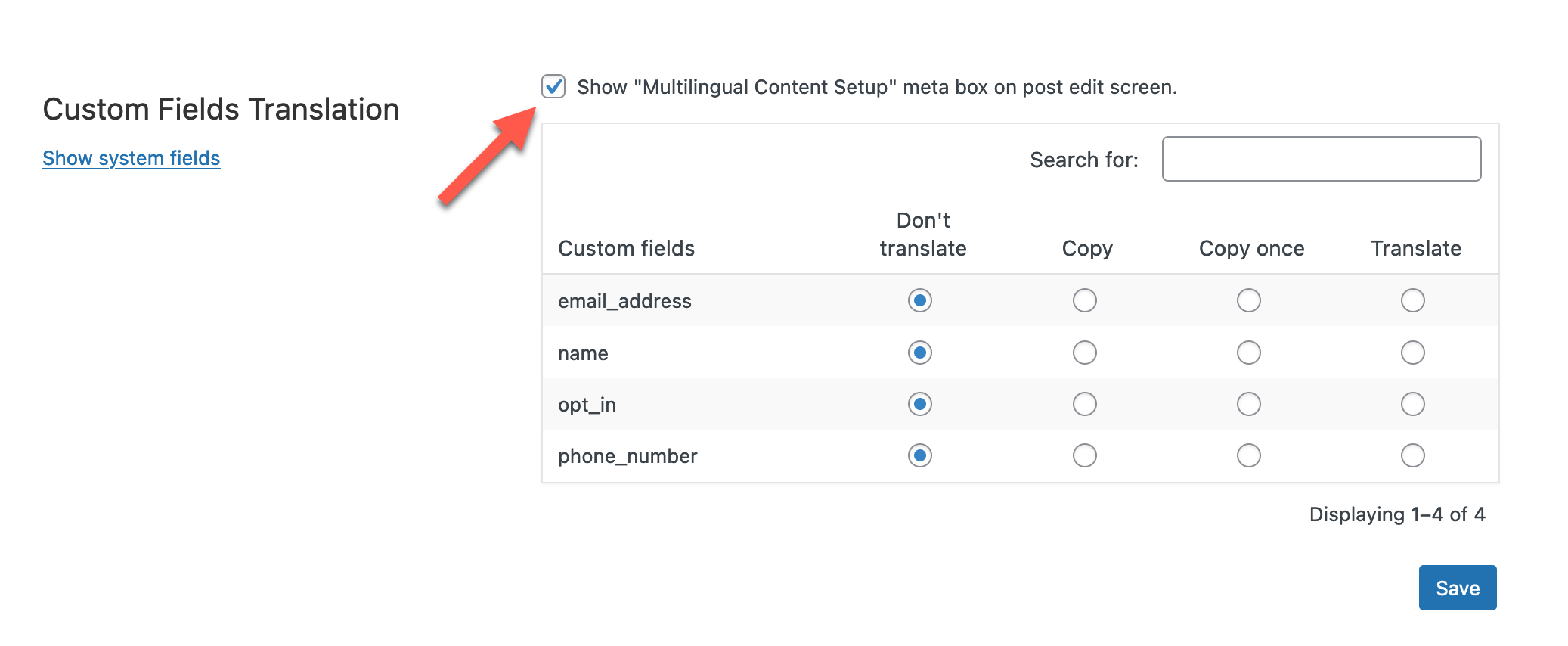
We also recently reinstated a feature in WPML that many ACF users will appreciate. You can now show the Multilingual Content Setup metabox on your post edit screen. This allows you to change your translation preferences while editing a post or page. To enable this:
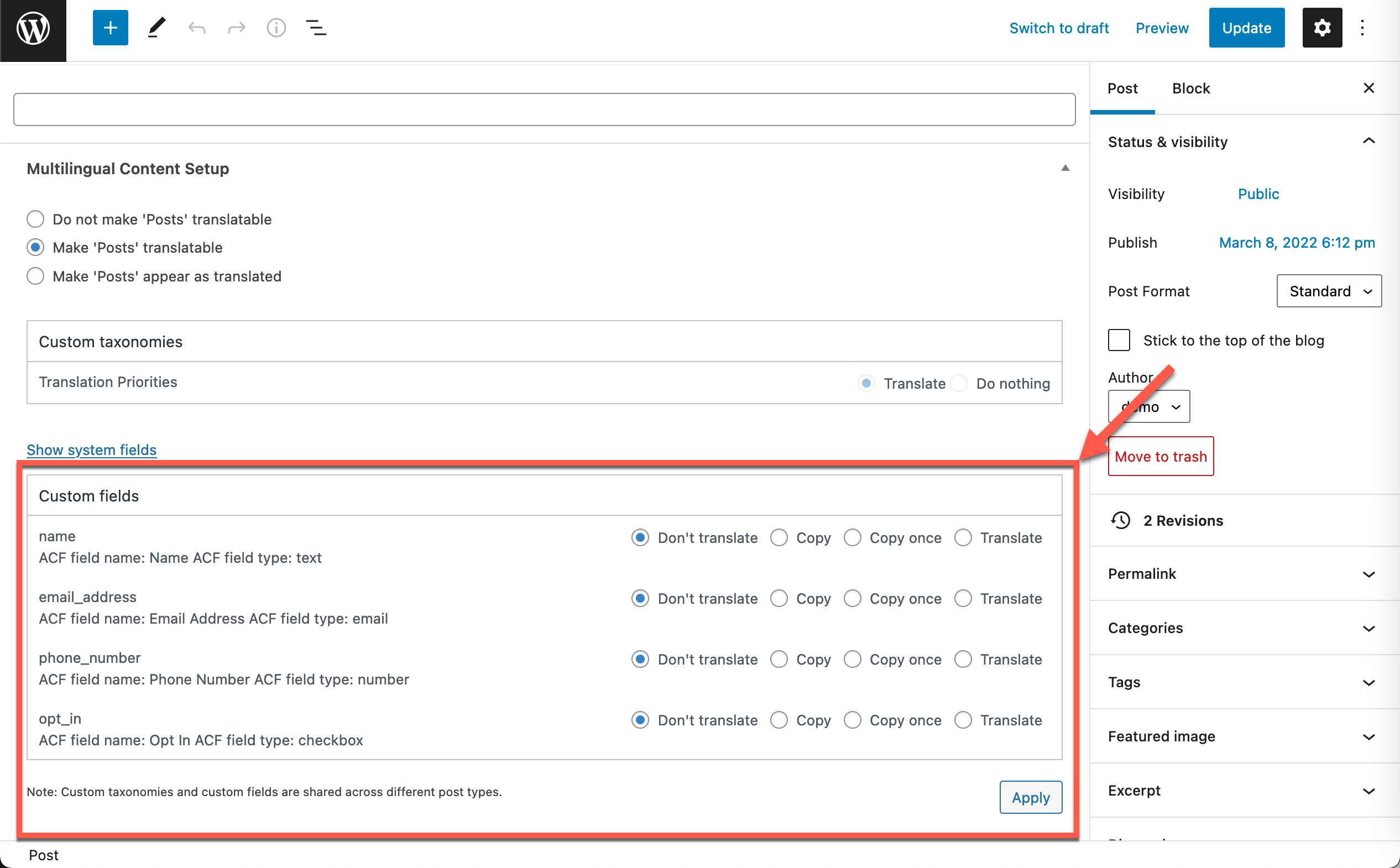
Now, when you edit a post, you can see the relevant custom fields and taxonomies and change your translation preferences for each one. Please note, this change will apply to the fields and taxonomies everywhere they appear on your site.
We release new updates gradually. Once it’s available for you, you will receive this update automatically to all your registered sites. You can also download and install it manually from your WPML downloads page.
Check our detailed guide that explains the process of building multilingual websites using Advanced Custom Fields and WPML.
If you have any questions, leave your comments here, and we’ll get back to you!
Translate Options Pages directly in Translation Dashboard, manage local fields more easily, and enjoy faster performance with ACFML 2.2.0.
We just released WPML ElasticPress 2.1.0, which adds multilingual support for ElasticPress’s popular Documents feature.

BuddyPress Multilingual 1.9.0 lets you translate groups in BuddyBoss and lays the groundwork for translating activity topics, albums, and folders.