


ACF Multilingual 2.2.0 – Easier Options Page Translation and Better Local Fields Support
Translate Options Pages directly in Translation Dashboard, manage local fields more easily, and enjoy faster performance with ACFML 2.2.0.

We just released WPML ElasticPress 2.1.0, which adds multilingual support for ElasticPress’s popular Documents feature.
The Documents feature in ElasticPress allows you to index and search text found inside files attached to your posts and pages. This includes common text-based formats such as PDF, text files (.txt), Word files (.docx), Powerpoint presentations (.pptx), and more.
With WPML ElasticPress 2.1.0, search results always match the language your visitors are viewing your site in. In other words, for example, searching in French returns only French results.
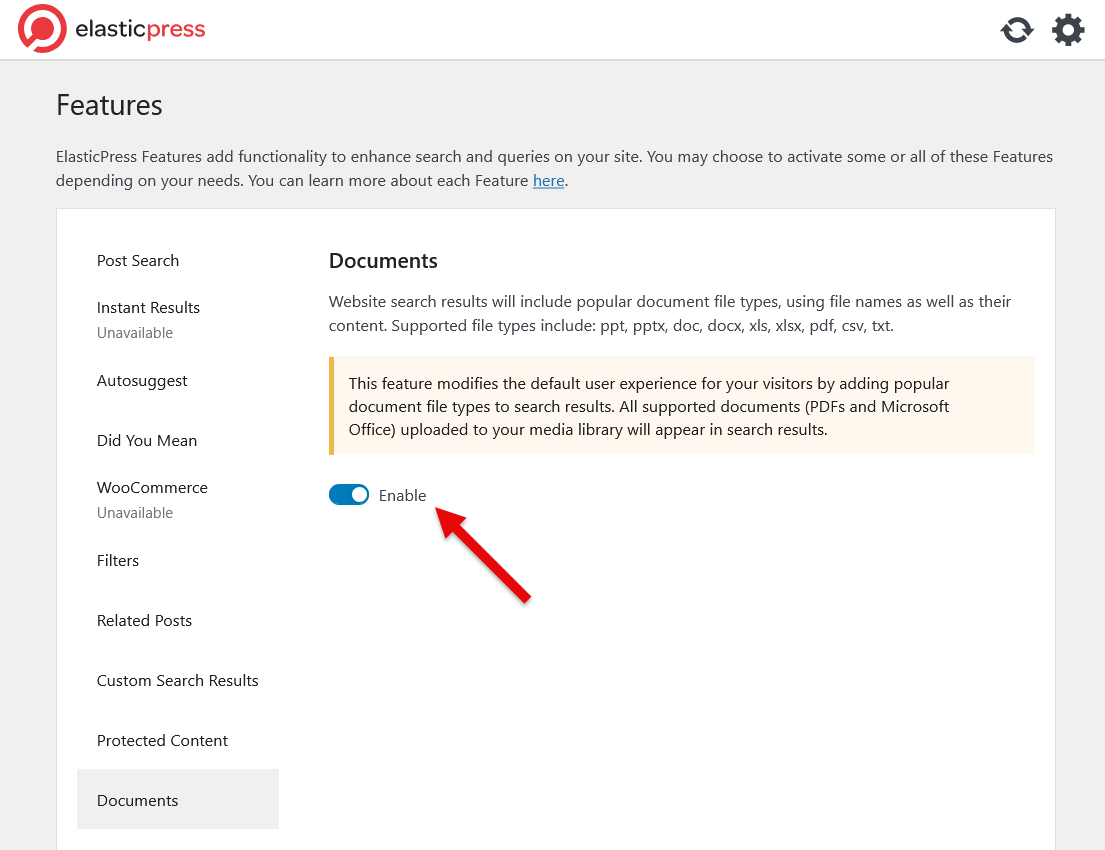
To include text from attached files in your search results, enable the Documents feature in ElasticPress:
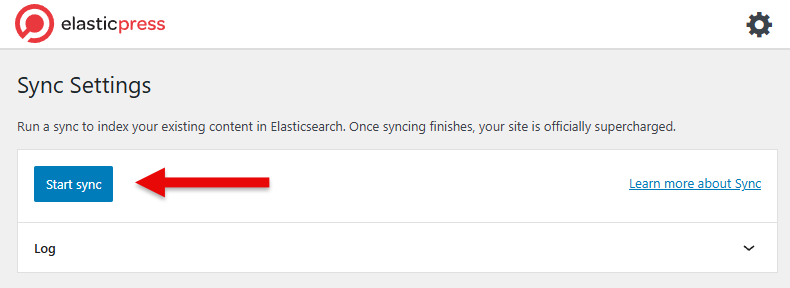
Once the sync is complete, ElasticPress will start using texts from attached files in supported formats.
After enabling and syncing, visitors can use your site’s regular search to find results not only from post and page content but also from texts inside attached documents.
For example, if you upload a PDF that includes a specific keyword, searching for that keyword will return the post or page that includes that PDF. And as mentioned above, with WPML ElasticPress, results only include the language the visitor is viewing your site in.
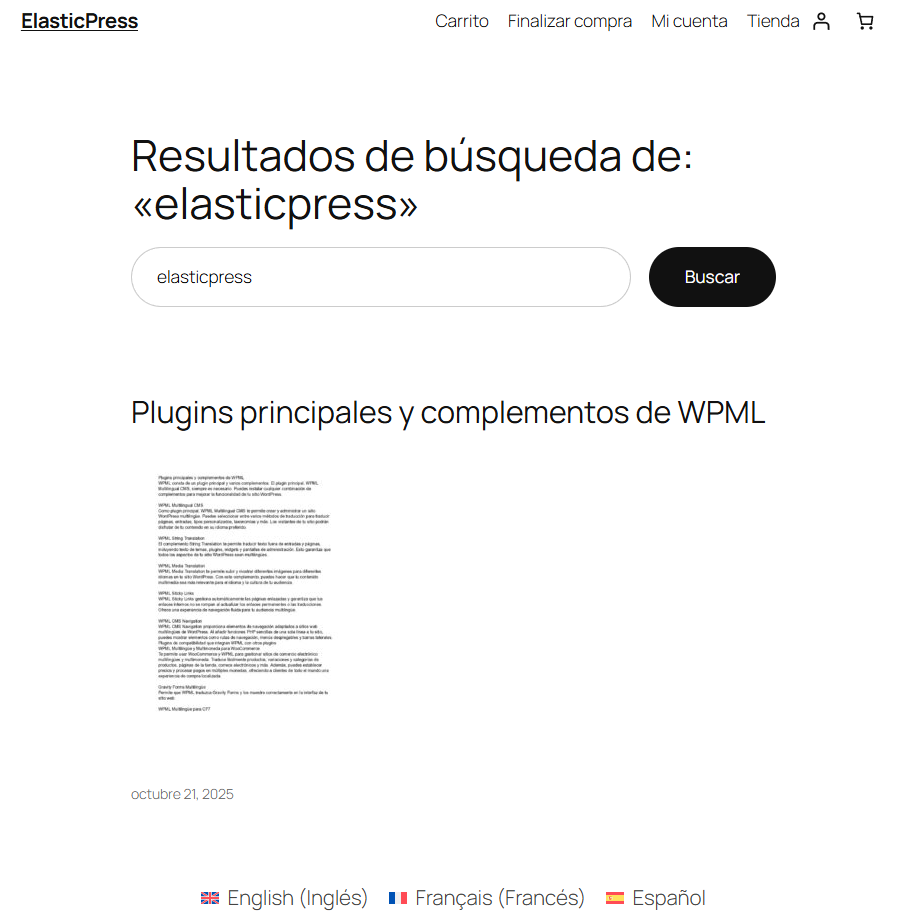
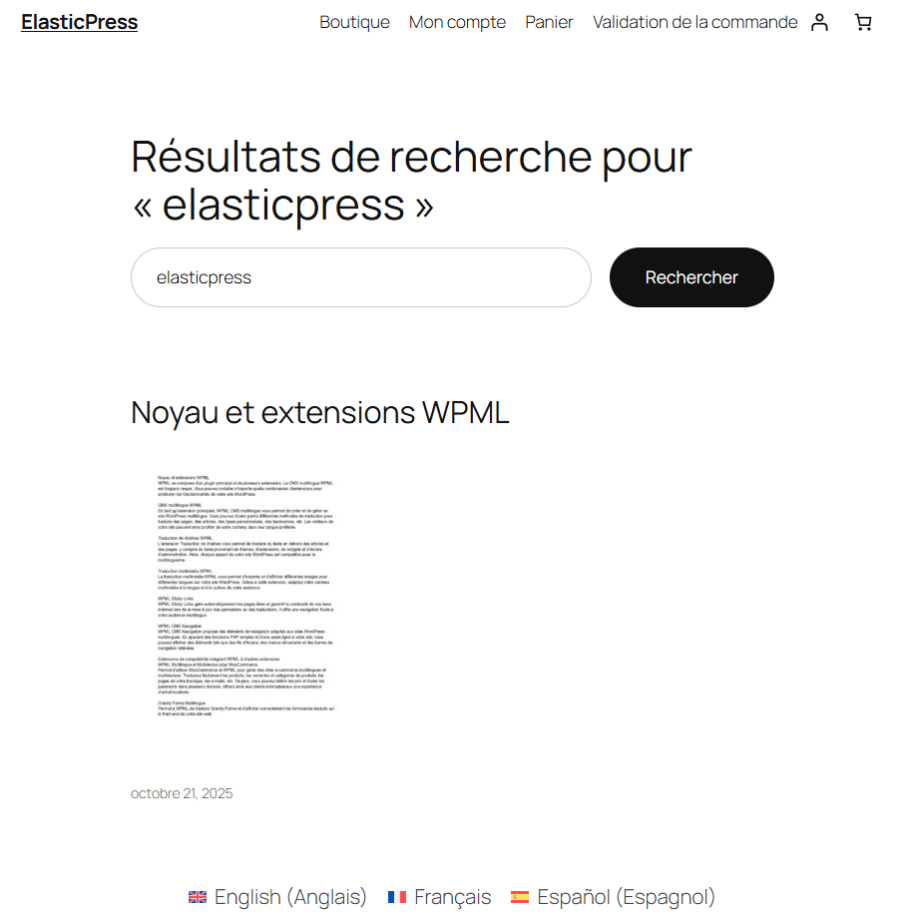
In the following two screenshots, you can see a search performed for the word “elasticpress”. Even though this keyword doesn’t appear in the post’s title (or body), the search results display it because it appears in the content of the attached file.
Search results in Spanish
Search results in French
You can update to WPML ElasticPress 2.1.0 directly from your site’s Plugins page in WordPress admin, or download the latest version from your WPML account.
If you don’t see the update on the Plugins page, go to Plugins → Add New Plugin, switch to the Commercial tab, and click to check for updates. Version 2.1.0 of WPML ElasticPress should become available for download, so simply click to update to it.
We’d love to hear how this new feature works for you.
Share your thoughts or ask any questions in the comments below — we’ll be happy to reply.
Translate Options Pages directly in Translation Dashboard, manage local fields more easily, and enjoy faster performance with ACFML 2.2.0.
WCML 5.5.3 focuses on how links work across languages, from category and account pages to Shop page links.
BuddyPress Multilingual 1.9.0 lets you translate groups in BuddyBoss and lays the groundwork for translating activity topics, albums, and folders.