


Slider Revolution 7 Now Translates Automatically With WPML
WPML now translates every Slider Revolution 7 module automatically into every language on your site.

Two days ago we ran a survey, asking you about how you’d like to translate sites designed with page builders. In this post, I’d like to share the results and how this will influence our upcoming development on WPML 3.6.
This is usable, but not very convenient. We think that it would be easier to design once, for languages, and only translate the texts with WPML. BTW, we are completing documentation for how to translate everything in Toolset, including layouts. I’ll write about it when it’s ready.
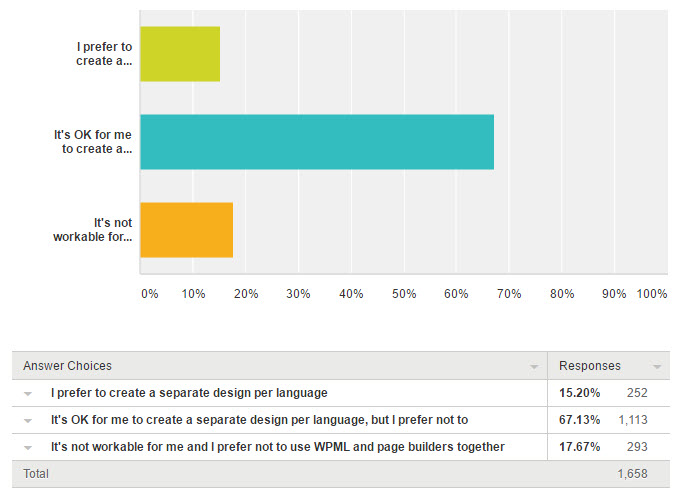
Some people actually prefer to design separately per language. This makes sense when they entire design needs to be tweaked. I guess, if you have a very accurate design for the site’s homepage, it makes sense to tweak and optimize per language.
Most are OK with what we have now, but prefer to have one design and translate with WPML. And, some say that this approach is not usable for them. I think that these are people who use translation services. I agree that it’s mostly impossible to ask external translators to touch your page-builder designs. We ran into these issues when integrating WPML with a number of translation services.
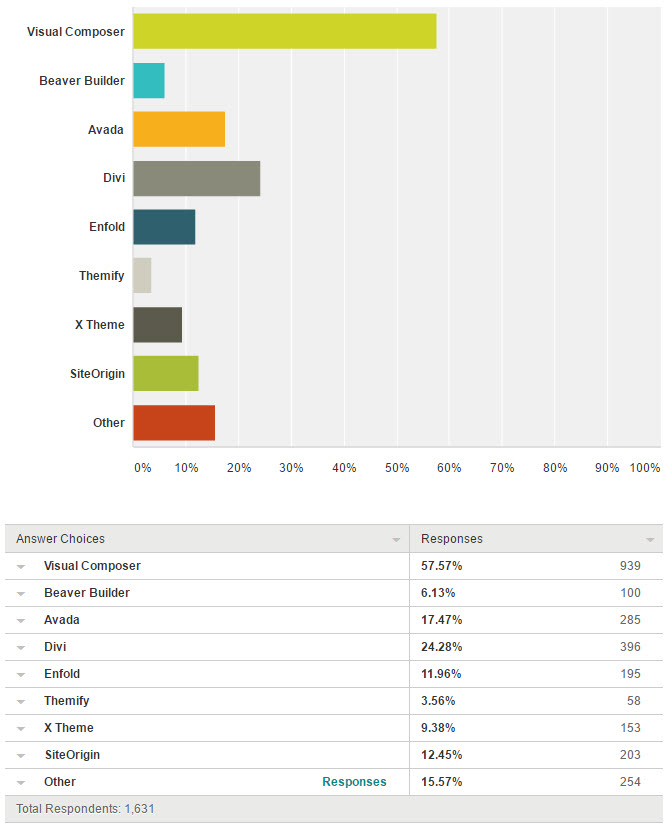
Almost 60% of the sites that use page builders use Visual Composer. The next very popular builders are Divi and Avada. Others are also pretty popular.
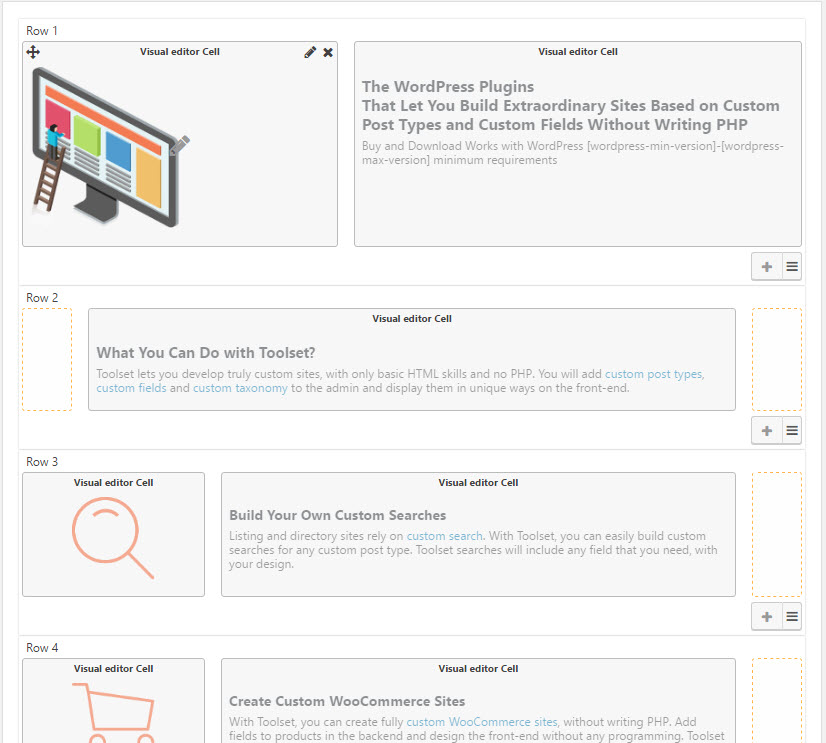
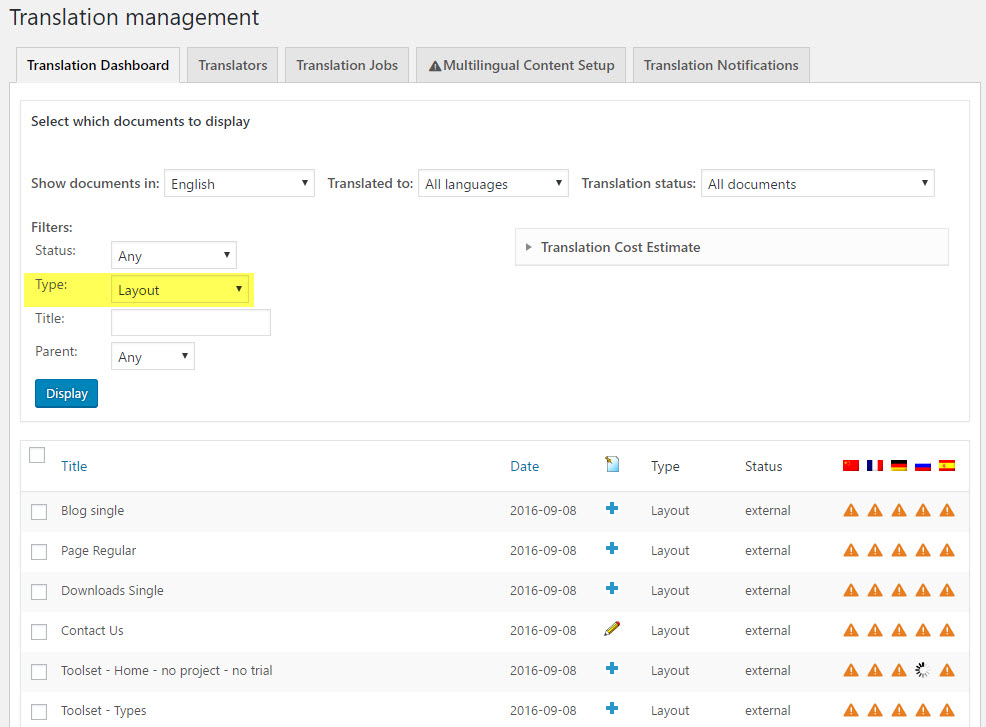
Go to WPML->Translation Management. There, you will see new content types for the page builder designs. Select the designs that you want to translate and send to translation. You can go through different elements of your site and add to the Translation basket. When you’re done shopping for translation, go to WPML->Translation Management->Translation Basket and send everything together in one batch. You can translate locally (with WPML’s Translation Editor) or off-site to your favorite translation service.
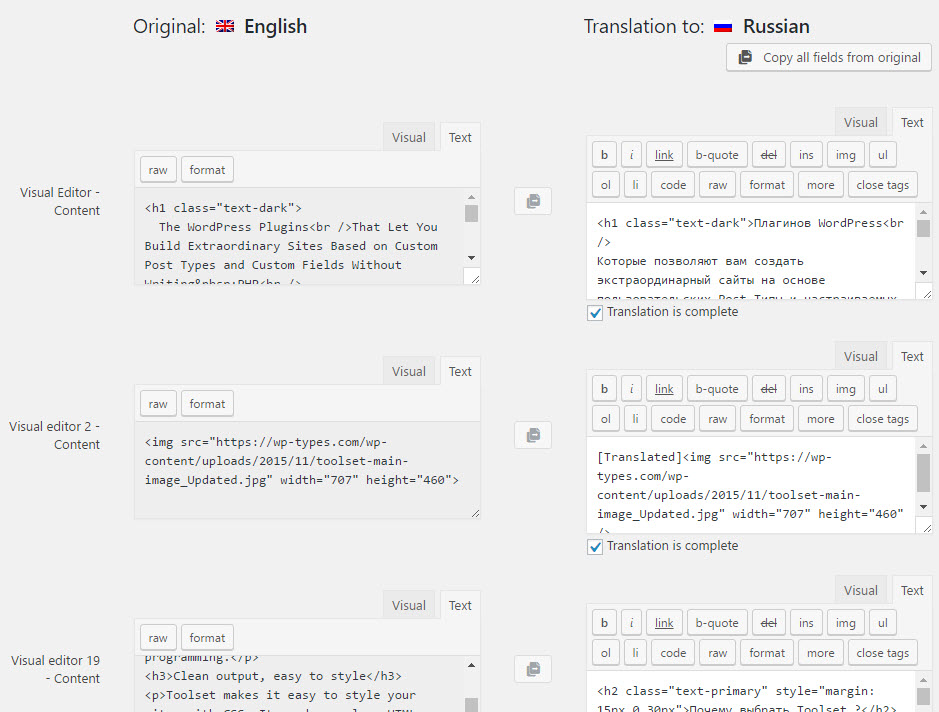
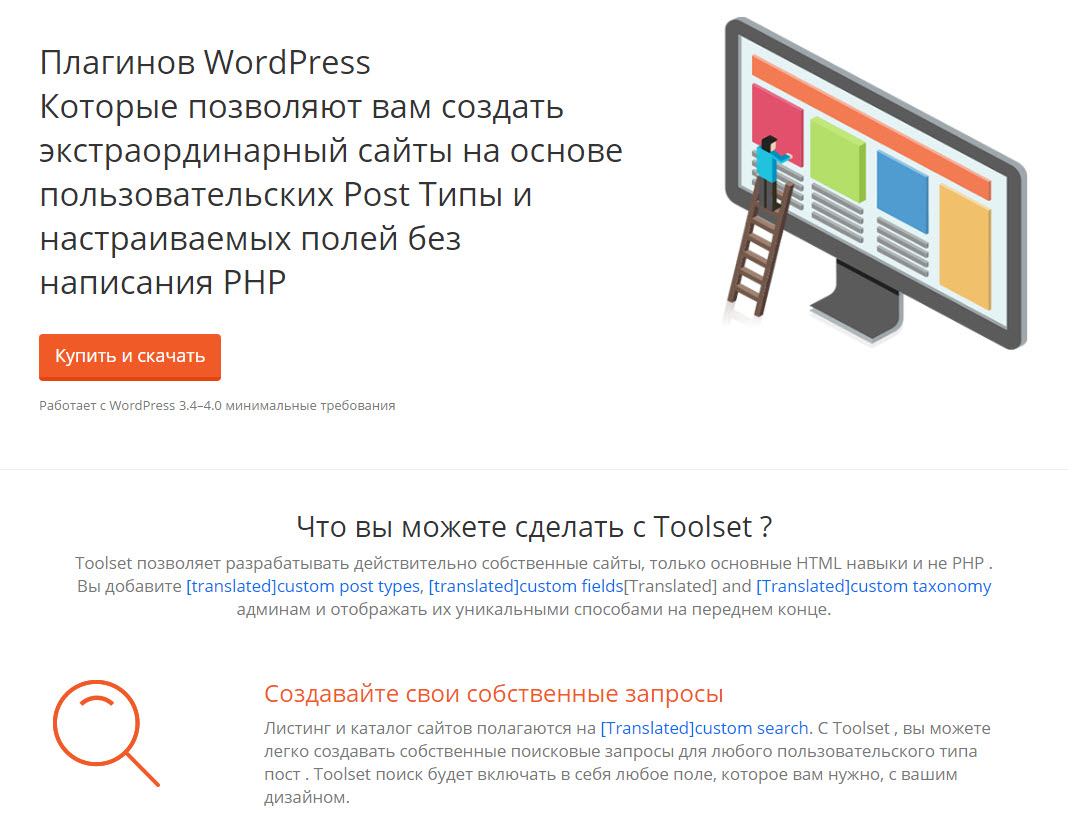
| The page with the layout on the front-end | The translated page in Russian | 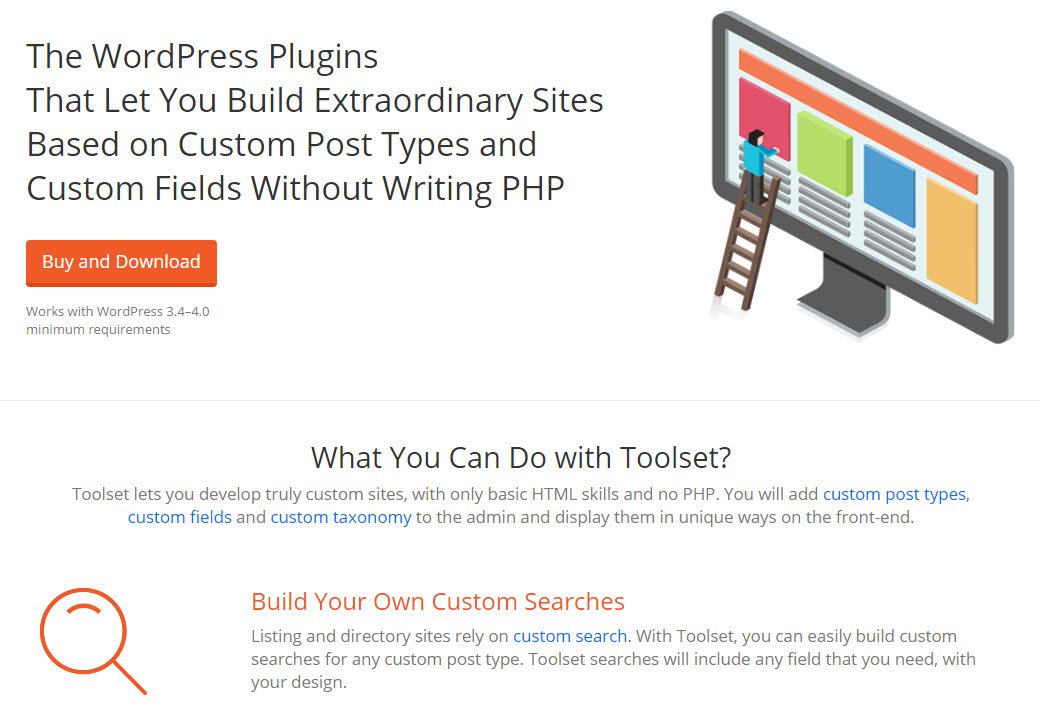 |
 |
|---|---|
We’re starting the integration with Visual Composer, which is unfortunately the least convenient to integrate with. VC stores the design as shortcodes inside “the content”. The shortcodes have no IDs, so it’s hard to associate between an element and its texts. We’re going to try and work with VC authors to add IDs to cells. Anyway, we’ll use a fallback method that identifies strings according to their content. This means that if a text changes, you need to translate it from scratch, because we have no way to tell what was that text before you edited the cell. We will do our very best to add IDs to VC cells. I hope that you realize that this is not entirely in our hands.
Other page builders work differently. They store the builder design separately from “the content” and cells have unique identifiers. So, when you edit a cell, you will see the previous translation and can just update it.
WPML 3.6 will certainly include support for Visual Composer. We’ll try to include support for Divi too. As part of this release cycle, we will also write detailed documentation on how to register strings for translation in page builders. It’s pretty simple, just requires to document it properly.
Then, we will work with all other developers of page builders to integrate such support into their products.
WPML now translates every Slider Revolution 7 module automatically into every language on your site.

Our analysis of 60,000+ WordPress plugins and themes shows community translation covers under 5% of needs in 40 languages.
Many WordPress users are exploring ways to combine ChatGPT and WPML to translate their websites.