


WPML 5.0 Beta – A Redesigned Experience and Smarter Automatic Translation
WPML 5.0 is the biggest update we’ve shipped in years.

WPML 4.7 Beta is now available for testing! This release includes a streamlined workflow for translating your entire site, major improvements to the Advanced Translation Editor, enhanced compatibility with all major plugins, and more.
Your feedback has always been the cornerstone of WPML’s development, and we’re inviting you to help us make WPML 4.7 our best version yet.
Here’s a quick video walkthrough of top new features and improvements.
The completely redesigned Translation Dashboard becomes the only page you need to translate your entire site. Every type of content on your site now has a separate section where you can search for items you need to translate.
Select your items, scroll down to select how to translate them, and send them for translation. No need to waste your time with the Translation Basket anymore.
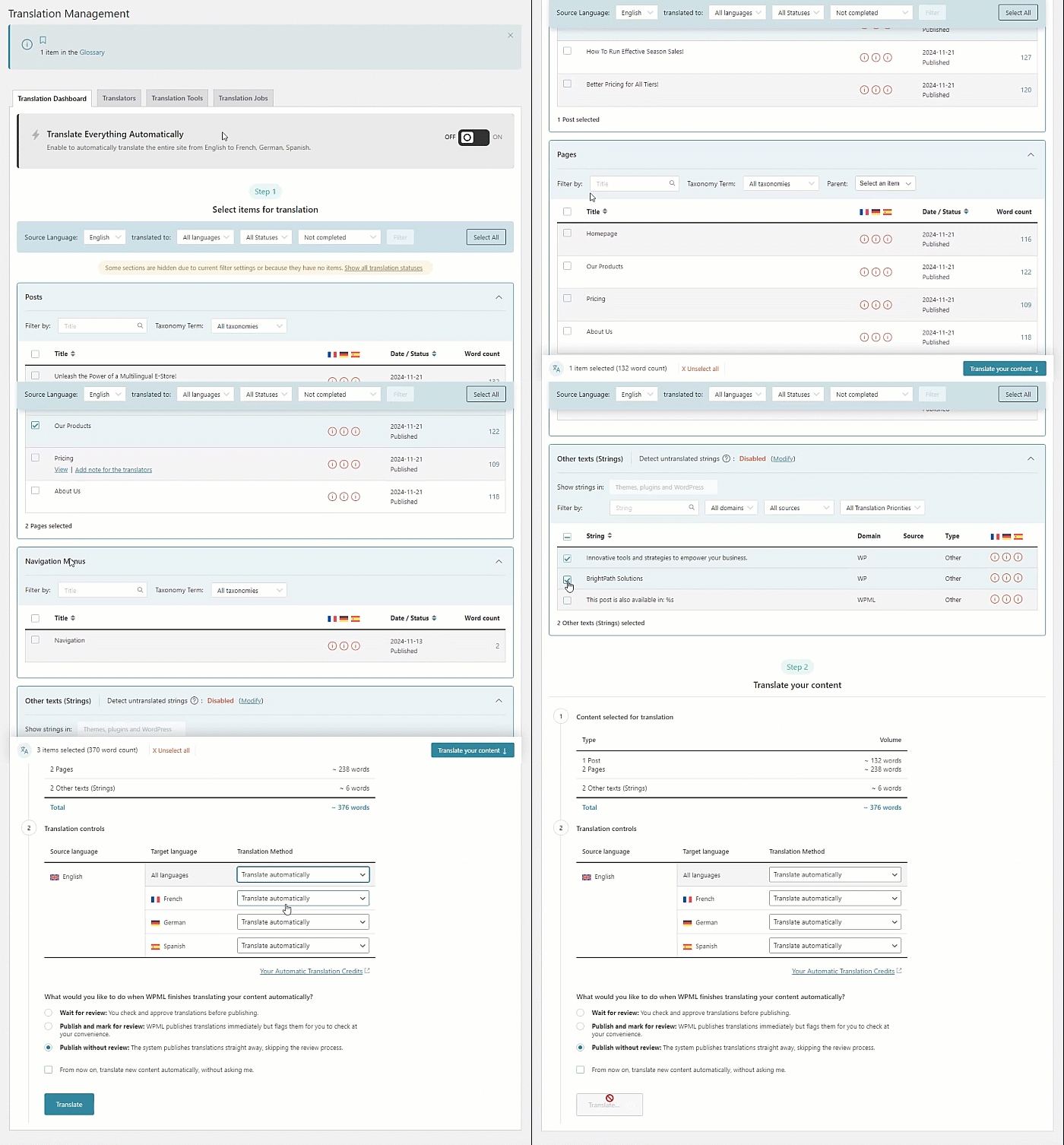
We’ve created a completely new Other texts (Strings) section that allows you to translate texts from other plugins and themes without leaving the dashboard.
Themes and plugins have many strings but usually, you need to translate only some of them. Now, all you have to do is:

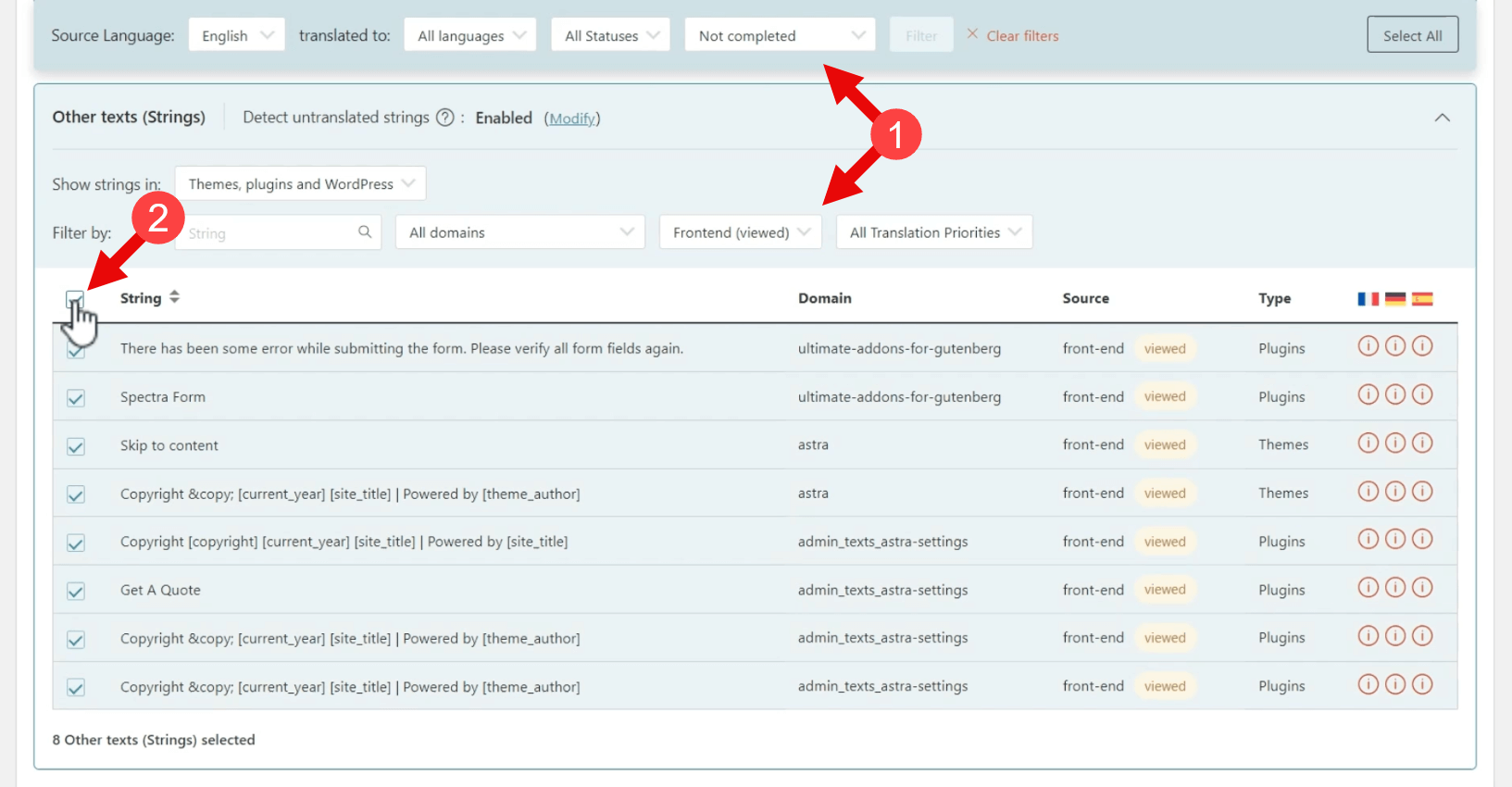
That’s it! You no longer need to guess how to find strings or which domain they use. WPML does this work for you and provides you with just the strings you need, directly from the Translation Dashboard.
WPML 4.7 leverages recent updates to Advanced Translation Editor, making it even more user-friendly:
WPML will no longer (unless you prefer it to) break down paragraphs into separate sentences. Now, you can translate an entire paragraph as one single segment.
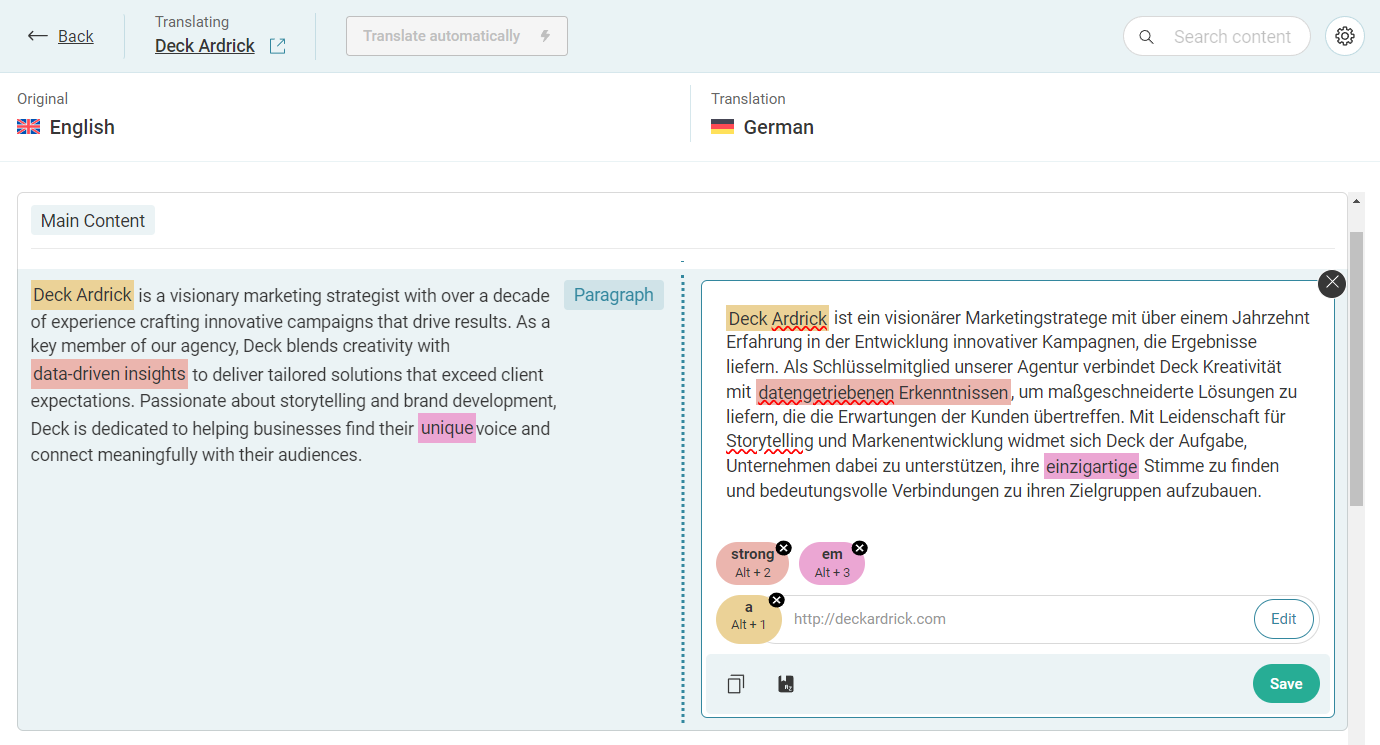
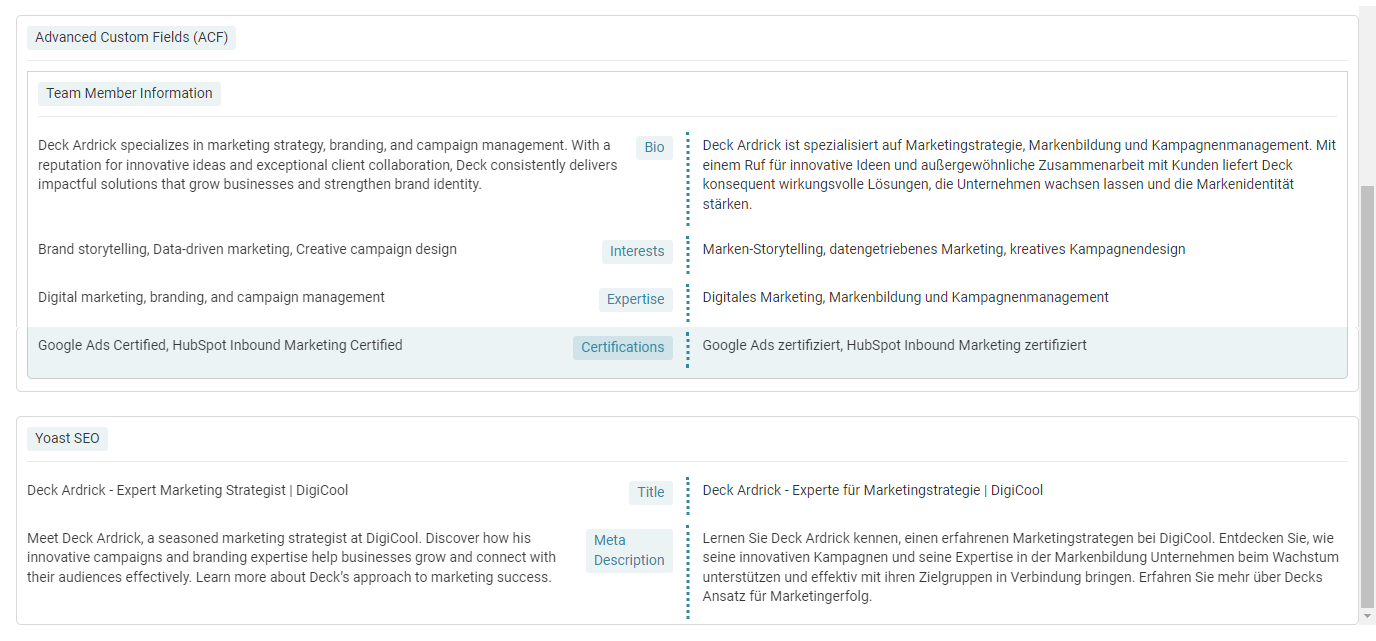
The Advanced Translation Editor now mirrors the content layout of the WordPress editor. It displays items in the same order and uses familiar names and labels from WordPress. This way, you can easily identify what you’re translating, making the process simple and intuitive.
You will especially appreciate this when translating content coming from popular plugins like Elementor, Yoast SEO, form plugins, and more.
For you to see the full power of new features and improvements, we’ve prepared beta versions of our major compatibility plugins:
Make sure to test WPML 4.7 with these versions for the complete experience.
WPML 4.7 Beta works seamlessly with WordPress 6.7. You can test it with confidence!
Installing WPML 4.7 Beta on your site is easy:
Use the Update channel dropdown to select Beta and then click the Switch button in the dialog that appears
We recommend testing this beta only on test and staging sites!
Your input is invaluable to us. Here’s a short list of top requests and issues that we implemented in the last months thanks to your feedback:
And much more. Thank you for helping us prioritize these improvements!
Now, we’re looking forward to hearing your feedback about this WPML 4.7 beta version. Take it for a spin and let us know how it goes.
Just leave a comment below and we’ll reply!
WPML 5.0 is the biggest update we’ve shipped in years.
We just released WPML 4.9.4, which brings full compatibility with WordPress 7.0.
WPML 4.9.1 is out today with a focus on Divi 5 compatibility, so your multilingual sites are ready for the official Divi 5 launch on February 26.