


SiteOrigin Page Builder is based on standard WordPress widgets. Learn how to translate your SiteOrigin pages using WPML.


The Page Builder by SiteOrigin plugin allows you to design your page layouts where you can add and customize widgets. It comes with some unique features:
- Live editing with a drag-and-drop interface
- A number of built-in, customizable widgets you can expand by using the SiteOrigin Widgets Bundle plugin
- Full styling control for all elements
- Pre-built page templates
- Compatible with most themes
SiteOrigin Page Builder’s integration with WPML works with all translation options. This includes the Translate Everything Automatically mode that automatically translates content built using SiteOrigin.
This page explains how to translate SiteOrigin pages with WPML. If you want to register your SiteOrigin widgets for translation, see our tutorial on how to register page builder widgets for translation using your wpml-config.xml file.
Getting Started
Start by installing and activating the following plugins:
- Page Builder by SiteOrigin plugin
- WPML core plugin and WPML String Translation add-on
If you’re new to WPML, check out our Getting Started Guide. It quickly walks you through different translation options you can use.
Translating SiteOrigin Pages with WPML
Translating pages built using SiteOrigin page builder is similar to translating the pages you build using the Gutenberg editor.
Translate Everything Automatically mode translates all your site content automatically, including pages built with SiteOrigin.
If you are not using Translate Everything Automatically mode, the easiest way to translate your content is to go to WPML → Translations. Select content and send for translation automatically, or choose a professional translation service and local translators.
To translate the pages yourself, follow these steps:
- Navigate to the page editing screen.
- In the Language box, you can go directly to WPML’s Translations page or switch to the second tab to open WPML’s Advanced Translation Editor.

- Click the plus icon beside the language you want. WPML sends the page to automatic translation and opens it in the Advanced Translation Editor.
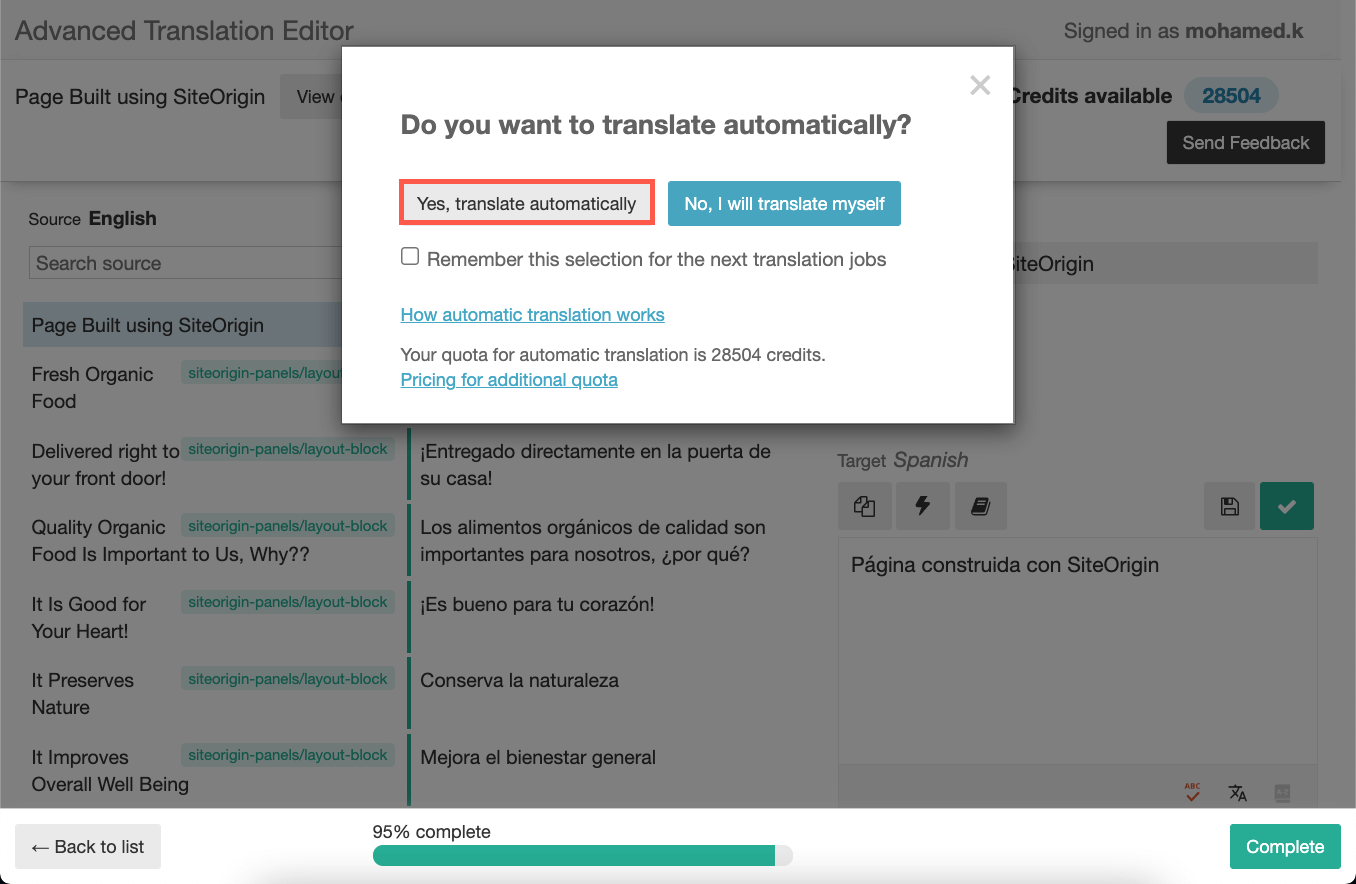
- Review the translation to make sure it reads well. When you are happy with it, click Save and Complete to publish it.

Known Issues
WPML works fine with this plugin, but sometimes there could be minor issues we’re working on. This is expected as both plugins provide frequent updates.
Current unresolved issues:
- Page Builder by SiteOrigin – Nested Layout widgets content doesn’t appear on ATE
- Page Builder by SiteOrigin – Layout Builder Widgets Not Translatable When Duplicated Inside and Outside Layout
You can also search all known issues including previously resolved issues for this plugin.
Getting Help From Our Support Team
Having difficulties translating your SiteOrigin pages using WPML? Ask a question in WPML support.