


- Status
- Resolved
Overview of the issue
It is not possible to keep translated field groups synced with default language field group. When default field group content is changed and updated, changes are not applied to other languages duplicated field groups.
Workaround
It is simple to overcome this issue. After editing field group(s) on default language, to keep field group translations synced you will need to:
- Switch to the desired language, using language switcher on the top of the page.
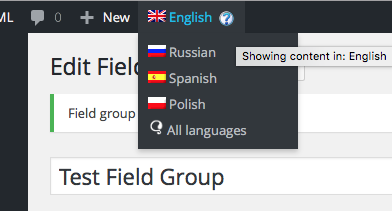
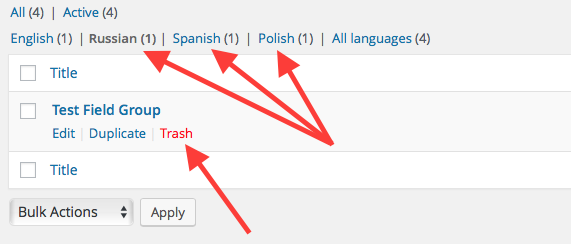
- Delete already translated field group(s)
- Go back to default language field group, and duplicate its content again.
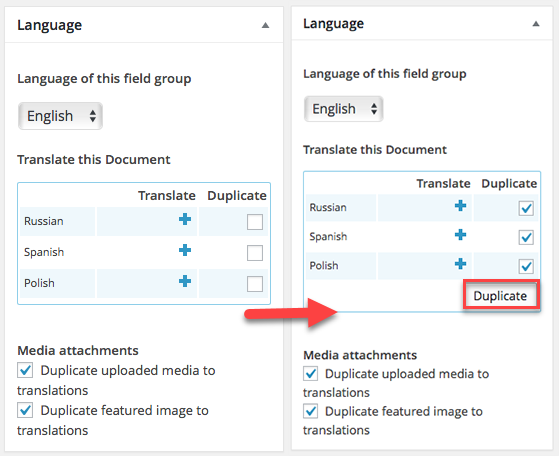
This way, fields in translated field groups will be up to date with ones in default language field group.
Full Description
Whenever you change contents of field group (default language one) that is already duplicated into other languages, you might expect that field groups translations will be updated too, and that all of fields are same between translations.
For this to happen please follow instructions above.