



WPML 5.0 Beta – A Redesigned Experience and Smarter Automatic Translation
WPML 5.0 is the biggest update we’ve shipped in years.

 5 minutes
Adding automatic translation to your workflow can make translating your site ten times faster than translating from scratch. It gives you the benefit of high-quality translations at a fraction of the cost. See how it can help you, whether you’re translating content yourself or working with translators.

Looking for professional level translation, but don’t have the budget for it? Advancements in machine translation make it possible to get high-quality results at a very low cost and leave you with only minor polishing to make your translations perfect. WPML’s automatic translation feature can help you stay on time and on budget and can fit in with the workflow you’re already using.
A few years ago, you would never expect machine translation to produce a professional result. Nowadays, translation engines use AI to produce human-like translations. WPML allows you to choose between DeepL, Google Translate, and Microsoft Azure to power your automatic translation. Because you have several to choose from you can be sure there’s at least one that supports your site’s language pairs.
We used WPML’s automatic translation to translate this post using DeepL. Our support team quickly reviewed it to make sure it looked great (except Japanese, since we don’t have any supporters who speak that language natively). Use the language switcher in the site’s header to see the post in other languages!
Instead of translating your site content from scratch, let automatic translation get a head start for you. Then, quickly review the translations to make sure they sound right to you. It saves 95% of your time, and you end up with a high-quality result.
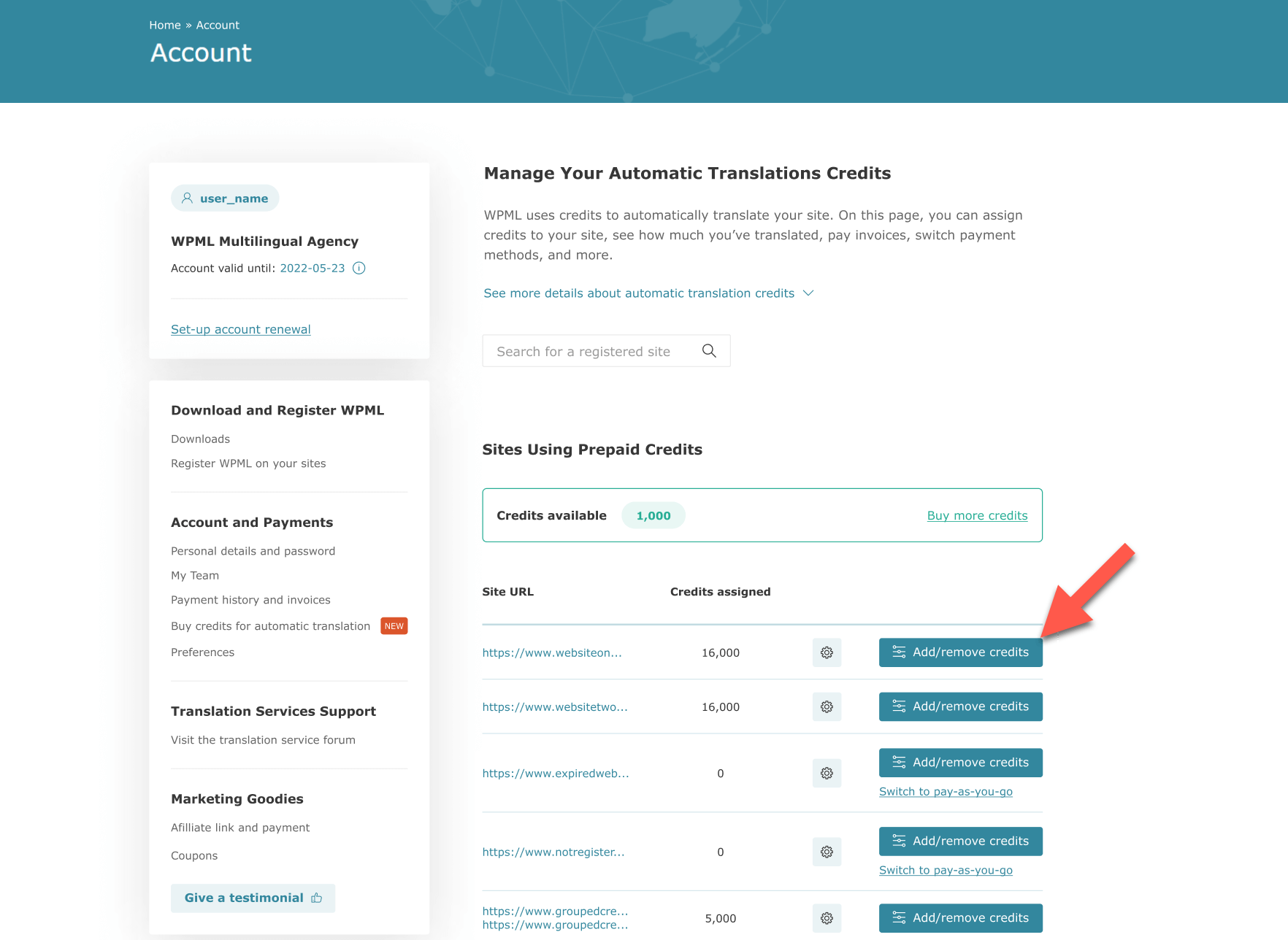
You can get started with automatic translation for free (keep reading to find out more). After that, WPML offers two affordable ways to purchase automatic translation credits. You can either translate now and pay-as-you-go, or you can pay for credits in advance, then use them to translate your content.
Plus, automatic translation from WPML comes with even more money-saving features you don’t get if you just copy and paste from Google Translate:
Automatic translation is a flexible tool that fits any workflow you’re looking for:
You also have flexibility in who can use automatic translation. If you have clients or translators managing the translations on your site, you can choose which site users have access to the feature.
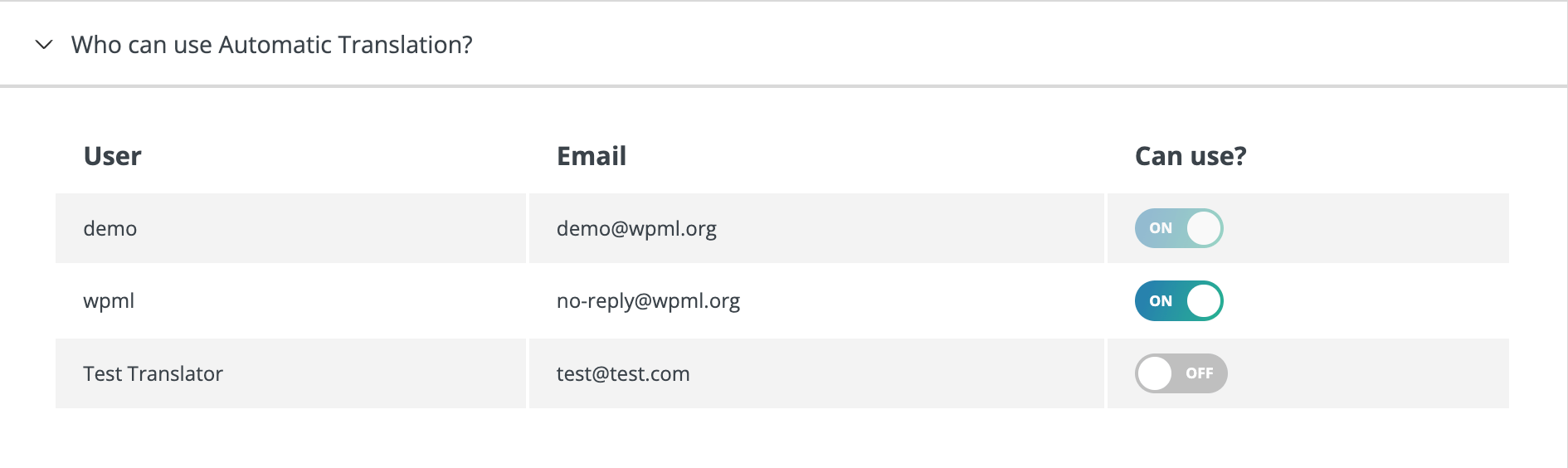
You can also choose a payment method that allows clients to pay for their own translations or limit the amount translators can spend by assigning only a certain number of credits. Read more about the payment options in our blog post about choosing the best automatic payment option.
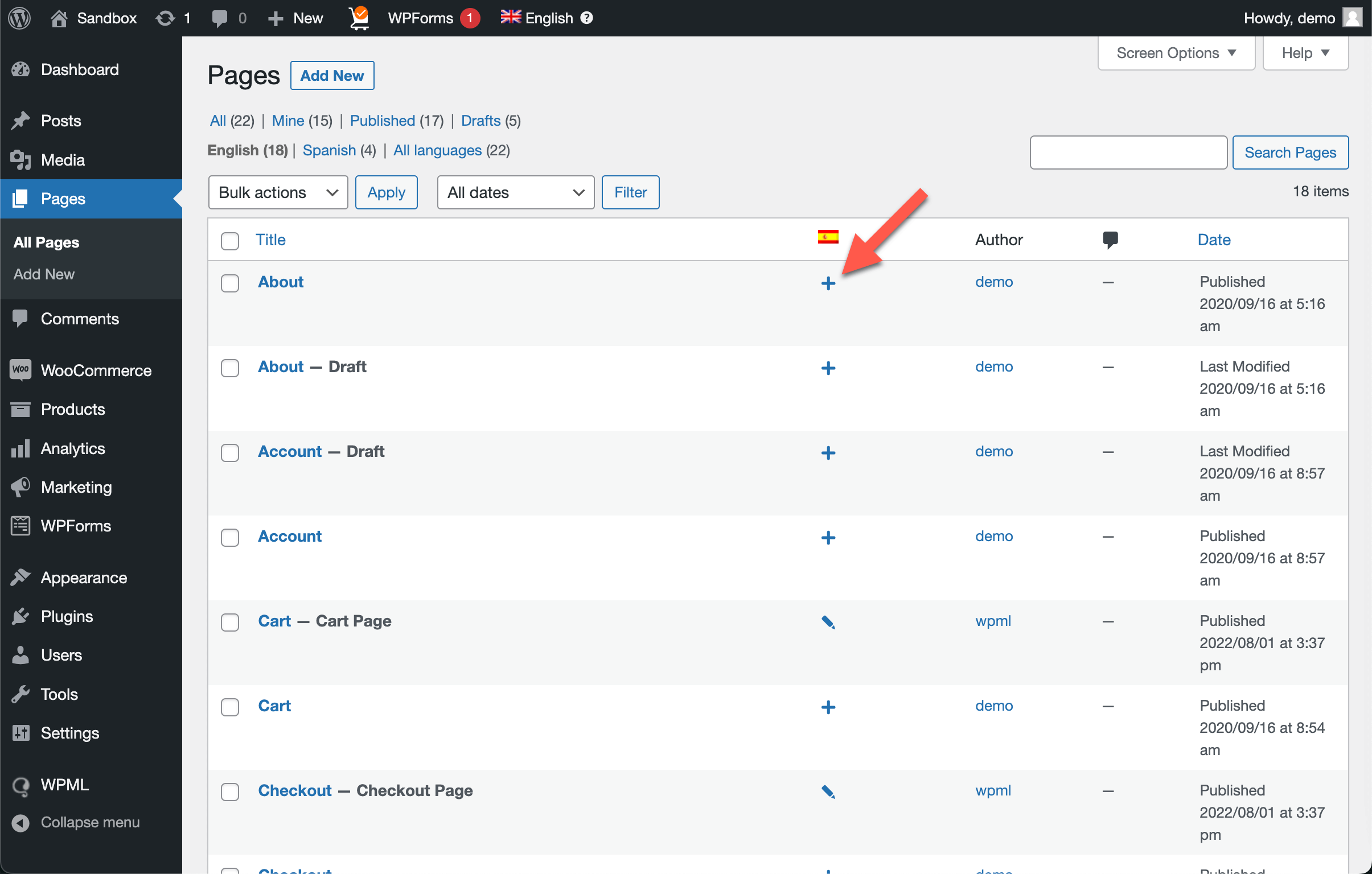
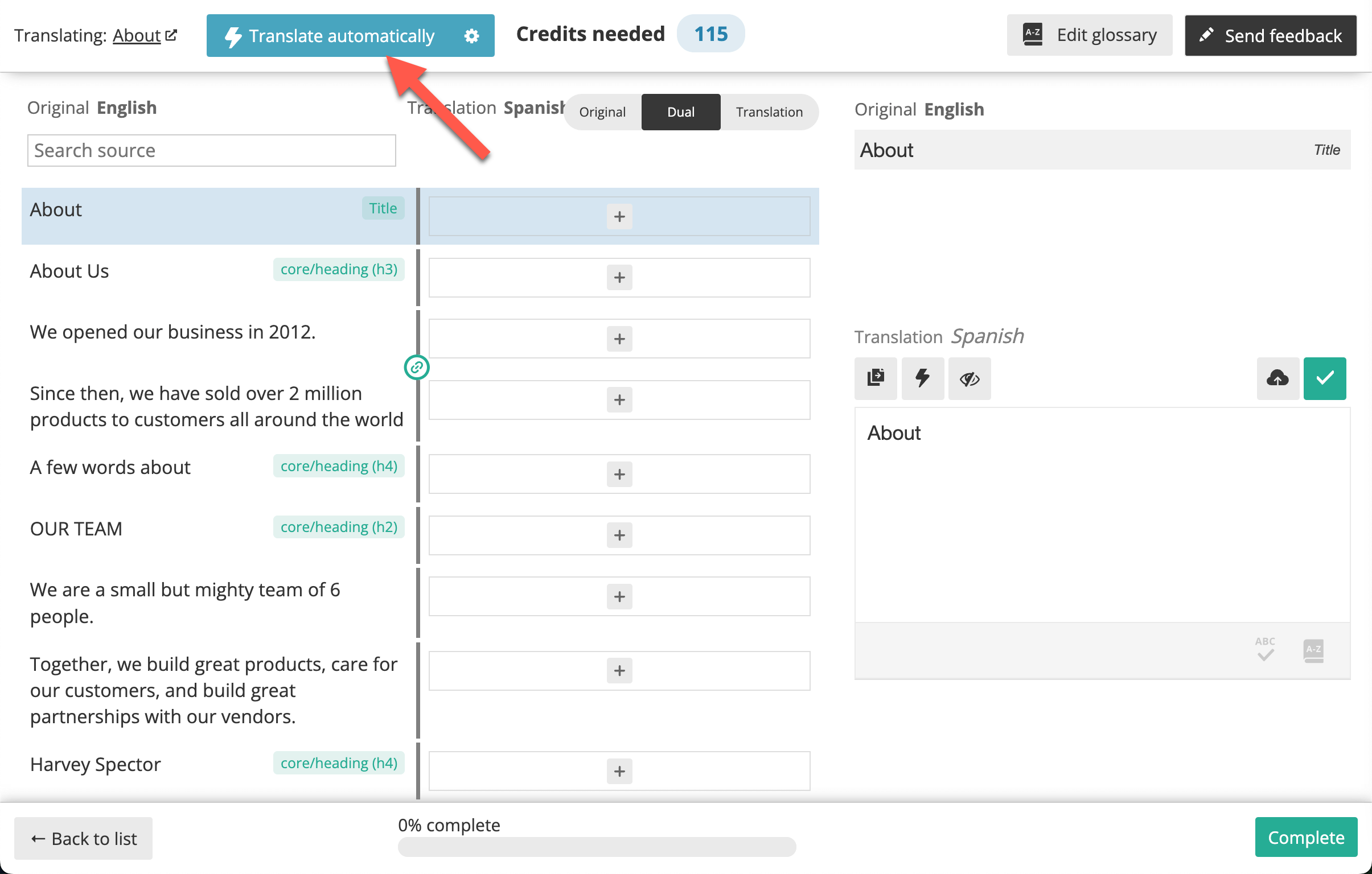
Not sure if automatic translation is for you? You can try it out for free! Start with one page and see what you think:
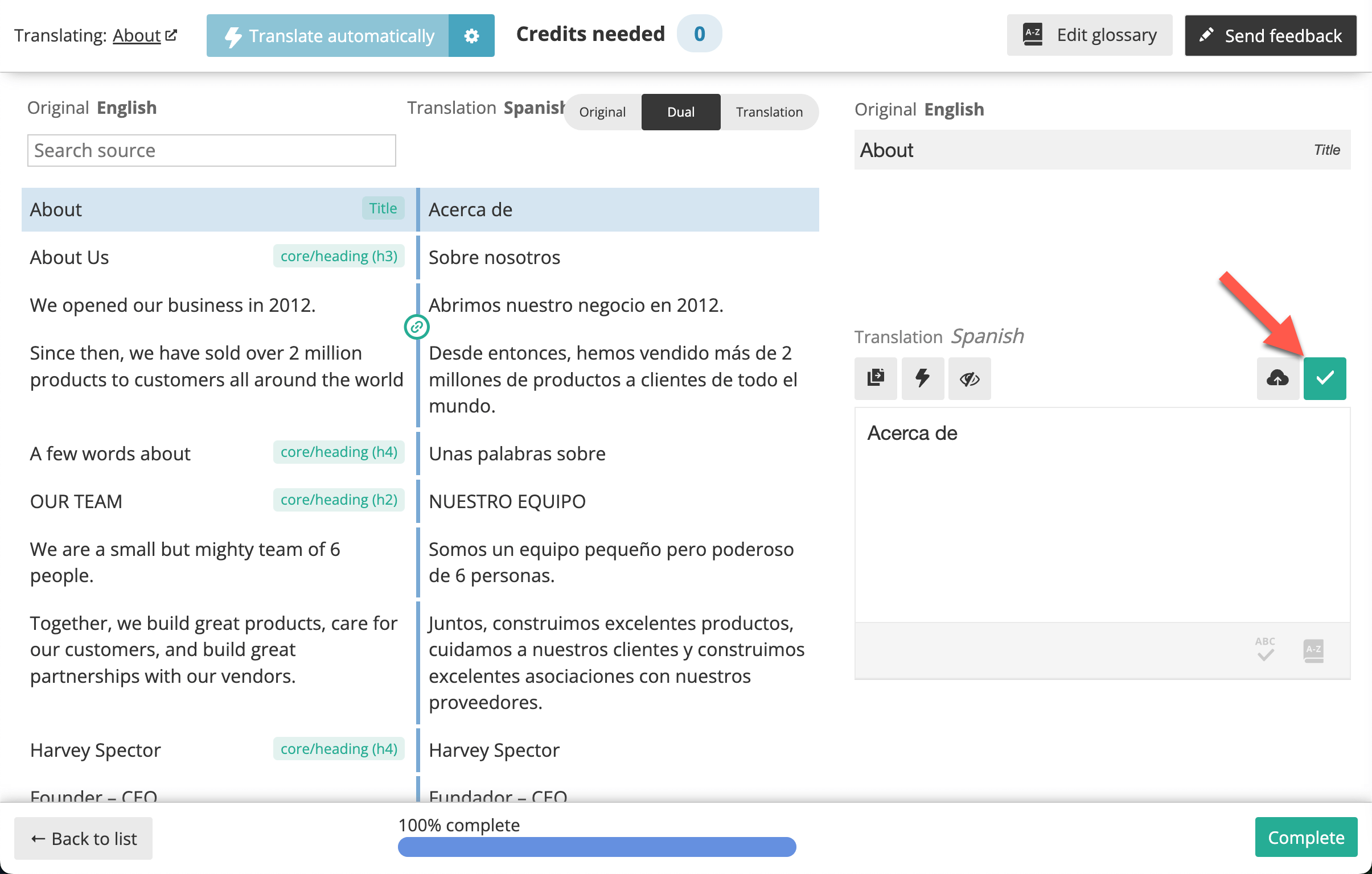
We recently made DeepL WPML’s default engine for automatic translation and reduced its price from 3 to 2 credits per word (33% off). Since then, the majority of the automatic translation users have switched to DeepL, and clients are very happy with the results.
If you’re still not taking advantage of this offer, read the announcement blog post to see how to switch your existing sites to DeepL.
Try using automatic translation for one of your site’s pages and let us know how it goes in the comments below!
Still not convinced? What prevents you from trying automatic translation?
WPML 5.0 is the biggest update we’ve shipped in years.
Do you develop software or mobile apps alongside your WordPress site? PTC, WPML’s AI translation engine, now translates them too.
Managing your website’s translations just got a whole lot easier.