


WPML 5.0 Beta – A Redesigned Experience and Smarter Automatic Translation
WPML 5.0 is the biggest update we’ve shipped in years.

 4 minutes
From the go, we designed WPML 4.7 to help you get better translations with less effort. Now, you can easily translate your entire site from a single page – the new Translation Dashboard.
Since publishing this post, we have released WPML 4.7.1 and WPML 4.7.2 with various bug fixes.
See WPML 4.7 in action for a quick overview of what’s new:
We completely revamped the Translation Dashboard which is now the only screen you need to translate your entire site.
Easily send any content for translation including posts, pages, WooCommerce products, forms, widgets, and any other type.
Before selecting how you want to translate your content, you now also get an estimate on the wordcount. Everything is simple and at a glance!
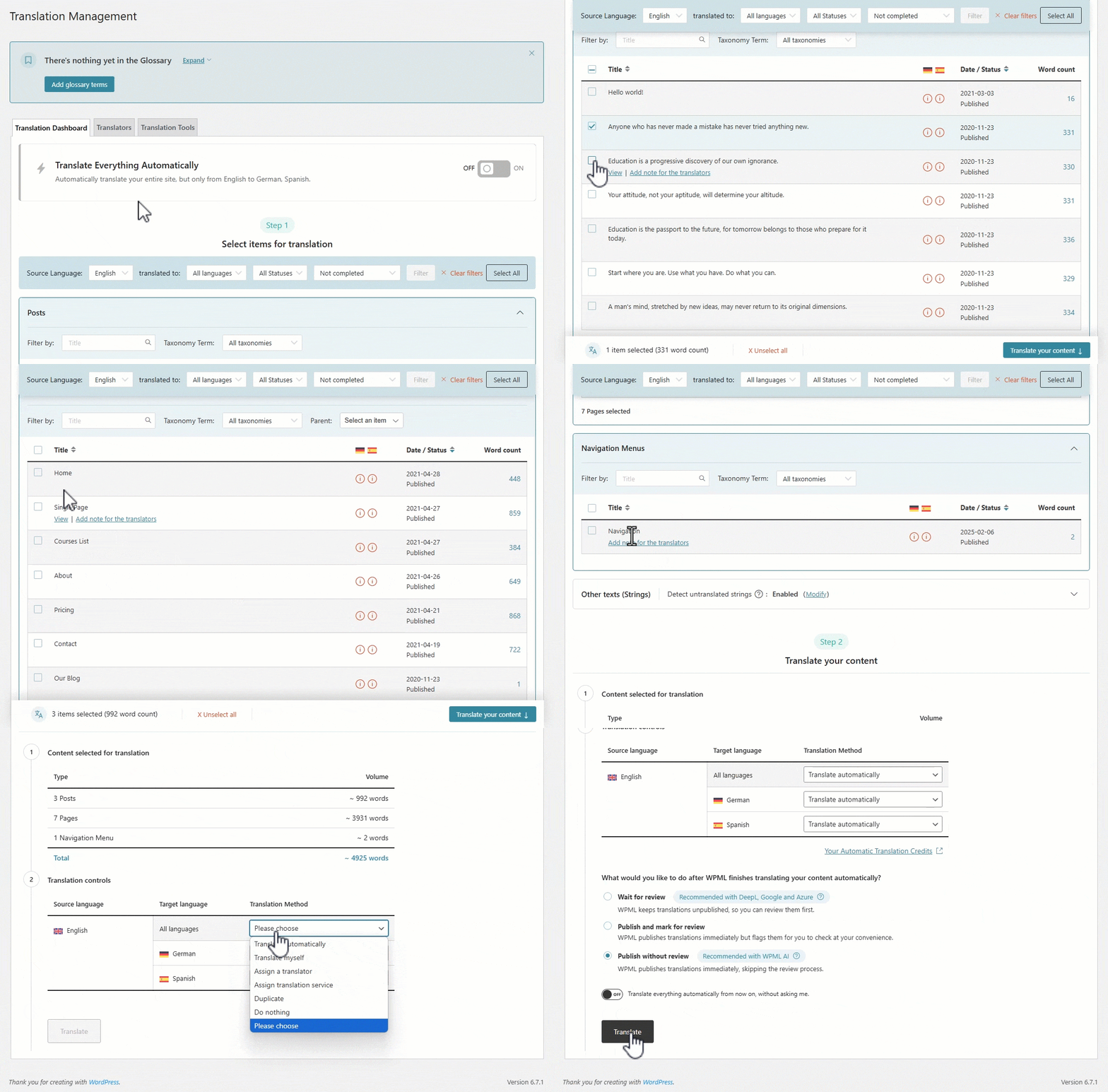
The top of the Translation Dashboard page will now also show you the detailed status of your translations and guide you in case your attention is required for anything.
We vastly simplified how you translate texts (strings) that are outside regular content and come from plugins and themes. You only need to follow two simple steps:

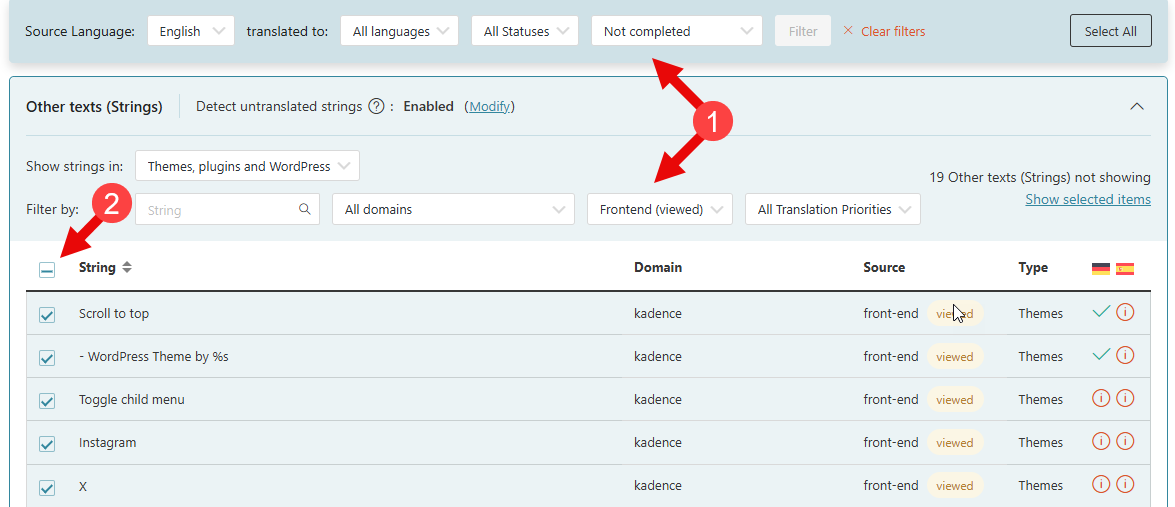
And that’s it! You no longer need to hunt for strings. WPML does this work for you and shows you the strings you need, directly on the Translation Dashboard.
WPML 4.7 also brings major improvements to the Advanced Translation Editor, making it more intuitive and user-friendly.
Smarter segmentation – WPML now displays paragraphs together for a more natural translation flow. If you prefer, you can still revert to sentence-based segmentation.
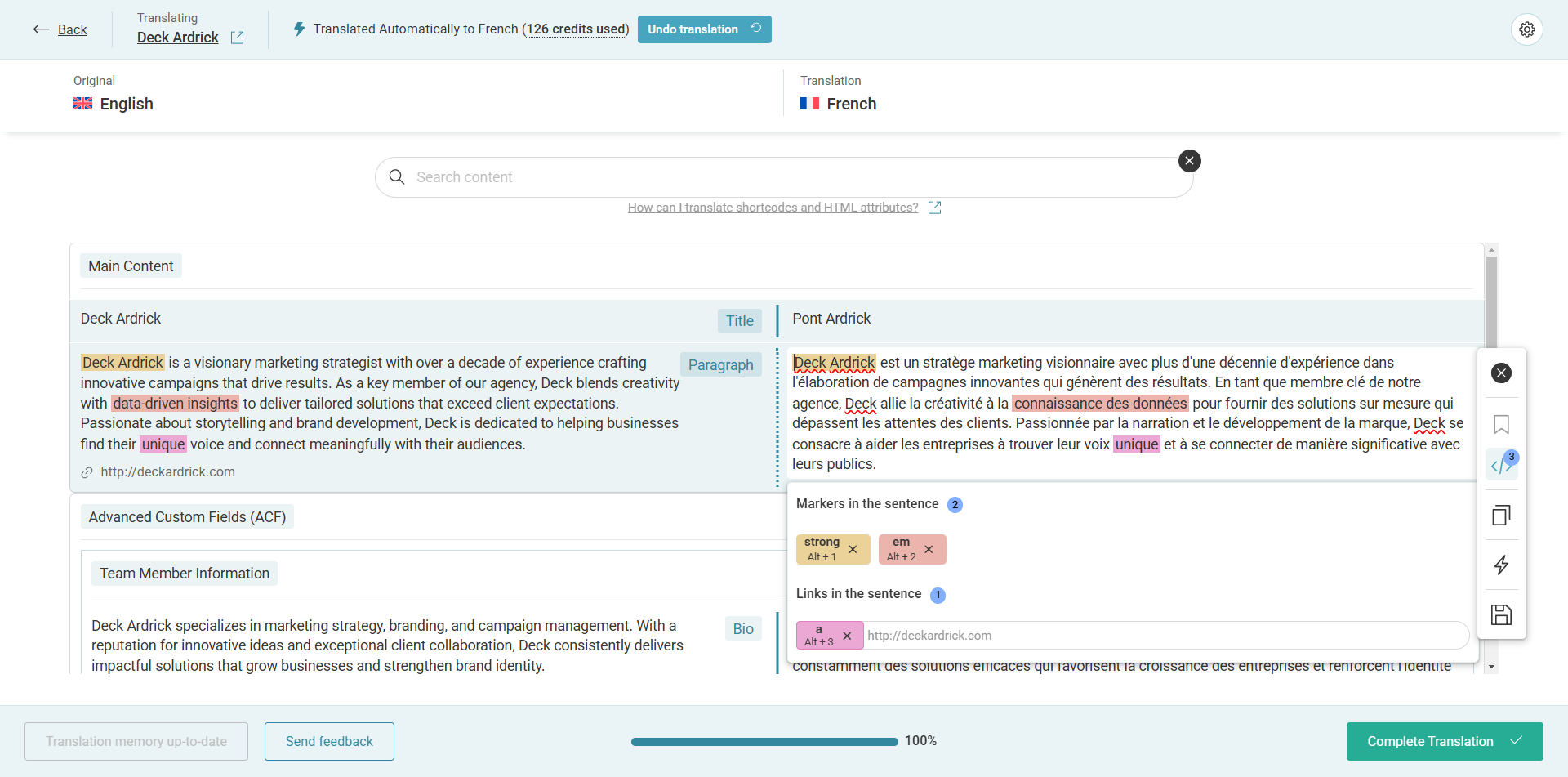
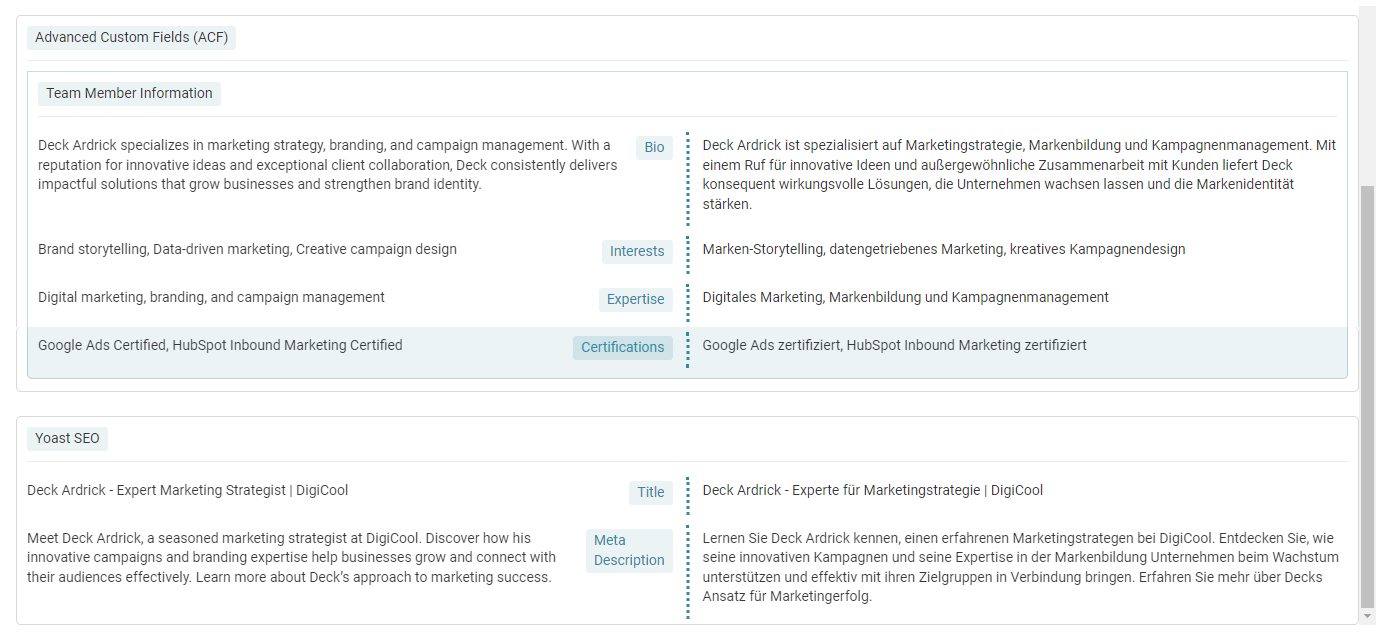
Content is grouped like in WordPress – The Advanced Translation Editor now mirrors the layout of the WordPress editor, keeping content in the same order with familiar labels. This makes translating structured content—like pages built with Elementor, SEO metadata from Yoast, and forms—easier than ever.
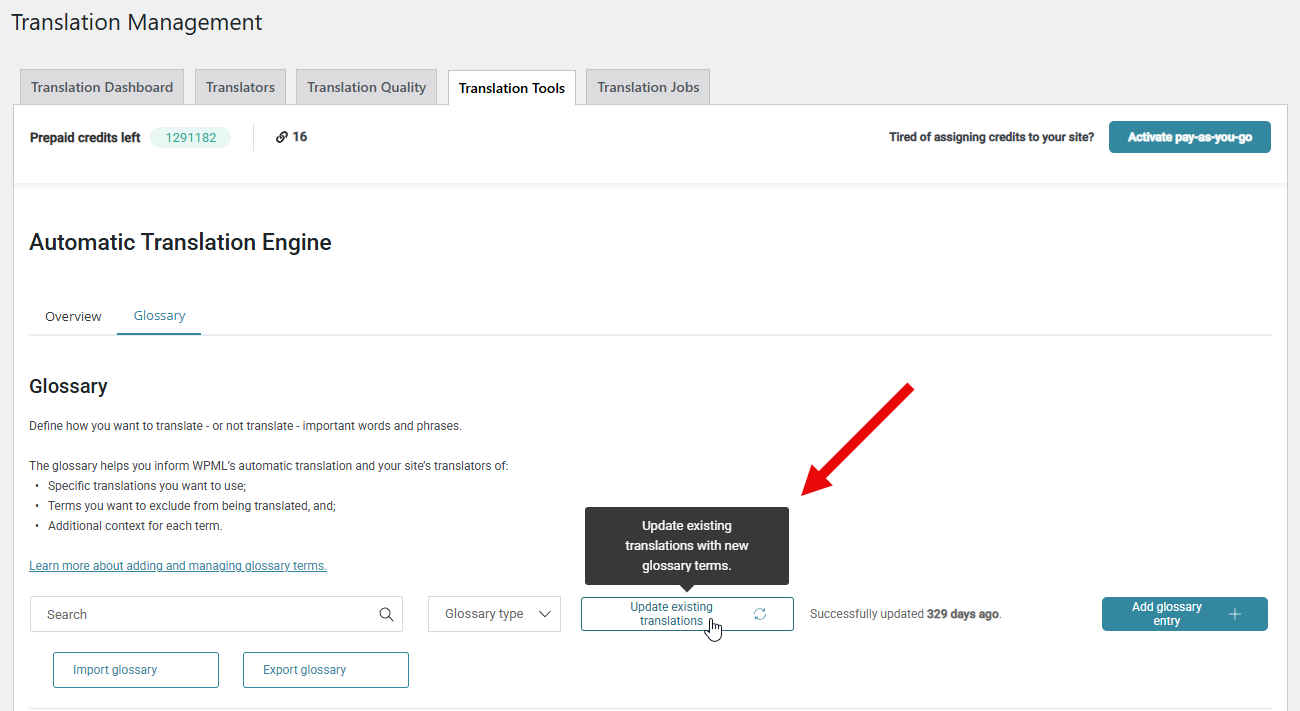
Updating your WPML Glossary now comes with an added benefit: WPML can automatically retranslate all affected content, ensuring consistency across your site without extra effort.
At launch, Glossary Retranslation is free to use but comes with temporary usage limits to maintain system stability. Soon, these limits will be lifted, and a small fee will be introduced to cover system costs.
WPML 4.7 enhances compatibility with popular WordPress plugins, ensuring a smoother translation experience across your site. Our team made sure all WPML add-ons take full advantage of the new features.
Alongside WPML 4.7, we’ve released updates to key WPML compatibility add-ons, including:
Make sure to update all WPML compatibility add-ons that your site is using.
We are gradually releasing WPML 4.7 to websites but if you want, you can get it right away:
This release wouldn’t be possible without the valuable feedback from our WPML users. Your insights make a great impact and help us continue improving WPML.
We’d love to hear about your experience with WPML 4.7. Let us know in the comments below!
WPML 5.0 is the biggest update we’ve shipped in years.
We just released WPML 4.9.4, which brings full compatibility with WordPress 7.0.
WPML 4.9.1 is out today with a focus on Divi 5 compatibility, so your multilingual sites are ready for the official Divi 5 launch on February 26.