


Translating Slider Revolution 7 With WPML
Slider Revolution 7 integrates with WPML. Save a module, and WPML translates every layer automatically into the languages on your site.
Slider Revolution 7 ships with an AI Translate Addon that sends every module’s strings to WPML for translation. The modules show up on the WPML Translations Dashboard alongside your posts and pages and translate using the same flow as the rest of your site.
What You Need
- WPML Multilingual CMS
- WPML String Translation
- Slider Revolution 7 (version 7.0.16 or later)
- Slider Revolution AI Translate Addon – included with Slider Revolution’s premium licence
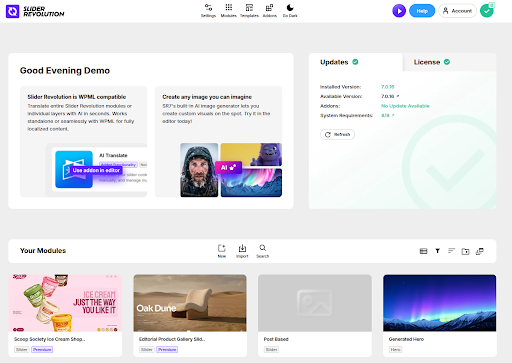
When all three plugins are active, Slider Revolution’s Plugin Dashboard confirms the integration with a “WPML compatible” notice. From this point, every module you create or edit is translatable through WPML.
With Translate Everything Automatically On
If you use Translate Everything Automatically, modules translate without any extra steps from you.
- Build your module in the source language under Slider Revolution > Plugin Dashboard and save it. WPML extracts every translatable string from the module and translates them in the background.
- Insert the module into a page or post using the Slider Revolution block and publish the page. The module renders in each visitor’s language as soon as the page is live.
You don’t duplicate slides per language, and you don’t tag slides with a language. WPML substitutes the translated text into the same slides you built in your source language.
With Translate Everything Automatically Off
If you prefer to choose which content gets translated and when, modules appear on the Translations Dashboard the same way pages and posts do.
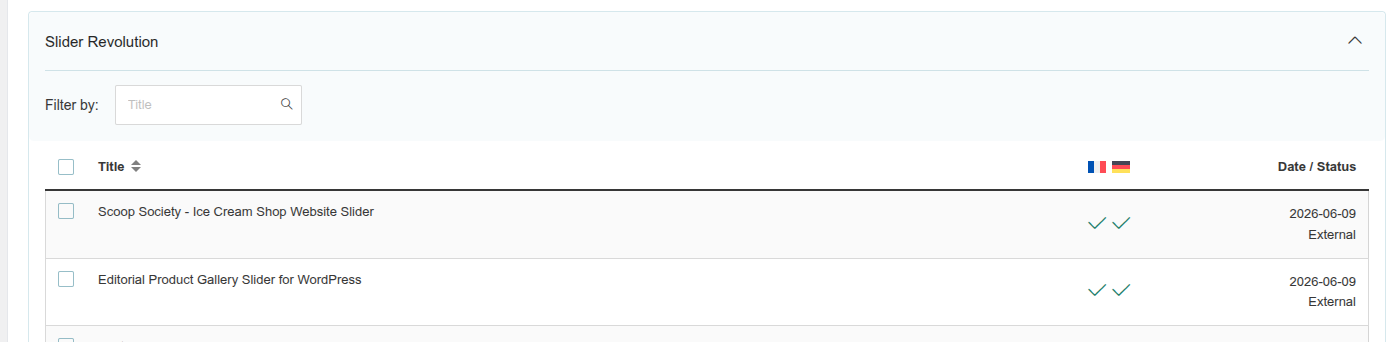
- Go to WPML > Translations. Modules appear under the Slider Revolution section, so you can find and select them without leaving the dashboard.
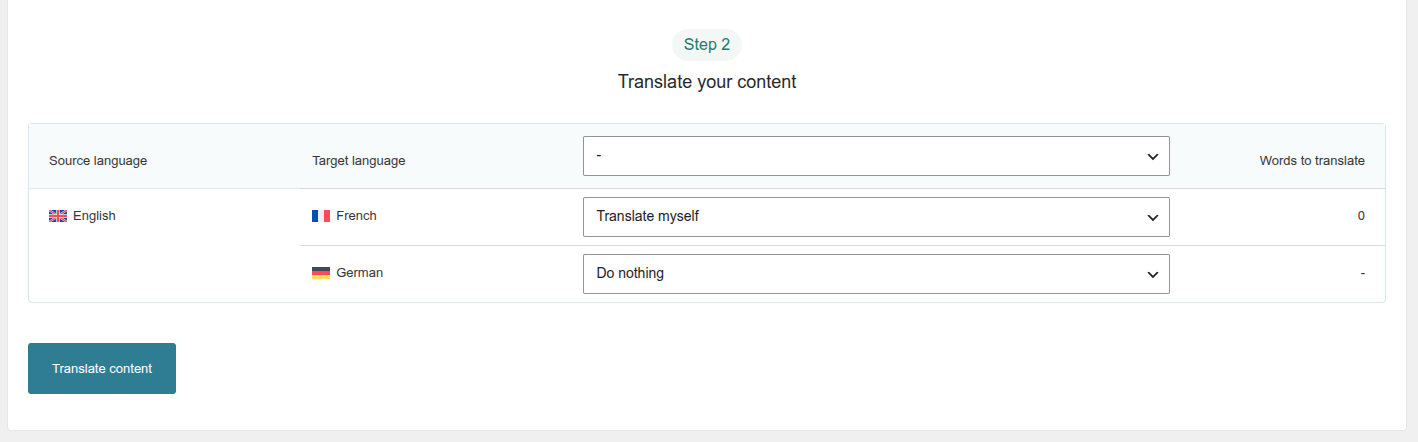
- Select the module, pick a translation method per language, and click Translate content. Choose Translate Automatically to let PTC do the work, or Translate Myself to translate by hand.
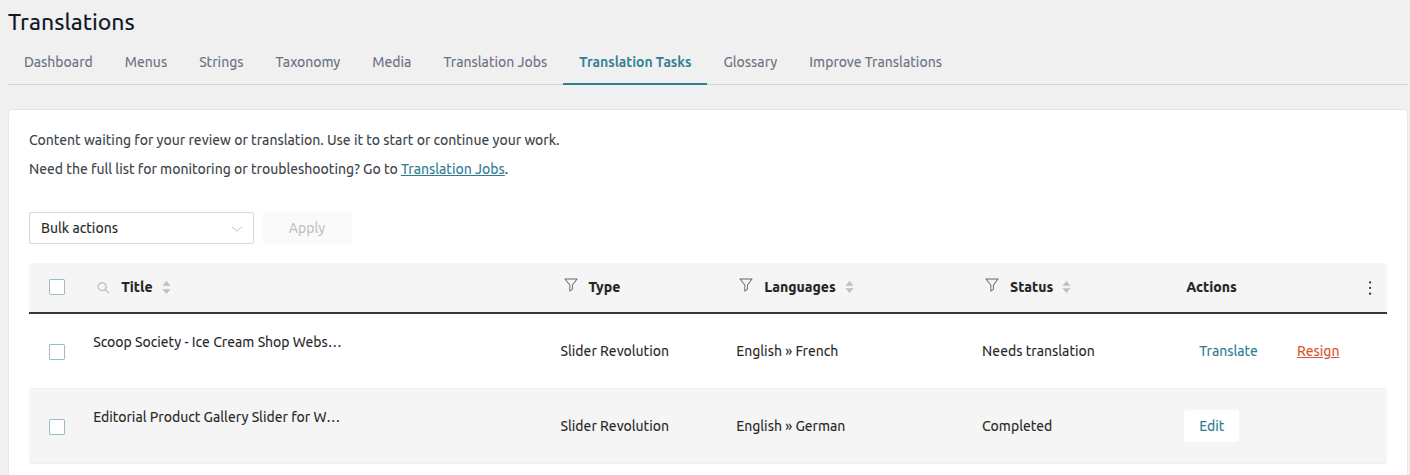
- If you chose Translate Myself, open the Translation Tasks tab. Modules appear with their type marked as Slider Revolution, so you can tell them apart from regular pages.
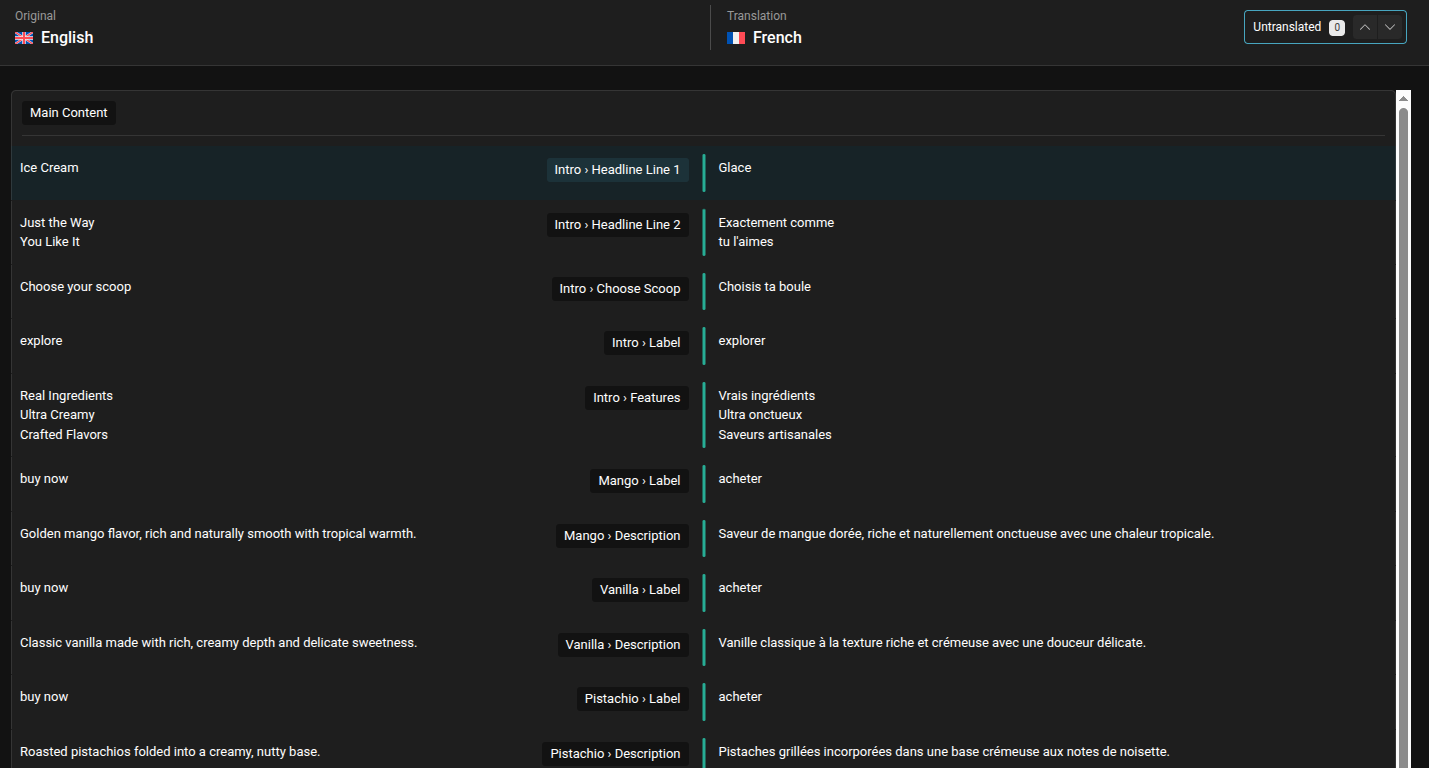
- Click Translate to open the module in the Advanced Translation Editor. Each row holds one string with its context path inside the module (for example Intro > Headline Line 1, Mango > Description), so the translator always knows which layer they’re working on.
When the module is translated, insert it into a page or post with the Slider Revolution block and translate the containing page the same way.
Post-Based Sliders
Sliders that pull in posts – for example, the three latest blog posts – inherit their translations from the underlying posts. Translate the posts the way you translate any other content, and each visitor sees the slider in their language without any module-level work. Per-language featured images are picked up automatically.