


ACF Multilingual 2.2.0 – Easier Options Page Translation and Better Local Fields Support
Translate Options Pages directly in Translation Dashboard, manage local fields more easily, and enjoy faster performance with ACFML 2.2.0.

In this tutorial, we show how to create templates for custom posts types in multilingual sites. We’ll design the template visually and use WPML to translate it.
Today, WordPress’s default editor is the Block Editor (aka Gutenberg). It’s a visual editor that’s become a reliable and mature tool. We’ll use it to design our templates, together with the Toolset plugins.
To create templates for custom posts, you only need the following two plugins:
To get these plugins, you will need a Toolset subscription. However, you can test and try all Toolset plugins for free on the Discover WP site. It allows you to create your own sandbox site with a number of prebuilt site templates to choose from and install in one click.
To translate your templates and your site in general, you also need the following WPML plugins:
Here are the steps to create your template:
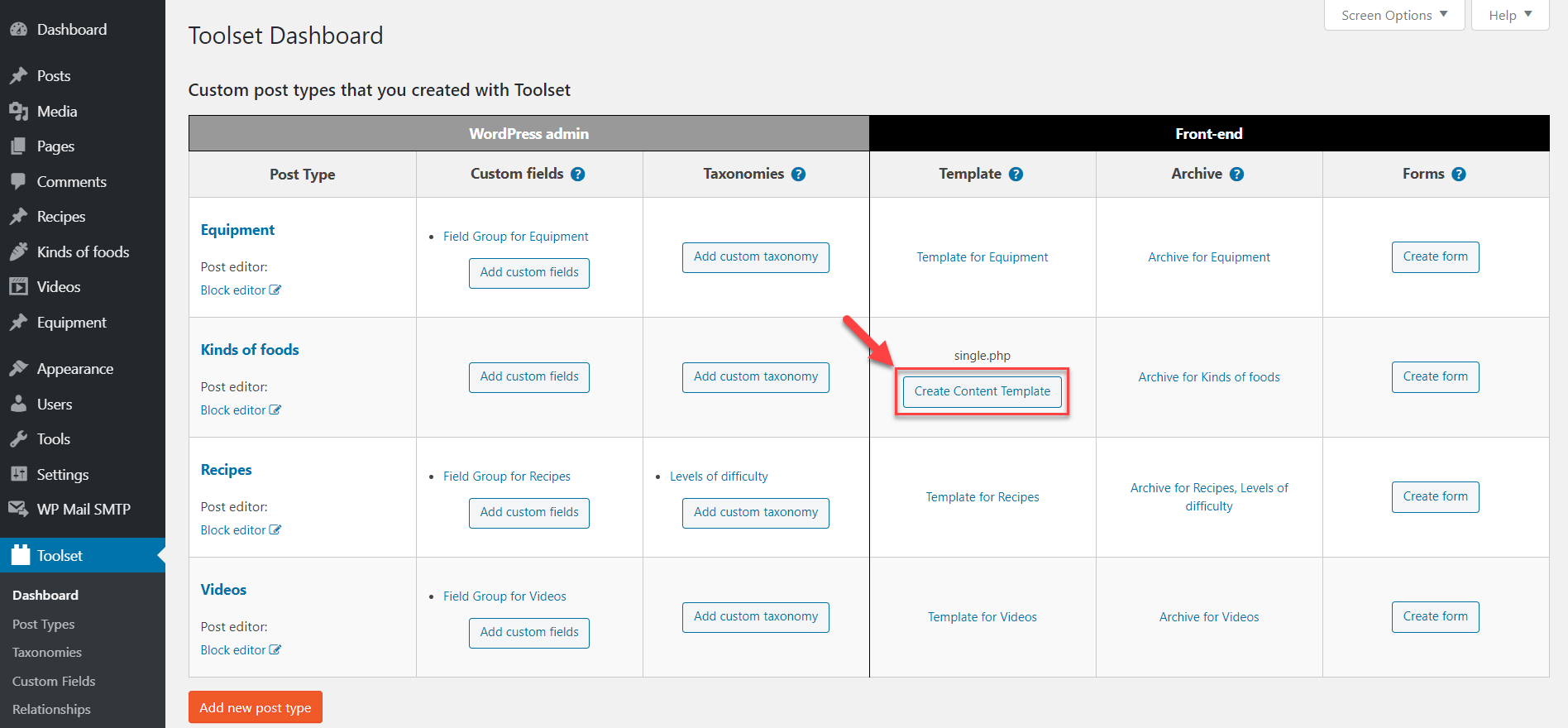
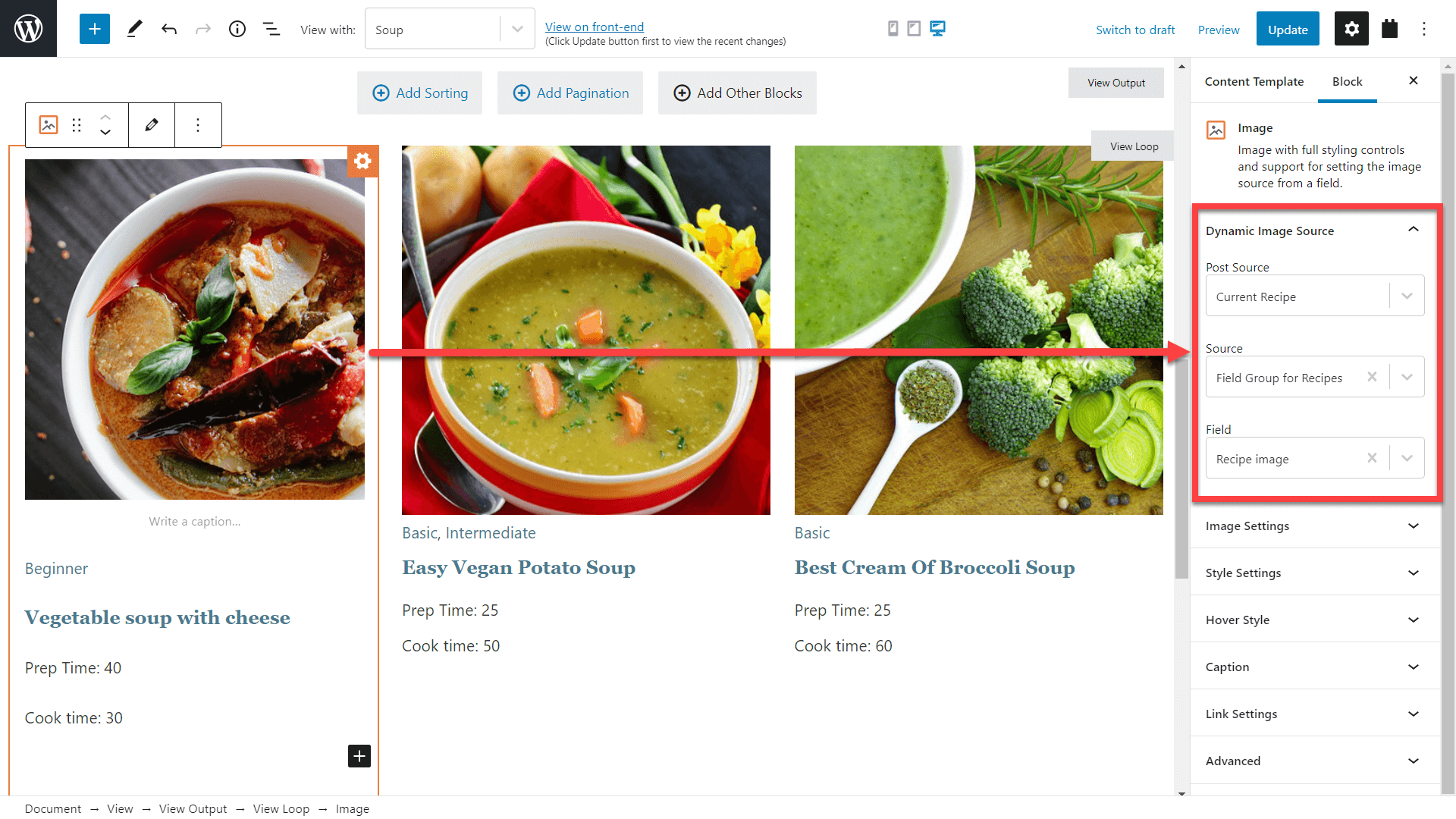
And that’s it, now insert any number of fields you need and tweak how they appear on the page. Each Toolset block has sections for adjusting the styling, typography, and more.
Of course, you can do much more. For example, you can arrange contents in columns, use containers, display parts of the template conditionally, display a list of related posts, create responsive designs, and more.
Here’s a whole video tutorial on creating a template for displaying custom posts.
You can find more information and related tutorials on the Toolset’s lesson on creating single-post templates.
OK, now that you know how to create templates, let’s see how to translate them for your multilingual sites. Toolset comes from the same team behind WPML so the integration is seamless.
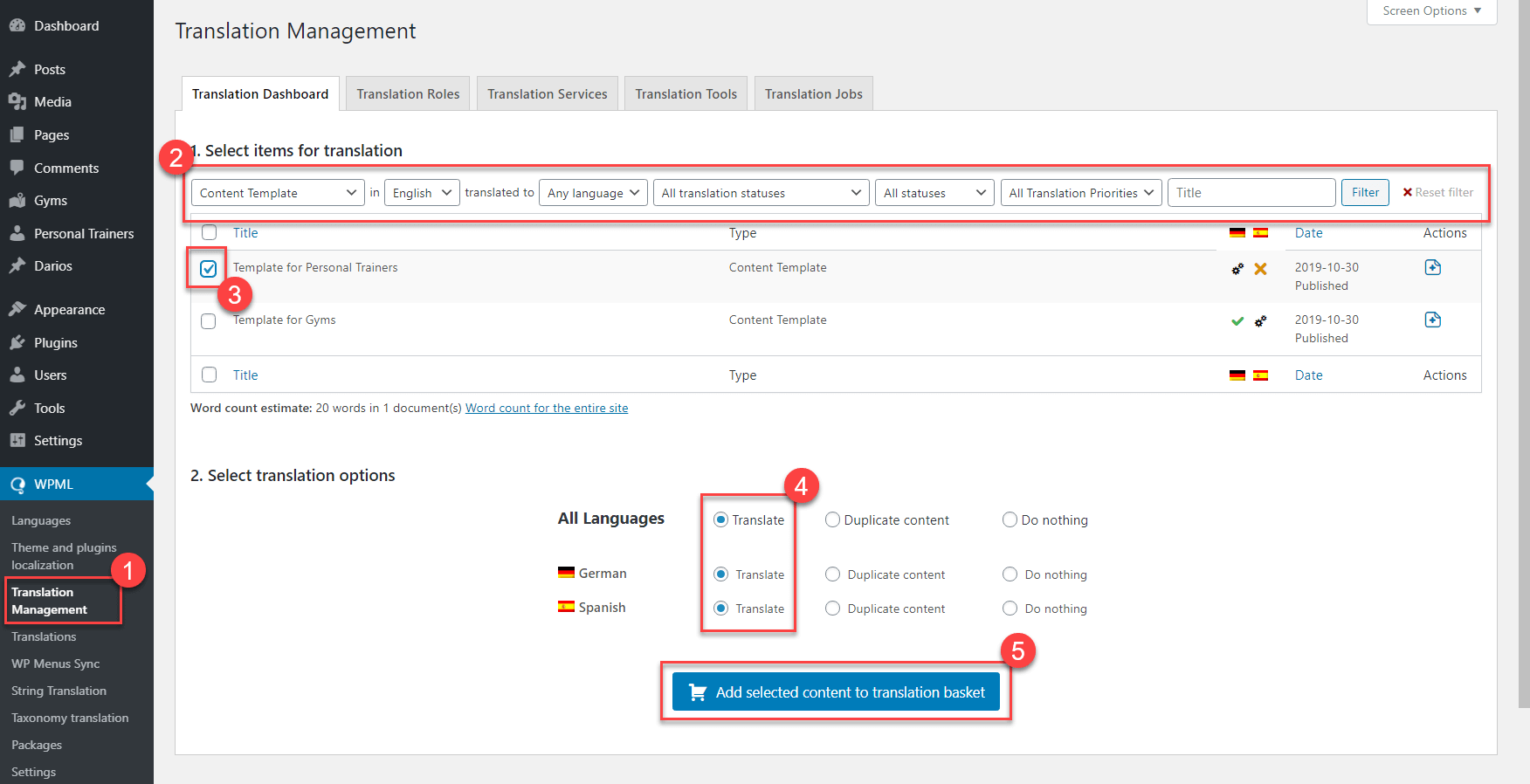
If you want to translate the items yourself, simply go to the WPML → Translations page and click the Take and translate button next to the translation job you want to do.
This tutorial shows only a tiny bit of what you can build with Toolset:
And much more!
Toolset also comes with complete tutorials on creating directory sites, custom WooCommerce sites, membership sites, and more.
Toolset starts at only $69 for a complete package for one site. If you’re interested in Toolset, there’s a 30% discount waiting for you on our coupons page.
Translate Options Pages directly in Translation Dashboard, manage local fields more easily, and enjoy faster performance with ACFML 2.2.0.
Learn how to customize your WooCommerce checkout page to improve the user experience for international customers, and sell more.
BuddyPress Multilingual 1.8.0 makes it possible to translate new content in BuddyBoss and BuddyPress user profiles.