


WPML 5.0 Beta – A Redesigned Experience and Smarter Automatic Translation
WPML 5.0 is the biggest update we’ve shipped in years.

WPML 4.8 Beta is now available for testing ahead of the upcoming release of WPML 4.8. This version brings a number of new features, with a big rebranding; WPML AI is now PTC.
If you’re currently using WPML on a big, complex website, or developing a new site, we recommend installing WPML 4.8 Beta on a testing site to ensure everything works correctly.
Here are the new features we recommend testing.
PTC (Private Translation Cloud) is our proprietary engine that now powers both WPML and our new software translation service. PTC lets you:
We are so confident in PTC’s quality that we’re backing it with a translation quality guarantee: not happy with PTC’s translations? Get a full refund.
How to test
To try PTC, go to WPML → Settings and make sure PTC is set as your default translation engine. Once set, send some content for translation to see PTC in action.
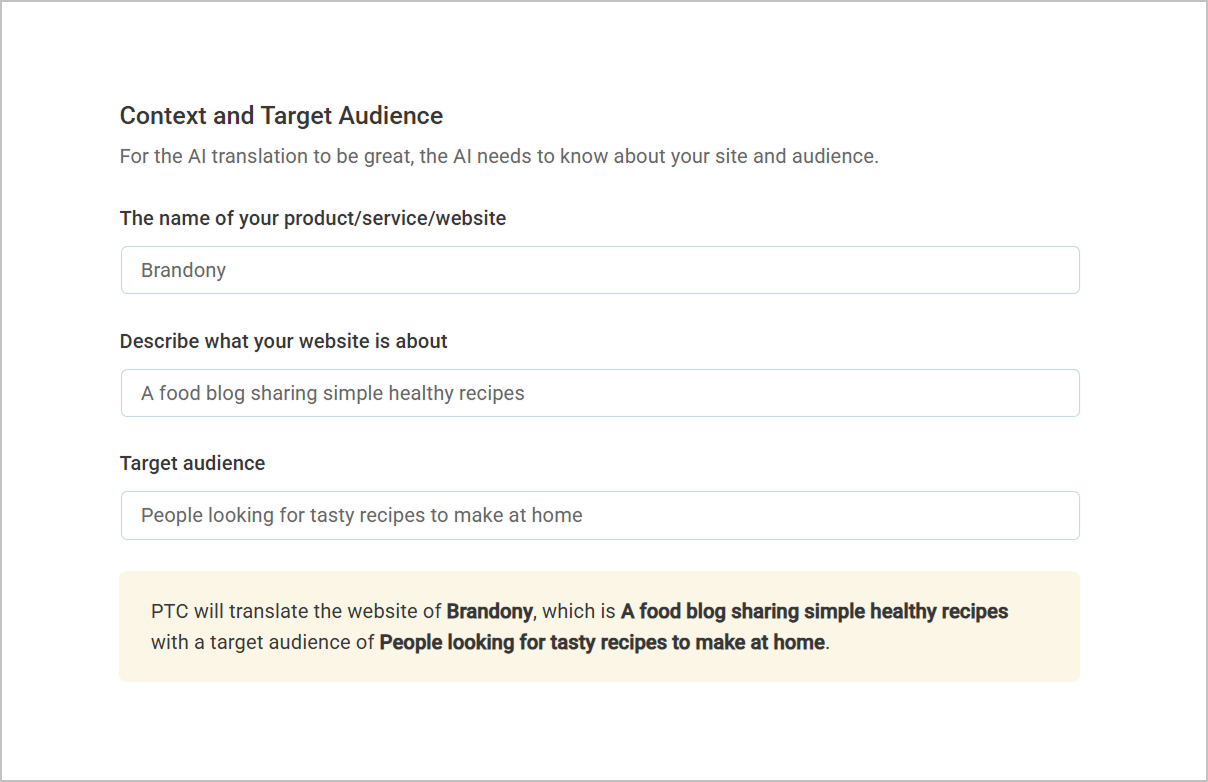
To get better automatic translations, you can now provide PTC with context about your website, like what it’s about and who it’s for.
How to test
Go to WPML → Settings, enter your context, and send some content for translation. Your translations should now be more accurate.
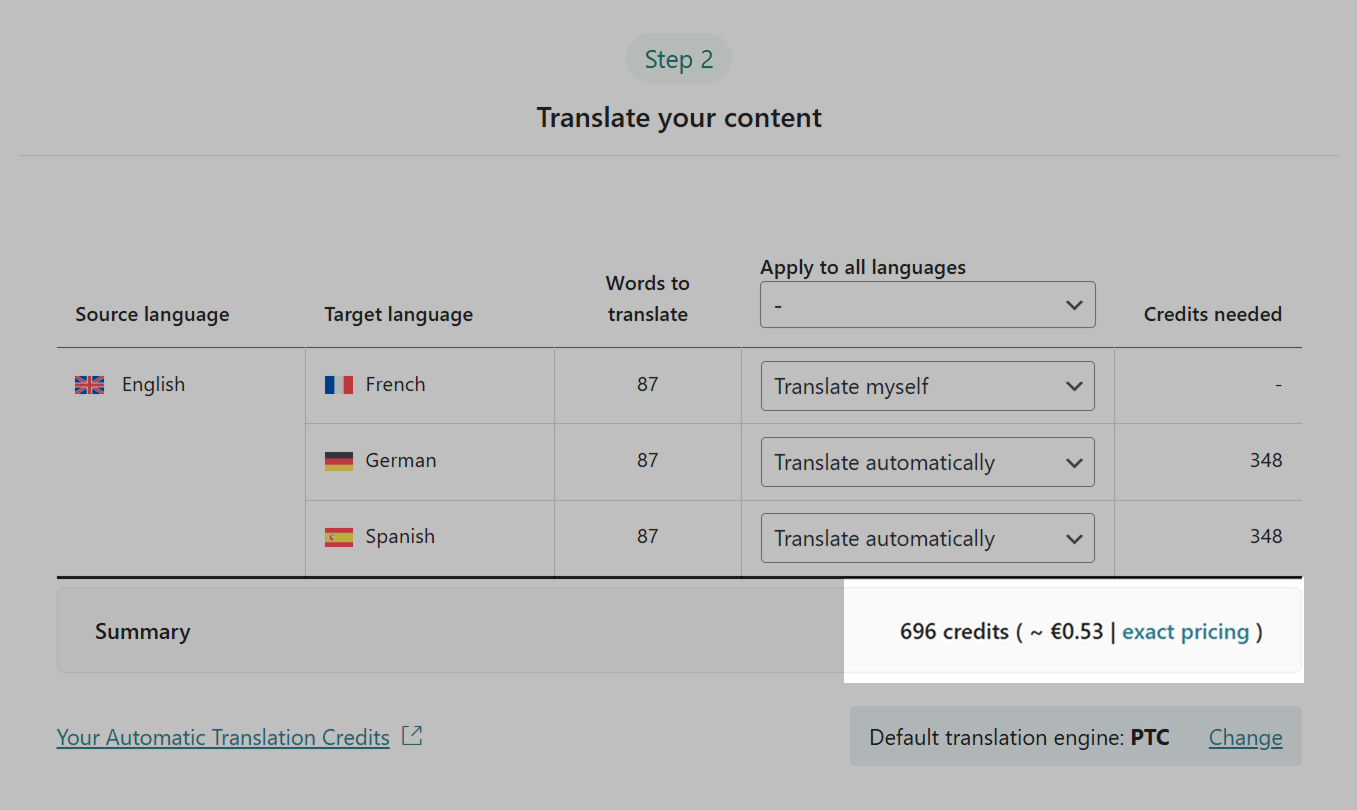
When sending content for automatic translation, WPML’s Translation Dashboard will now show you the exact cost in euros.
How to test
Go to WPML → Translation Dashboard, select some content and confirm the translation cost summary appears.
With WPML, you only pay for new words. Retranslating costs extra only for the words you added or changed.
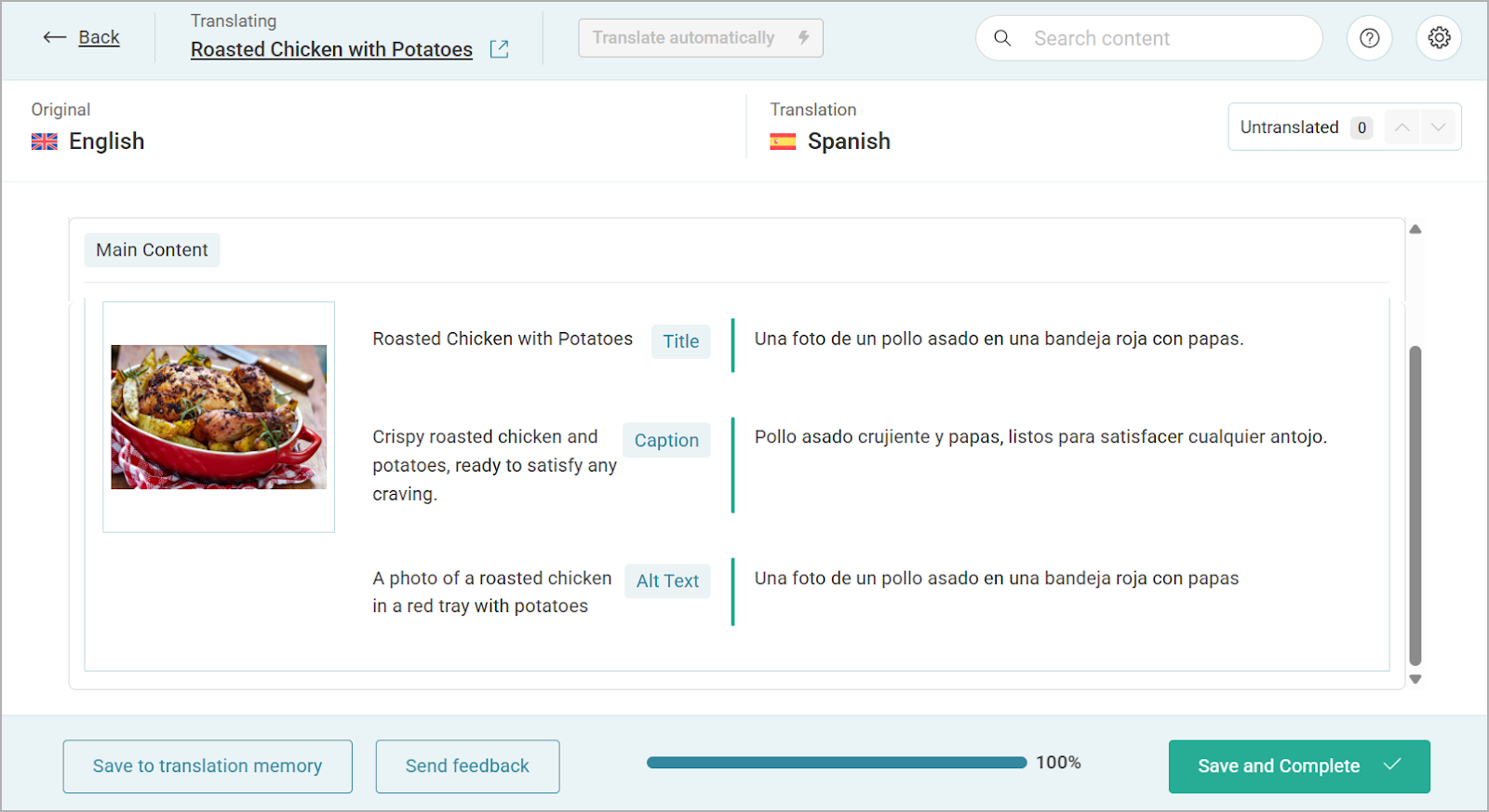
Now, no matter how you add media to your site, all media meta texts are ready to translate in the Advanced Translation Editor. You can translate them yourself or let automatic translation take care of it.
WPML also includes a new feature for storing meta translations more efficiently, keeping your database clean.
How to test
Insert media with meta texts using different methods (Gutenberg, page builder, etc.) to a page and send for translation. Verify your meta texts appear in the editor.
To try out WPML’s second feature, go to WPML → Settings, scroll down to the Media Translation section, and click on the toggle.
To install WPML 4.8 Beta on your testing website:
Your feedback helps us continue improving WPML and offer a better experience. We’d love to hear your thoughts, so feel free to leave a comment below and share your experience :)
WPML 5.0 is the biggest update we’ve shipped in years.
We just released WPML 4.9.4, which brings full compatibility with WordPress 7.0.
WPML 4.9.1 is out today with a focus on Divi 5 compatibility, so your multilingual sites are ready for the official Divi 5 launch on February 26.