


- Status
- Resolved
- Resolved in
- 3.9.0
Overview of the issue
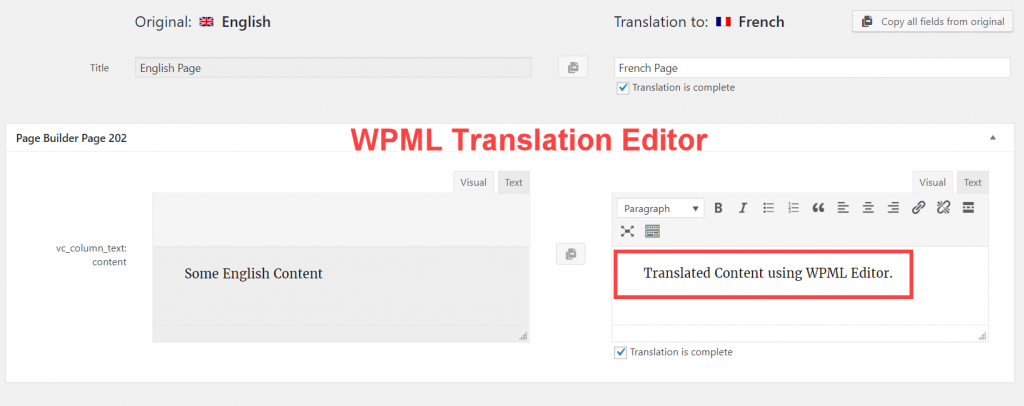
When translating content created with page builders, the content of the translated page is not synced if the translation workflow is not followed completely using the WPML Translation Editor.
Why it’s happening:
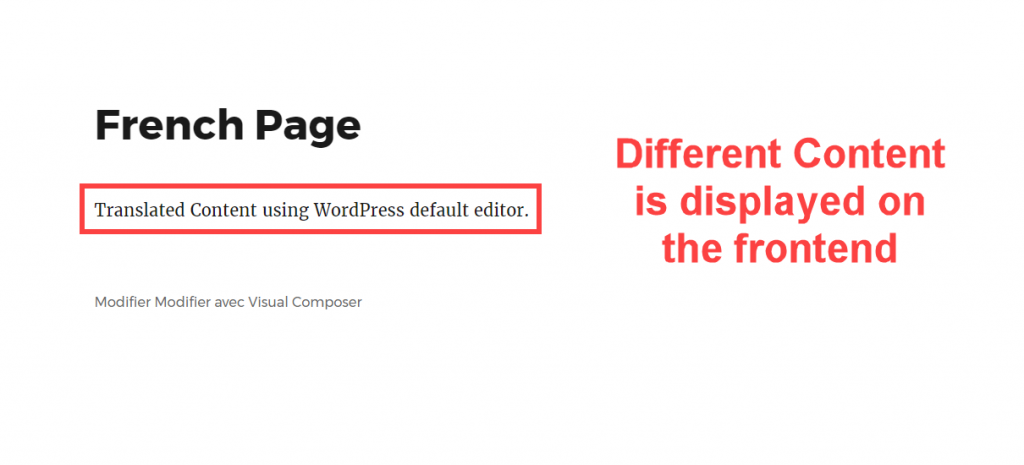
When you translate a page using WPML Translation Editor and then edit the translated page using WordPress default editor, WordPress will show the edits from its editor not the WPML Translation Editor on the frontend.
Workaround
How to avoid
When you are using the WPML Translation Editor, you need to make sure to finish the translation in the Translation Editor and no to edit the translated pages in the other languages using the WordPress default editor.
How to fix
There’s no simple fix for this. For simple pages, you can edit the translations in WPML Translation Editor to sync it again with the translated page content.
For the complex pages, you can keep editing the translation using WordPress default editor and stop using WPML Translation Editor, but note that the strings in the WPML Translation Editor will not match the front-end of your site.
The future plan
WPML will make sure to help you avoid this workflow flaw, probably by removing the already translated strings when abandoning the Translation Editor.