


WPML 5.0 Beta – A Redesigned Experience and Smarter Automatic Translation
WPML 5.0 is the biggest update we’ve shipped in years.

Today we released the beta version for WPML 4.4.0. This release includes major updates to String Translation to make finding, registering, and translating strings easier than ever.
Our String Translation improvements for this beta focus on three main areas:
Check out the short video below for a walkthrough of these improvements:
It’s now easier to see the translation statuses of your strings at a glance. String Translation uses the familiar icons seen in other parts of WPML to let you know which strings need to be updated, which need translations, and which are in progress.
Simply click the + icon to translate a string into each of your secondary languages. You can use the Tab key on your keyboard to save your translations and move between languages.
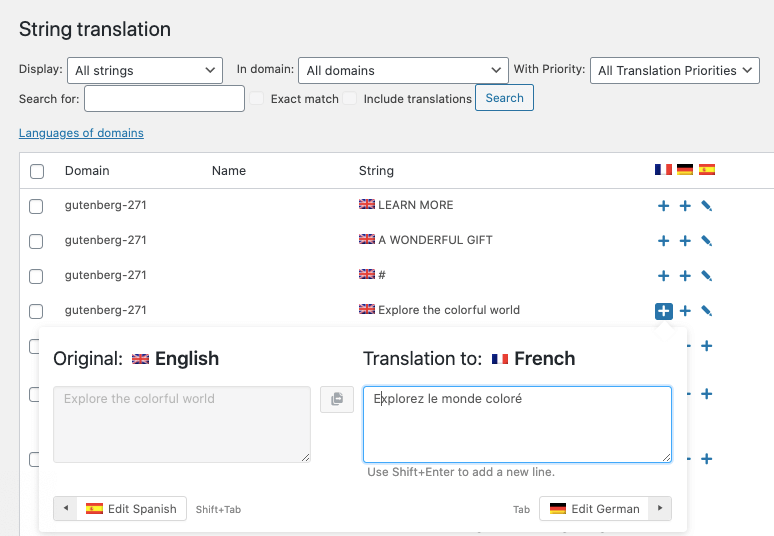
One of the major improvements to the interface is that there are fewer clicks between you and your translated strings.
Before, it took 7 clicks to translate a string into two languages:
All of this can now be done with just one click:
You can then immediately type your translation and use the Tab key on your keyboard to move between languages. Your translations are automatically saved when you hit Tab or Enter.
[caption id="attachment_6734221" align="aligncenter" width="300"]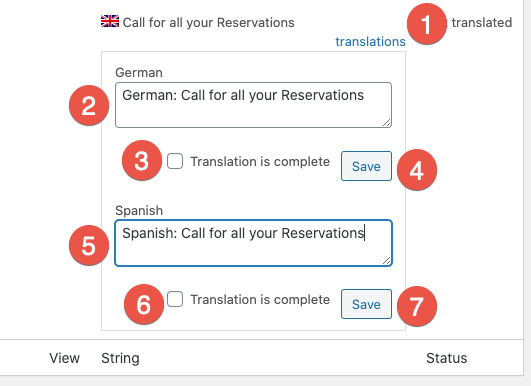 Multiple clicks to translate strings[/caption]
[caption id="attachment_6734251" align="aligncenter" width="300"]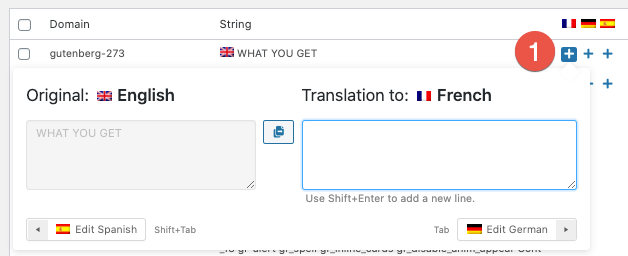 Translate your strings with only one click[/caption]
If you can’t find a string you’re looking to translate in String Translation, chances are you’ll find them in the Admin Strings screen. This is now more intuitive to get to by expanding the Can’t find the strings you’re looking to translate? dropdown. Click Choose texts for translation to get to the list of strings.
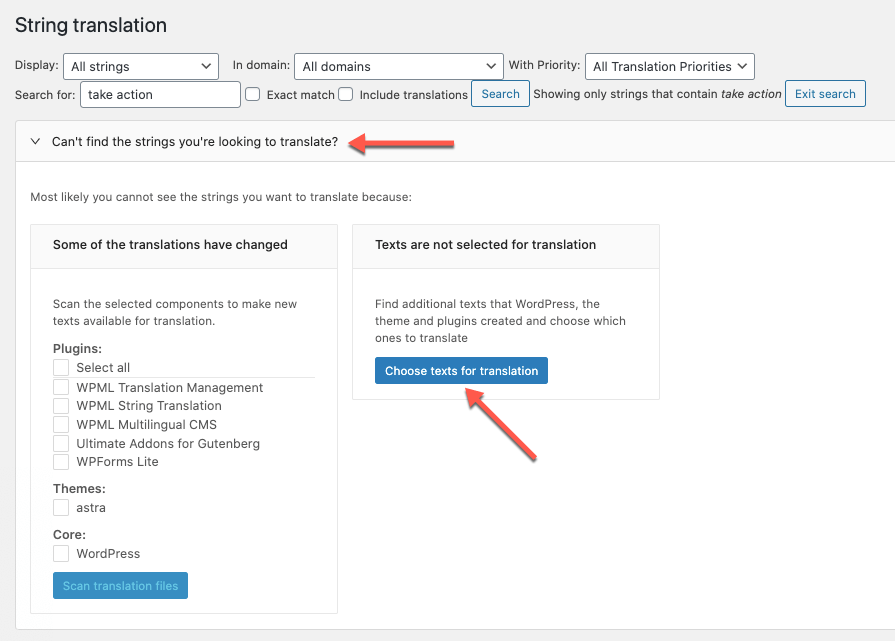
This list is also much easier to load and search thanks to pagination and a text search box.
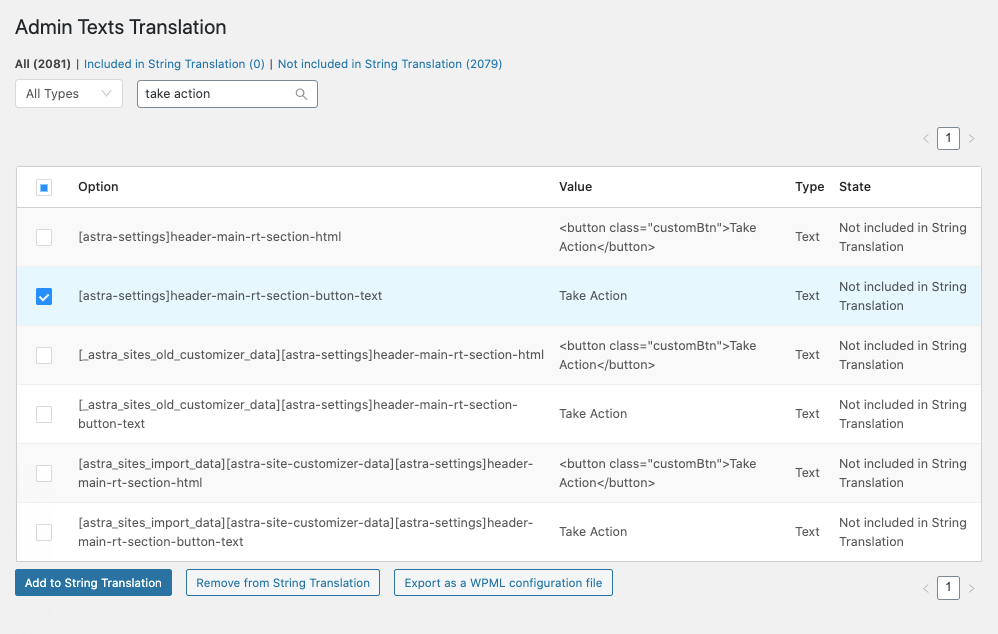
Developers will appreciate that you can now also generate code snippets to use directly in your custom XML configuration.
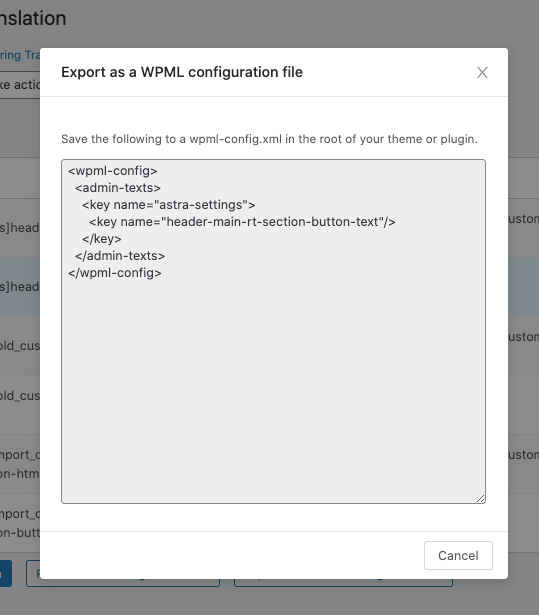
String Translation is now integrated with the Advanced Translation Editor. This means you and your translators can now enjoy translation memory, automatic translation, and more when translating strings.
Select the strings you would like to translate and add them to the Translation Basket. Then assign the translation job to your local translator.
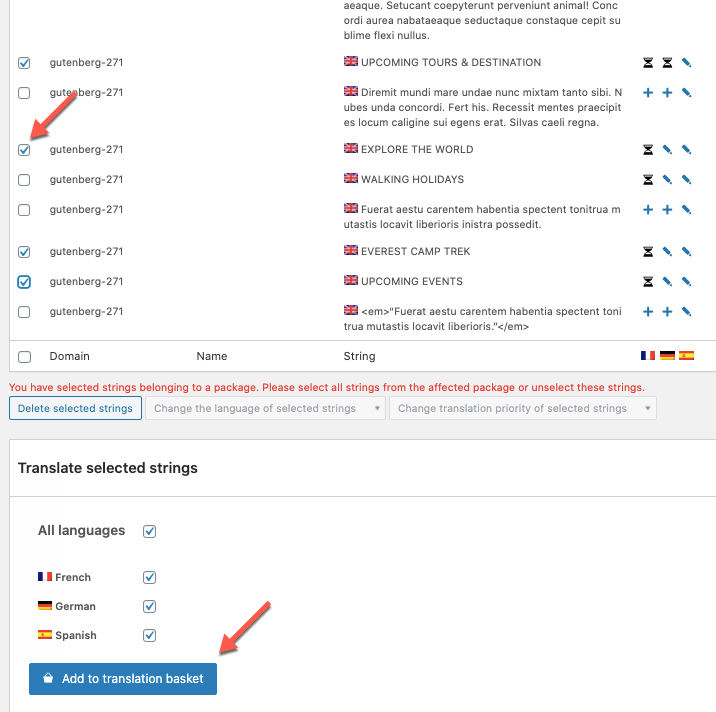
Your local translators can find the jobs in WPML → Translations.
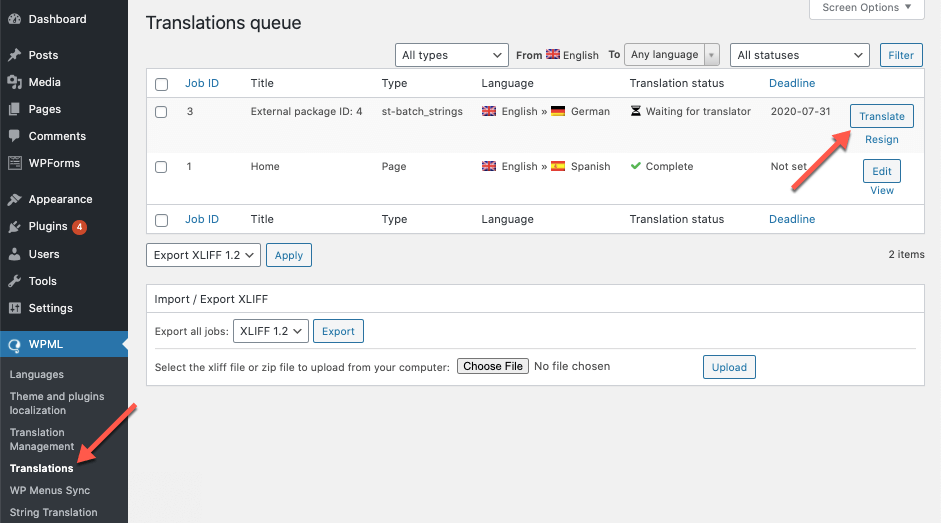
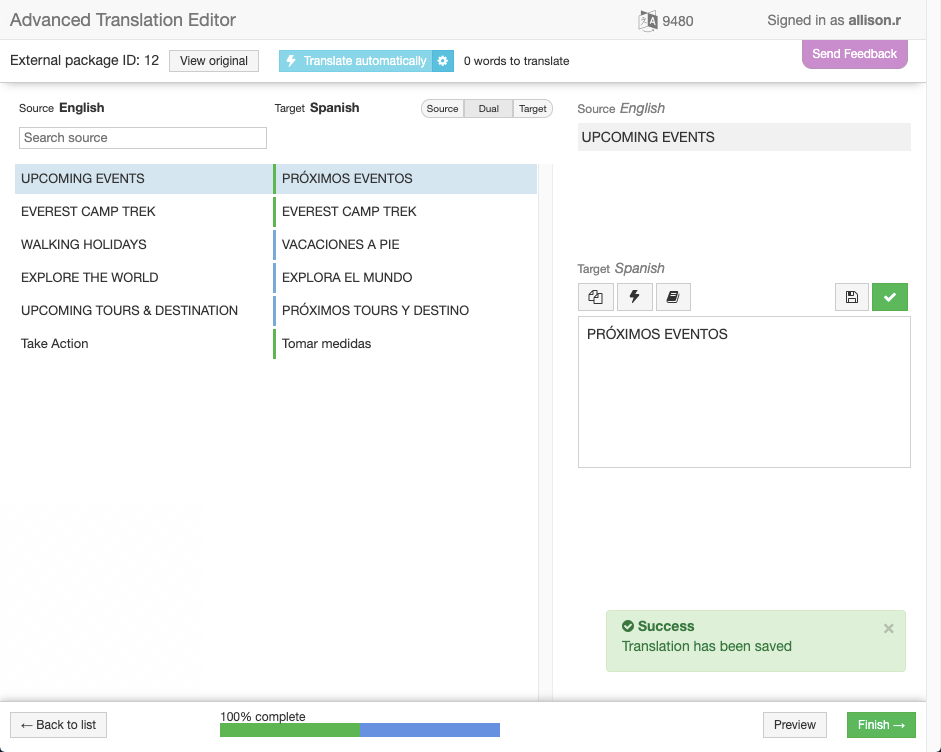
Translation jobs open in the Advanced Translation Editor where you can translate strings manually or use automatic translation to speed up the process.
There are two ways of downloading this beta: manually or through the beta channel.
Please note: This software is still in development. We do not recommend installing this version on a production site.
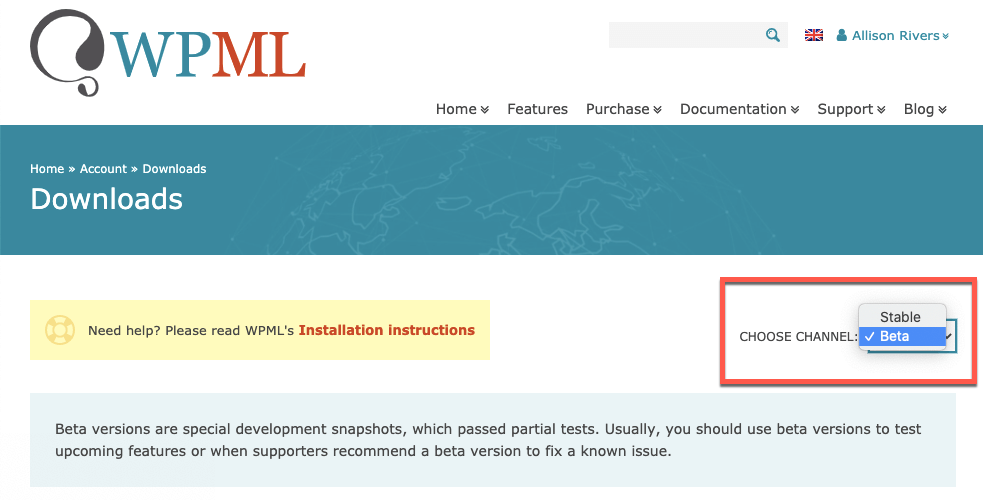
Go to your WPML Downloads page. In the Choose Channel dropdown, select Beta. Download the ZIP file and add it to your site.
Go to the Plugins page, click the Add New button and then click the Commercial tab.
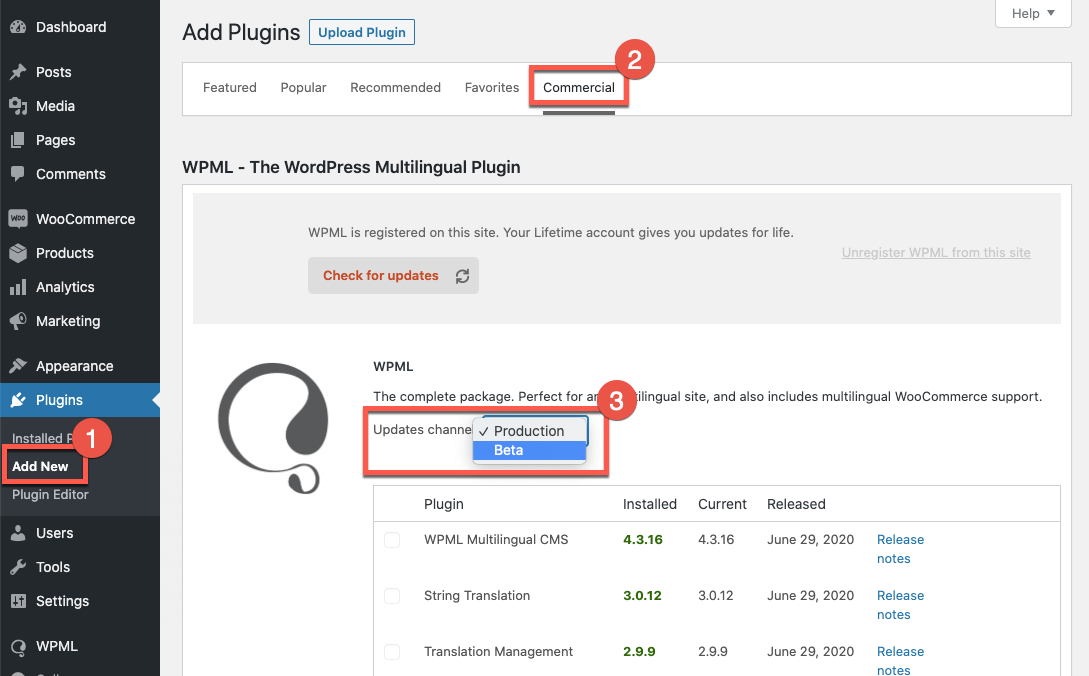
Under the Updates channel option, use the dropdown menu to switch to the Beta channel. Finally, click the Switch button in the dialog that appears. See our documentation for more details.
Give the WPML 4.4.0 Beta release a try, and leave your feedback in the comments below. We look forward to hearing from you!
WPML 5.0 is the biggest update we’ve shipped in years.
We just released WPML 4.9.4, which brings full compatibility with WordPress 7.0.
WPML 4.9.1 is out today with a focus on Divi 5 compatibility, so your multilingual sites are ready for the official Divi 5 launch on February 26.