


WPML 5.0 Beta – A Redesigned Experience and Smarter Automatic Translation
WPML 5.0 is the biggest update we’ve shipped in years.

 5 minutes
Today, we released WPML 4.4.2. This release includes important String Translation improvements, plus an automatic translation experience that’s easier to use, and more.
Here is the list of major updates in WPML 4.4.2:
The String Translation screen is now simpler and faster to use. You can now see the status of your translations in all your languages at a glance.
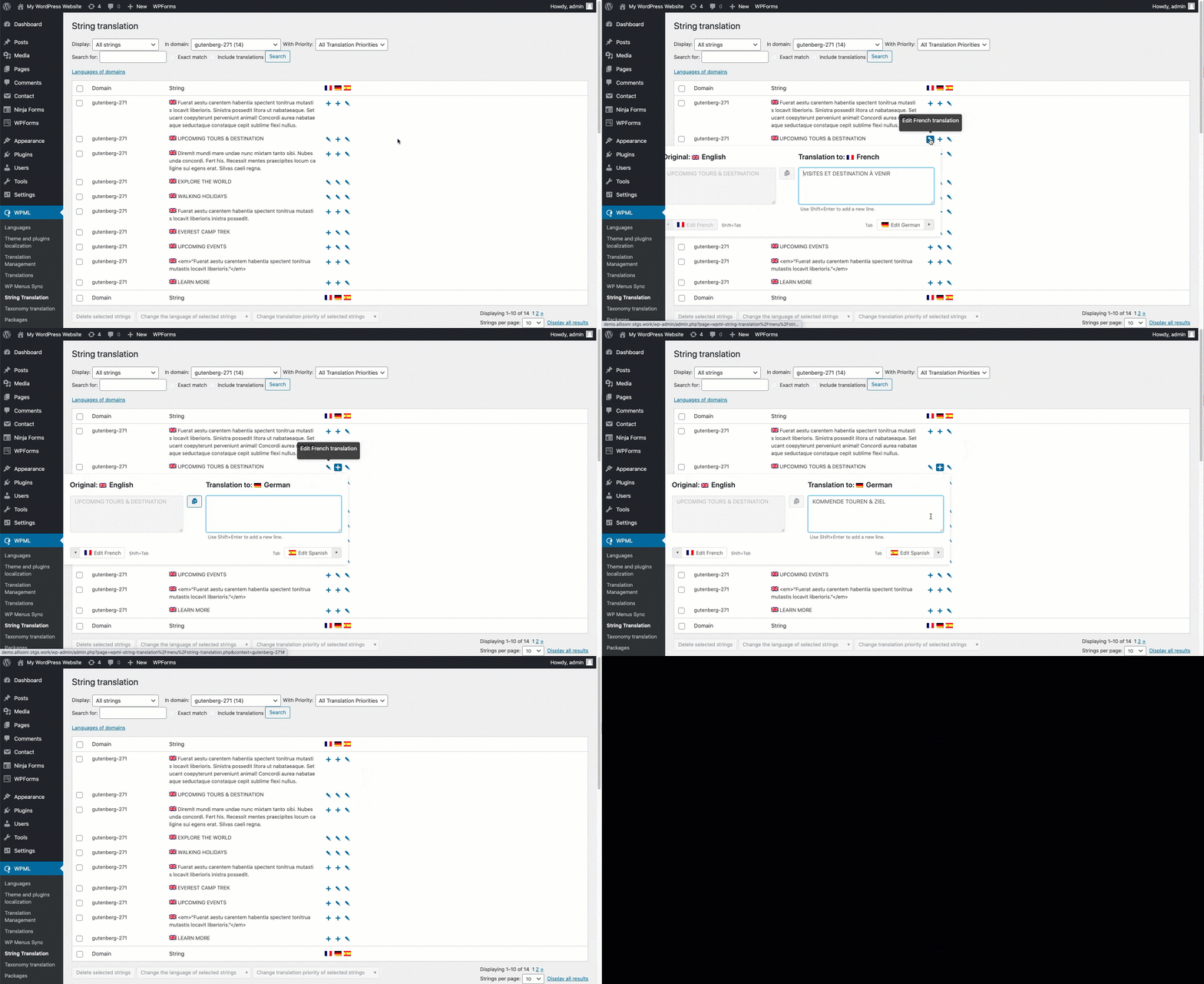
We greatly reduced the number of clicks required to translate strings. Simply click the + icon to translate a string. Use the Tab key on your keyboard to save your translations and move between languages.
[caption id="attachment_6734221" align="aligncenter" width="300"]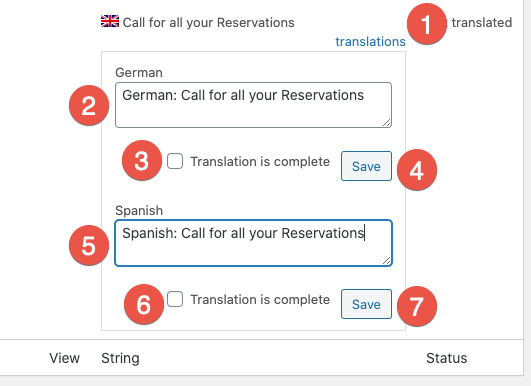 Multiple clicks to translate strings[/caption]
[caption id="attachment_6734251" align="aligncenter" width="300"]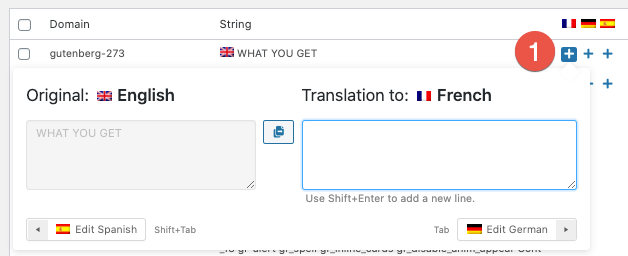 Translate your strings with only one click[/caption]
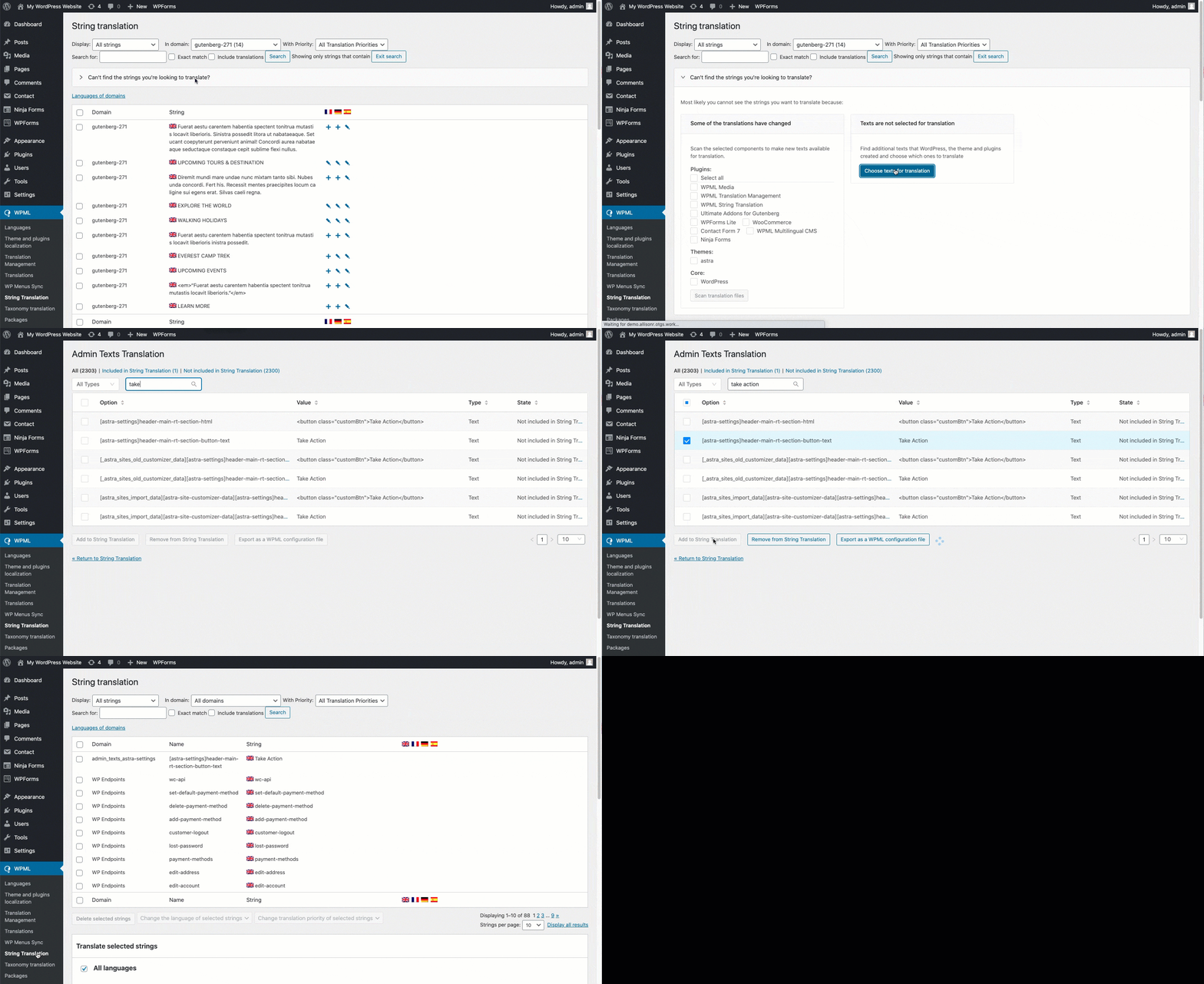
Finding strings that don’t appear in the main String Translation screen is easier than ever:
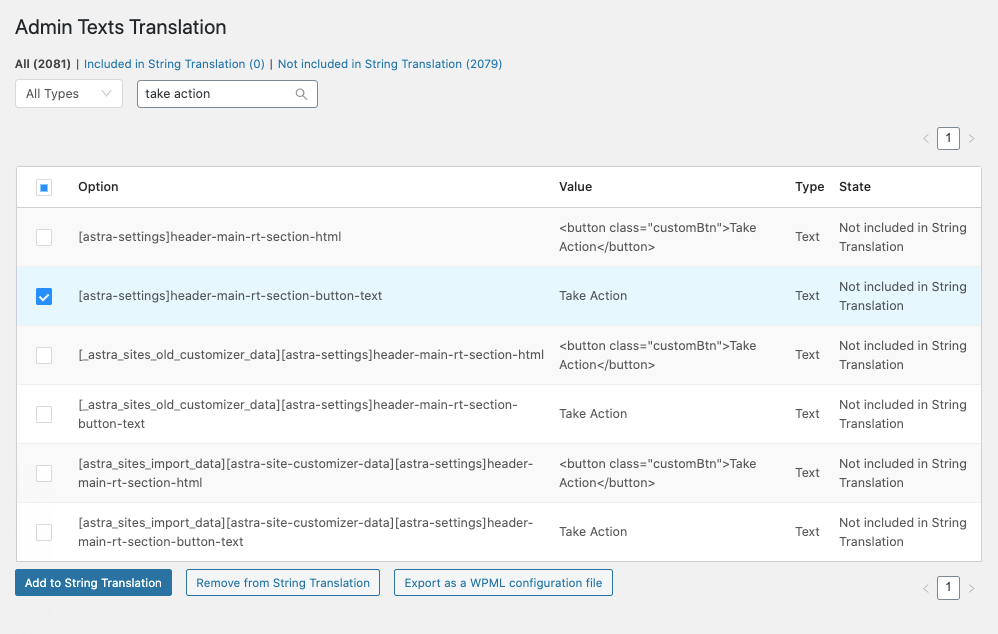
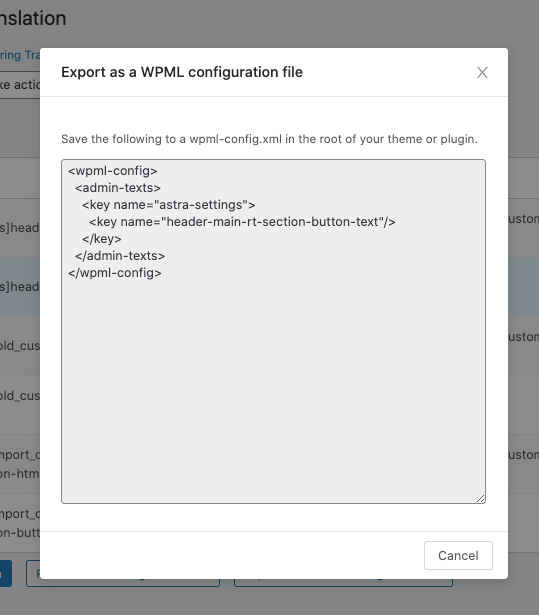
Once the string is added to the String Translation screen, you can translate it as normal.
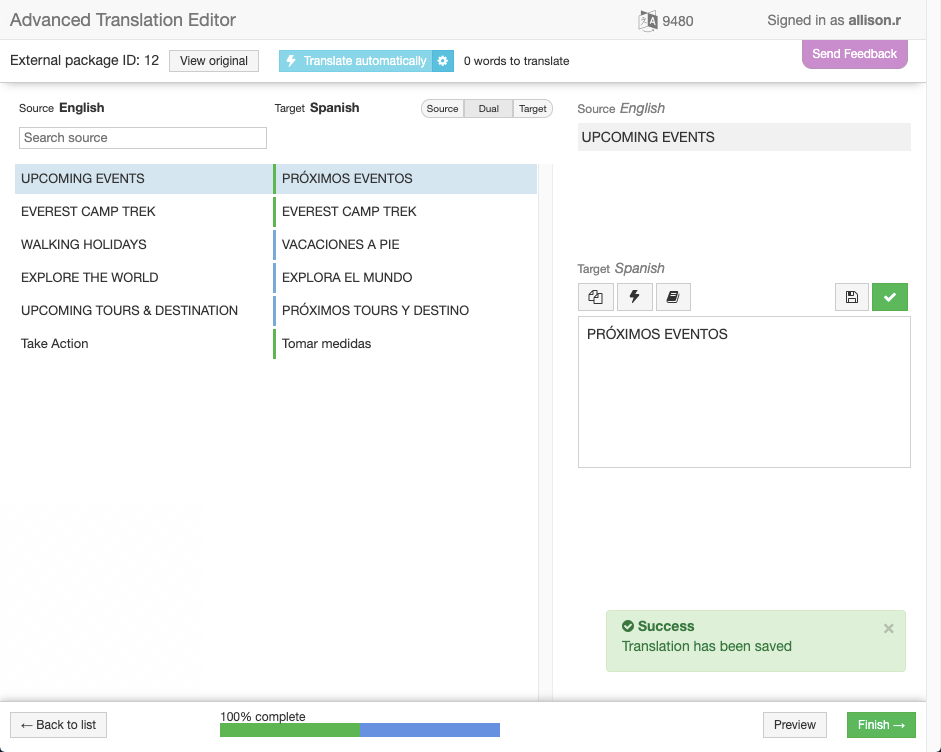
String Translation is now fully integrated into the Advanced Translation Editor. This means you can use automatic translation, and the glossary, spell checker, and translation memory to help translate your strings.
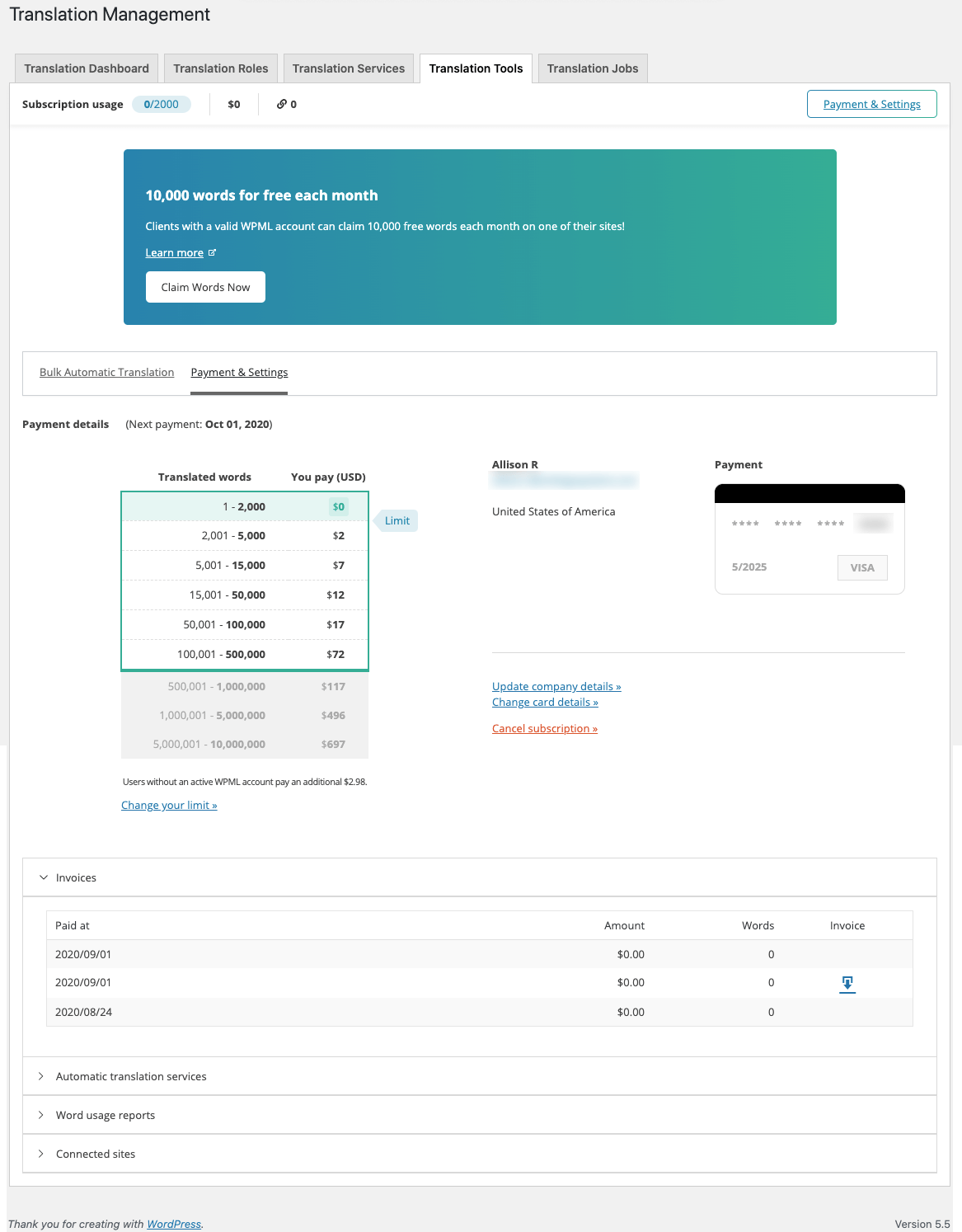
In addition to these String Translation updates, we also made some updates to the automatic translation navigation and content within the Translation Management module. Our focus for these changes was:
You can see these changes by going to WPML → Translation Management and clicking the Translation Tools tab. See our documentation about automatic translation for more information.
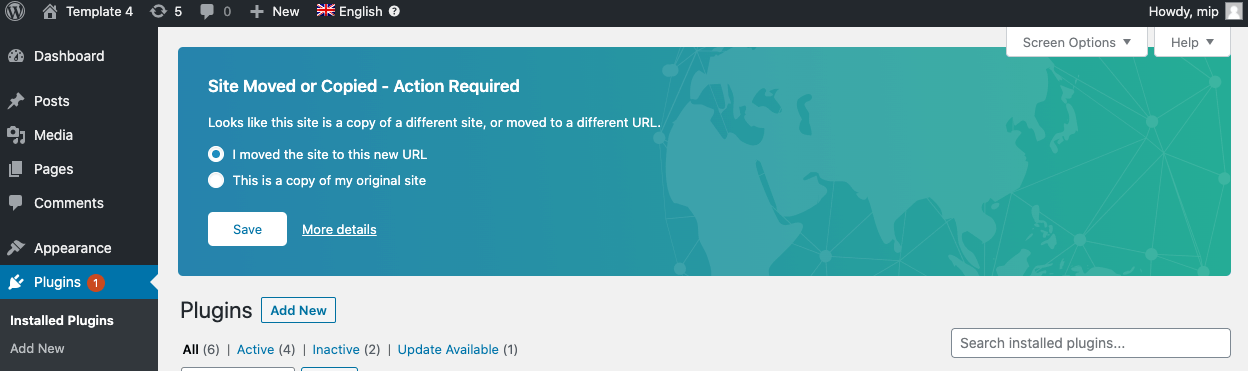
If your site’s URL changes as a result of either copying or moving your site, it has implications for some features of the Advanced Translation Editor. From 4.4.0 onward, WPML will detect this change automatically and walk you through next steps.
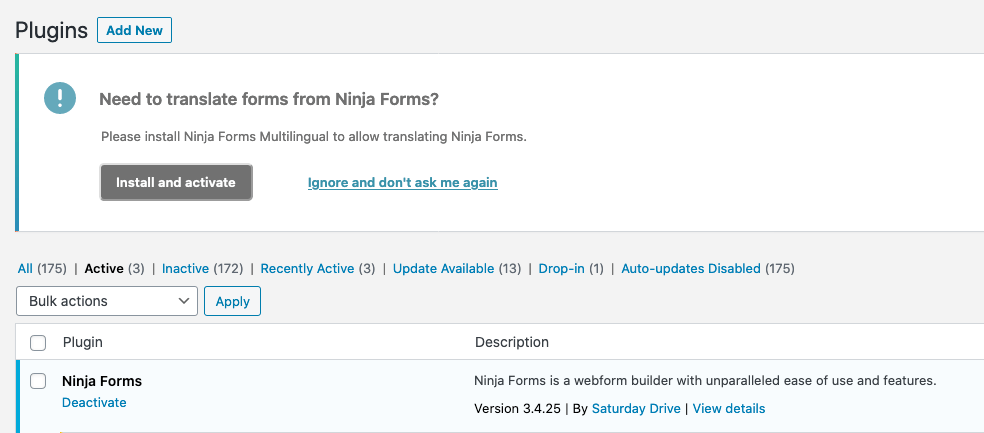
To get the most out of your plugins, you sometimes need a “glue” plugin from WPML. This is the case with the following plugins:
WPML 4.4.0 can now detect when you have one of these plugins installed and will proactively suggest installing the glue plugin. It will also be added to the setup wizard. This will ensure you don’t miss a key component of making your site fully multilingual.
WordPress 5.5 introduces a breaking change from previous versions. This change removes some JavaScript code that themes and plugins relied on and replaces it with a new version which is not backward compatible. WPML 4.4 includes all the adjustments necessary for complete compatibility with WordPress 5.5.
Besides WPML, we are also the authors of Toolset plugins. Toolset is a suite of plugins that helps build dynamic WordPress sites, without coding. It makes it easy to create custom functionality, without needing a developer.
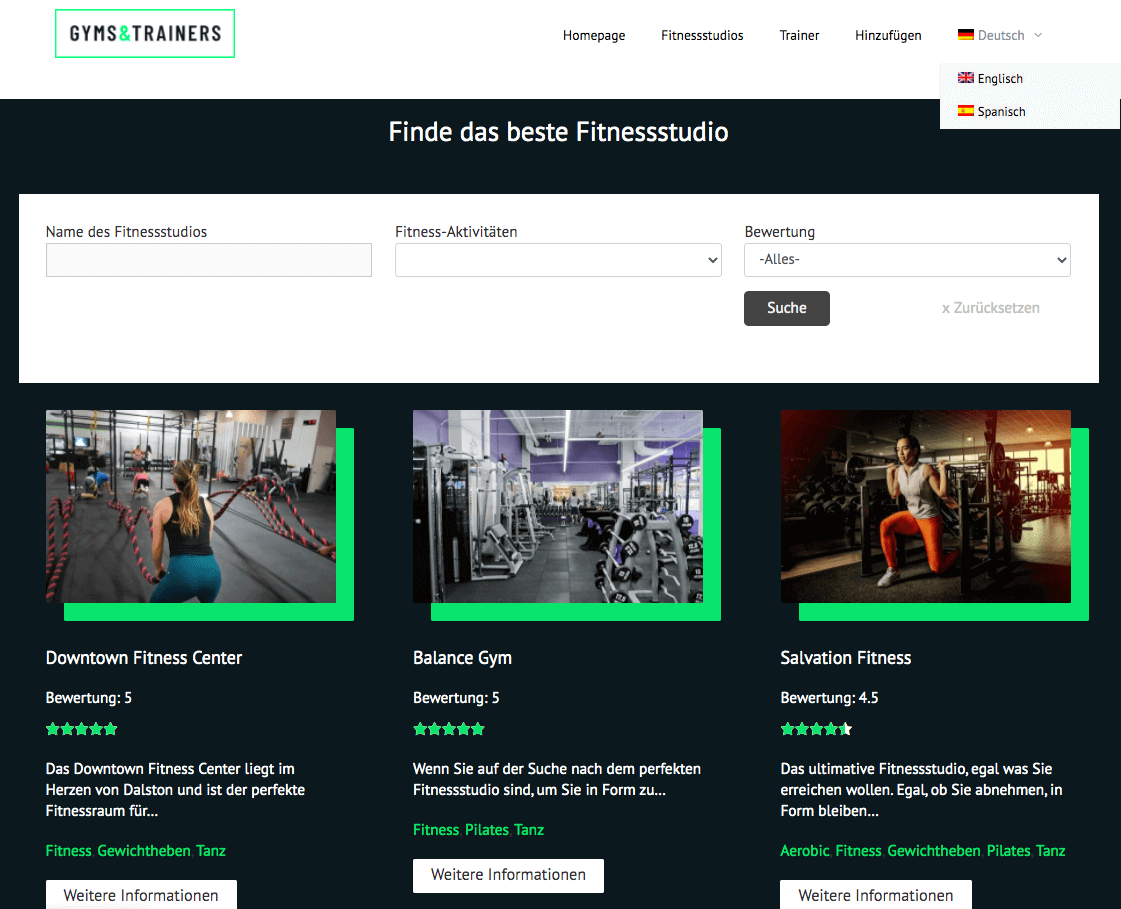
Together with WPML 4.4 we released Toolset Blocks 1.3. This joint release allows you to translate Toolset sites easily and to build advanced multilingual directory sites.
For example, if you’re thinking of building something like Craigslist in multiple languages, you can now do this with WPML 4.4 and Toolset Blocks 1.3. Your multilingual directory site can allow members to submit content, can have a custom search and show related items. And, it will be fully multilingual.
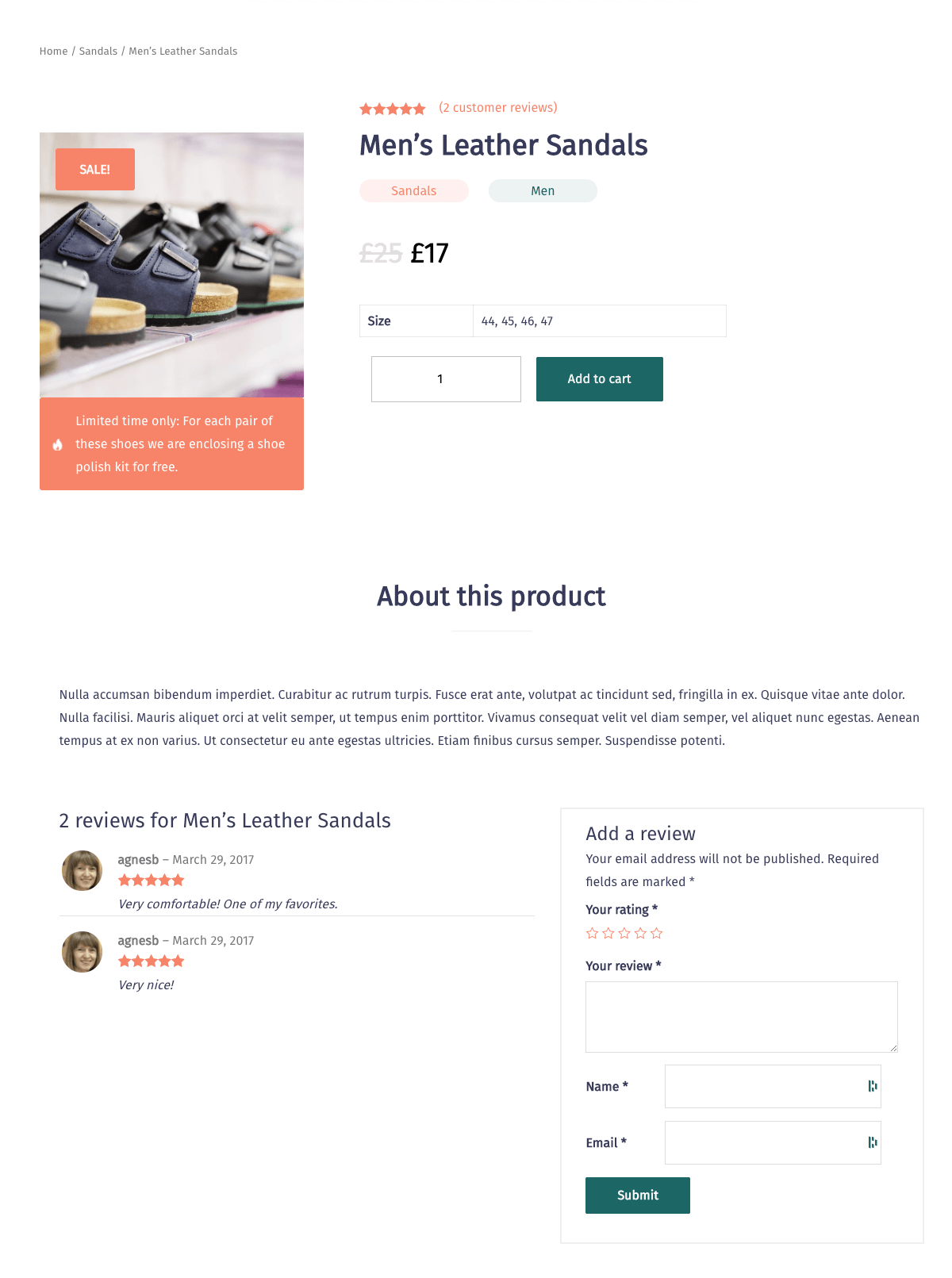
Toolset Blocks 1.3 also adds full support for building custom WooCommerce stores. A set of 11 new dynamic blocks for WooCommerce will let you design product templates, archives and searches. No need to edit PHP files or touch the WooCommerce templates system. The whole design is fully visual and gives you pixel perfect control over the output.
As with other major releases, we are deploying WPML 4.4.2 gradually. If your sites haven’t received this update yet, give it some time and you’ll see the update in a few days.
To skip the queue and get this update right away go to Plugins → Add New, click the Commercial tab, and then use the Check for updates button.
Of course, you can also download WPML 4.4.2 manually by going to your WPML Account’s Downloads page.
Try out WPML 4.4.2 and let us know what you think in the comments below!
WPML 5.0 is the biggest update we’ve shipped in years.
We just released WPML 4.9.4, which brings full compatibility with WordPress 7.0.
WPML 4.9.1 is out today with a focus on Divi 5 compatibility, so your multilingual sites are ready for the official Divi 5 launch on February 26.