


WPML 5.0 Beta – A Redesigned Experience and Smarter Automatic Translation
WPML 5.0 is the biggest update we’ve shipped in years.

We’re continuing to work on WPML 4.6, but in the meantime, we wanted to help clients experiencing issues with the Advanced Translation Editor by releasing some important fixes as soon as possible. This update also includes completely new and improved Translation Queue and Translation Jobs tables.
Since publishing this post, we released WPML 4.5.10 to fix a bug related to using Classic Widgets for specific languages and WPML 4.5.11 as a security patch update. Be sure to update to the latest version for the best experience with WPML.
We decided to release this update to fix various issues that could appear when using the Advanced Translation Editor. WPML 4.5.9 includes fixes to the following issues:
See our full changelog for all the bug fixes included in this release.
With this release, you’ll notice better filtering and more details in the Translation Queue and Jobs tables.
You can access the Translation Queue by going to WPML → Translations. This shows content that is available to your user for translation or review.
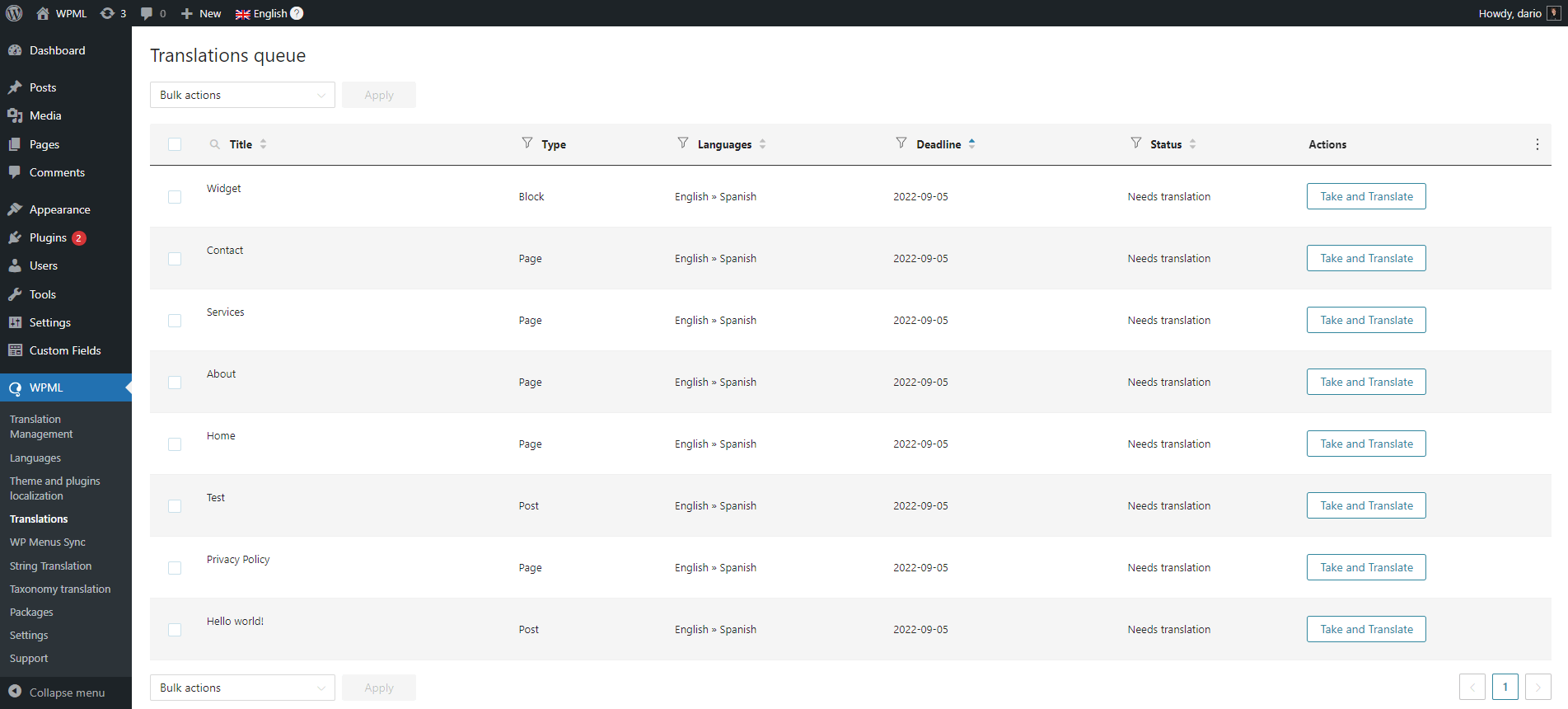
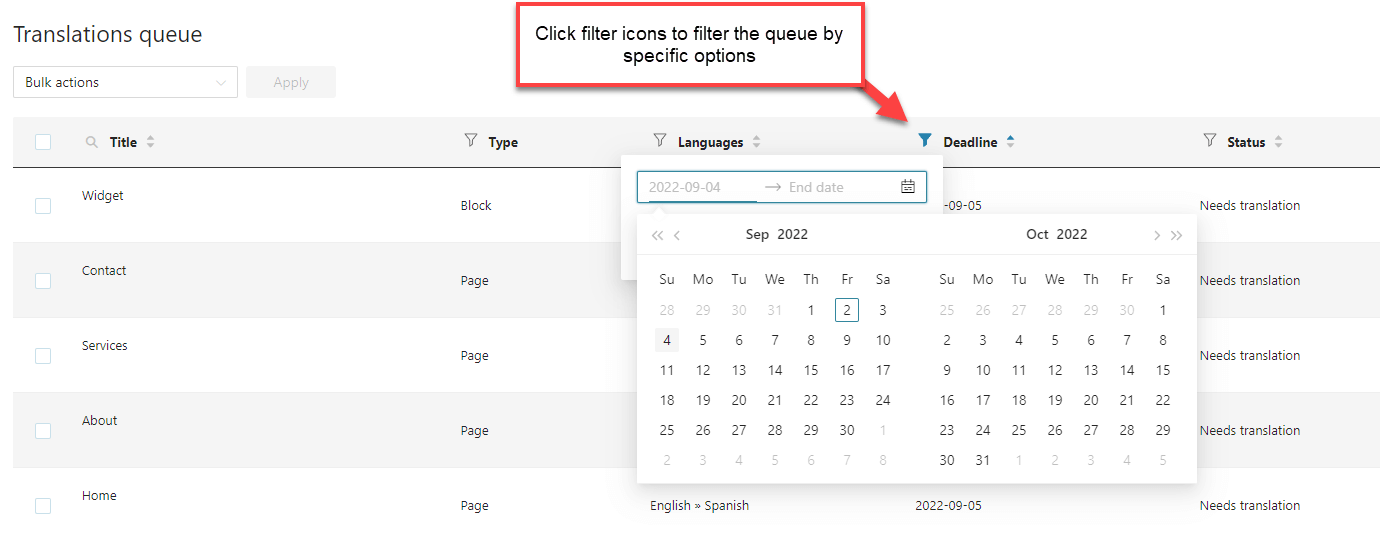
You can now click the filtering icons for most of the columns, and filter translation jobs easily.
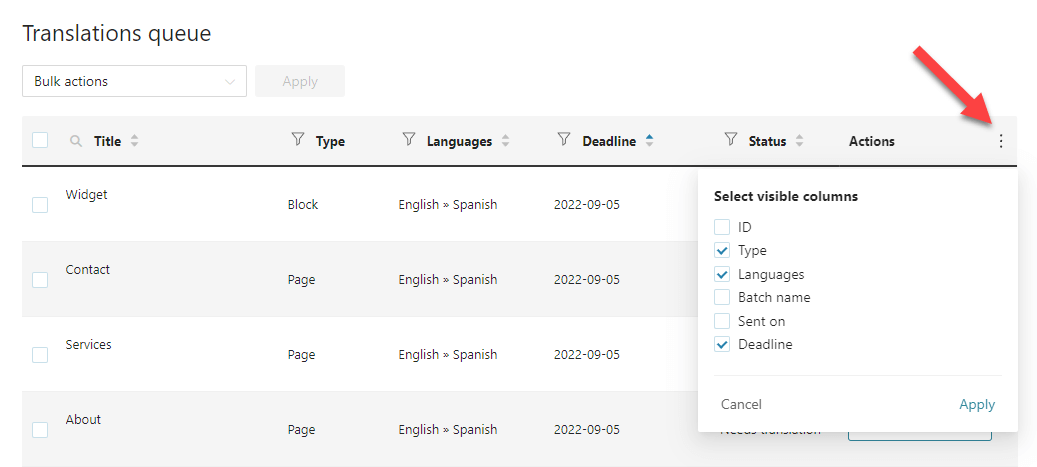
You can also select exactly which columns in the table you want to see. Simply click the three-dotted icon at the top-right part of the table and select your options.
Finally, you will find that the Translation Jobs table features the same new look and features. This table shows all jobs, both completed and in progress. Translation Managers and site admins can access it by going to WPML → Translation Management and clicking the Translation Jobs tab.
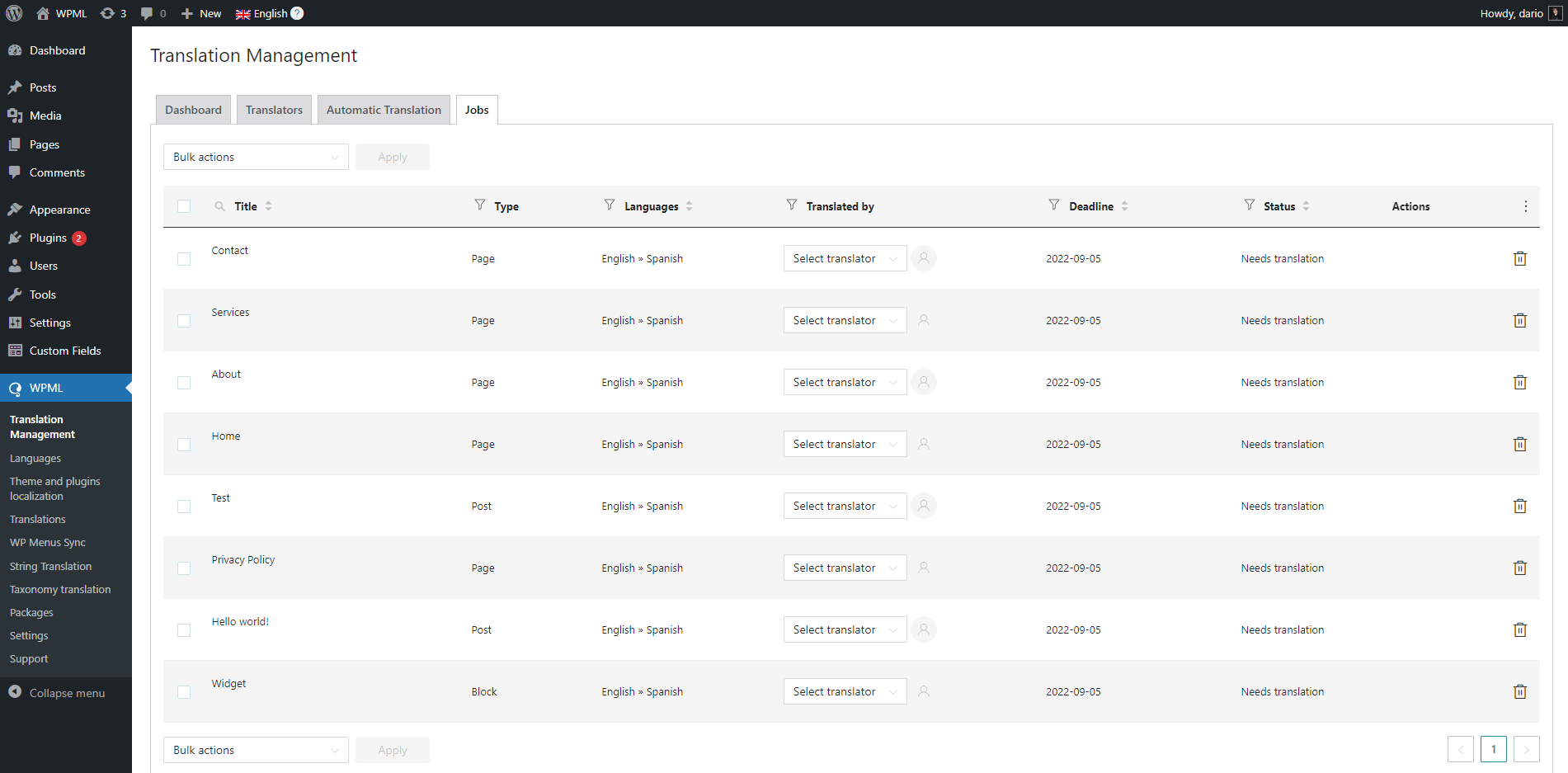
WPML also released an update for the WPML SEO glue plugin. This update fixes a number of issues regarding compatibility between WPML, Yoast, and Rank Math including:
And more. Please see the changelog for all the fixes included in this release.
As with all of our releases, we are rolling these releases out gradually. Go to Plugins → Add New and click the Commercial tab. If you don’t see the updates available, click Check for Updates.
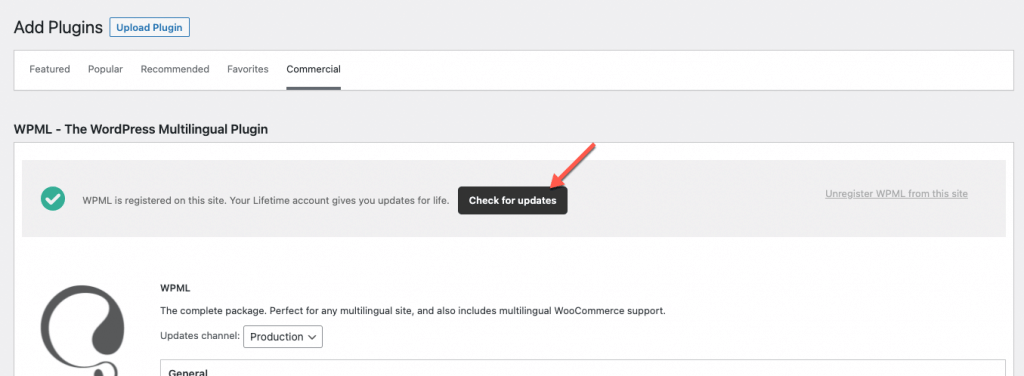
You can also download this update from the Downloads page in your WPML account.
We are finalizing work on some great features for WPML 4.6, so stay tuned! If you have any questions or comments about this release, leave a comment below and we’ll reply.
WPML 5.0 is the biggest update we’ve shipped in years.
We just released WPML 4.9.4, which brings full compatibility with WordPress 7.0.
WPML 4.9.1 is out today with a focus on Divi 5 compatibility, so your multilingual sites are ready for the official Divi 5 launch on February 26.