


ACF Multilingual 2.2.0 – Easier Options Page Translation and Better Local Fields Support
Translate Options Pages directly in Translation Dashboard, manage local fields more easily, and enjoy faster performance with ACFML 2.2.0.

 5 minutes
Today, we released ACF Multilingual 2.0. This version comes with a new and improved workflow that makes translating custom fields intuitive and simple.
After releasing ACFML 2.0, we got very useful feedback from clients which allowed us to quickly fix some minor, but important issues. The latest version of ACFML is now 2.0.5 and for the best experience, we strongly recommend running that version on your multilingual, ACF-powered sites.
With this release of ACF Multilingual (ACFML), we made it our mission to simplify and streamline the custom field translation workflow. This is thanks to you, our ACF Multilingual users.
You let us know that the process of translating custom fields and field groups could be confusing – but it shouldn’t have to be. So, we went in and revamped the ACF Multilingual translation options and interface.
These improvements elevate the usability of ACF Multilingual to a whole new level. See for yourself:
Read on for more about the top features and find the rest in the changelog.
With the new Multilingual Setup, you can configure the translation preferences for custom fields in just one step.
You can choose between two pre-set translation options for each of your field groups:
For both of these options, ACF Multilingual automatically sets the translation preferences for the fields inside the field group for you.
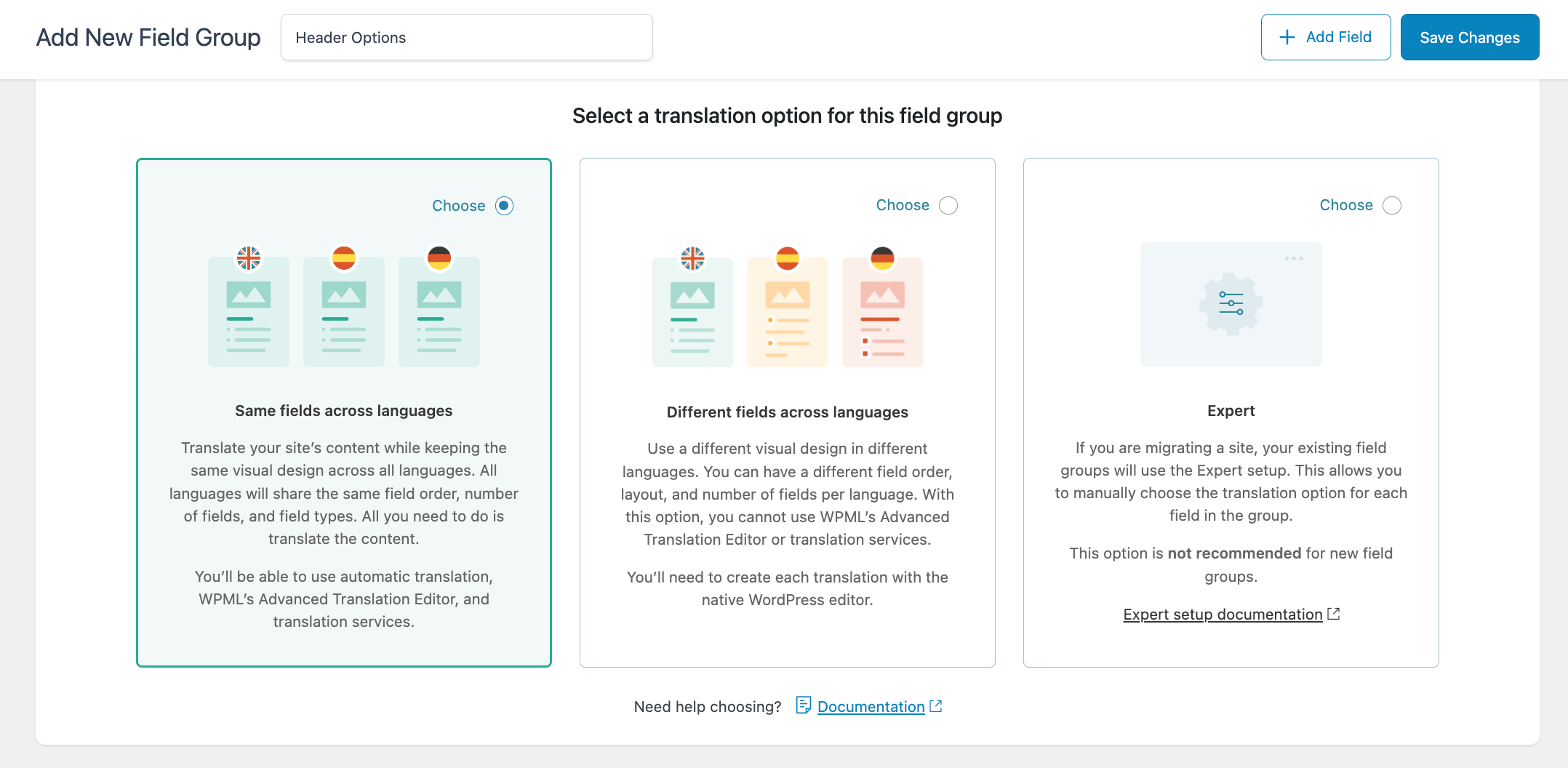
If you want to continue manually setting the translation preferences for each individual field, you can choose the Expert option.
Have an existing site with field groups? We don’t want to change the translation preferences that work for you. Your existing field groups will use the Expert option and keep their existing options. But, you can choose the pre-set translation options for both existing and new fields you create!
In ACF Multilingual 2.0, translating field labels and labels for Choices is much simpler. You no longer need to go into your theme’s files and adjust the code to make the labels translation-ready. And, you can stop worrying about making the Field Group post type translatable.
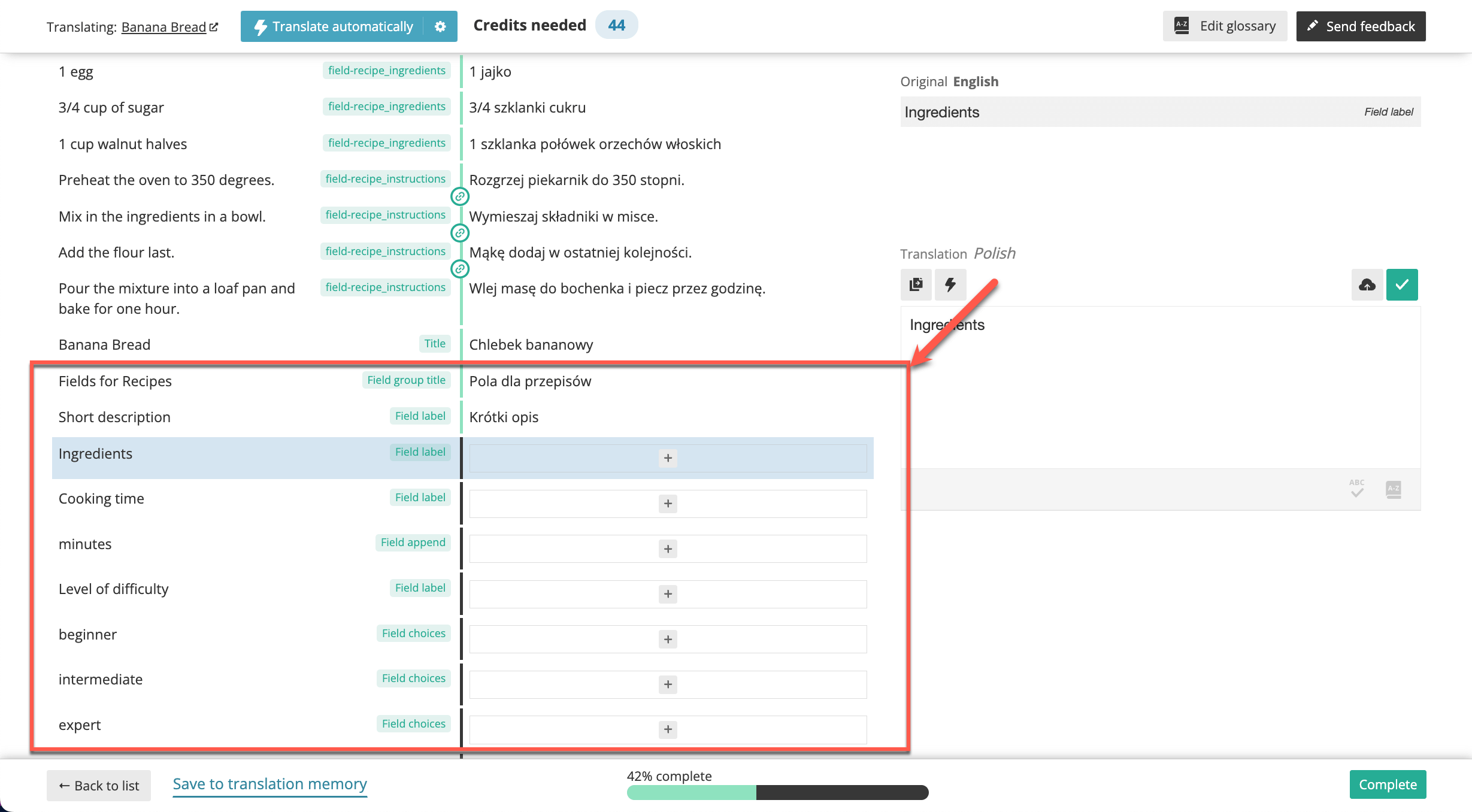
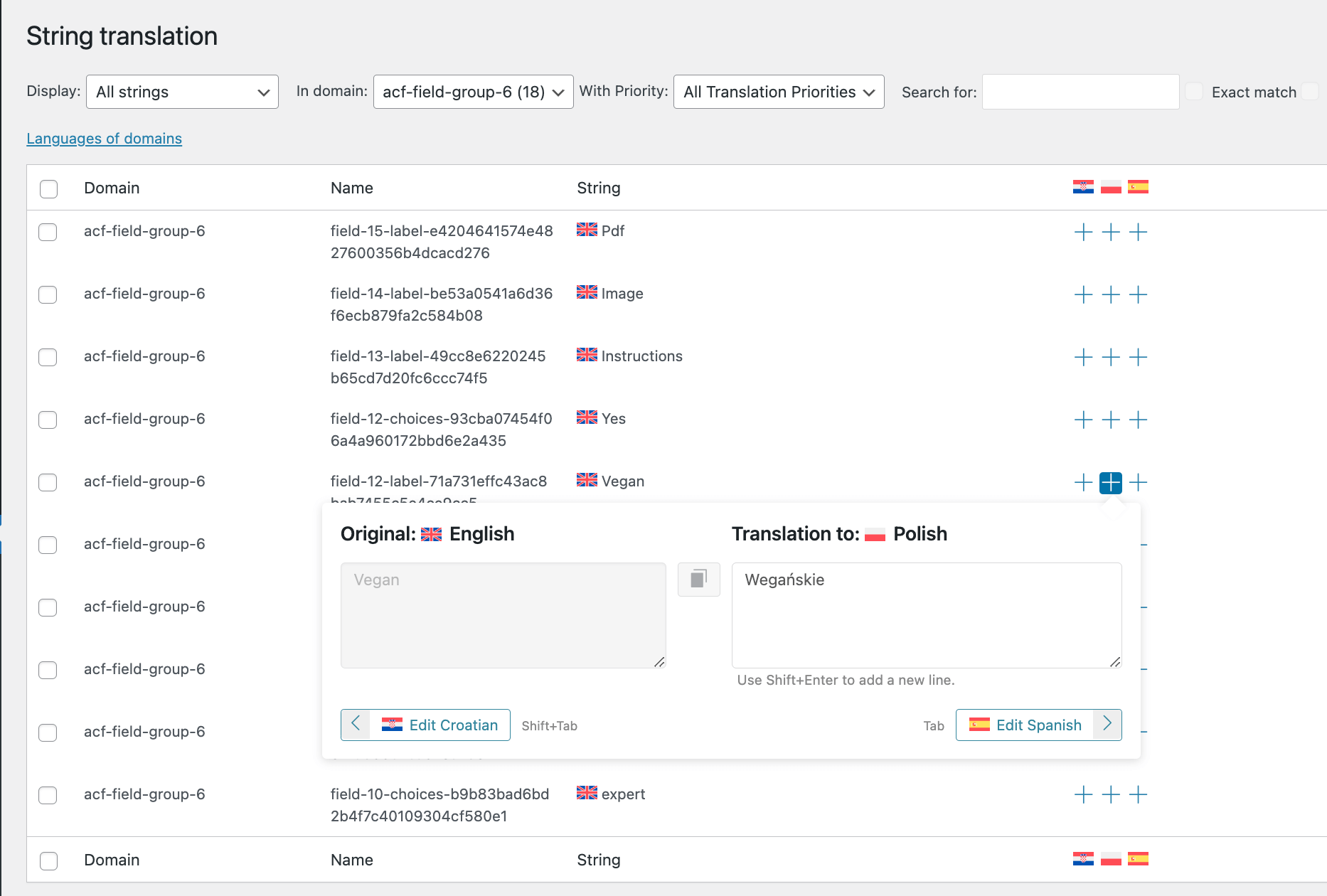
Now, you can easily translate field titles, field labels, and labels for Choices based on the translation option you select for your field group.
Translating field labels and labels for Choices in the Advanced Translation Editor
Translating field labels and labels for Choices in String Translation
We know that your sites have a lot of custom fields and field groups assigned to different post types. Keeping track of what you need to do to translate your content, and where you need to go to translate it, isn’t always easy.
The improvements to the ACF Multilingual interface make it easier to navigate the custom field translation process.
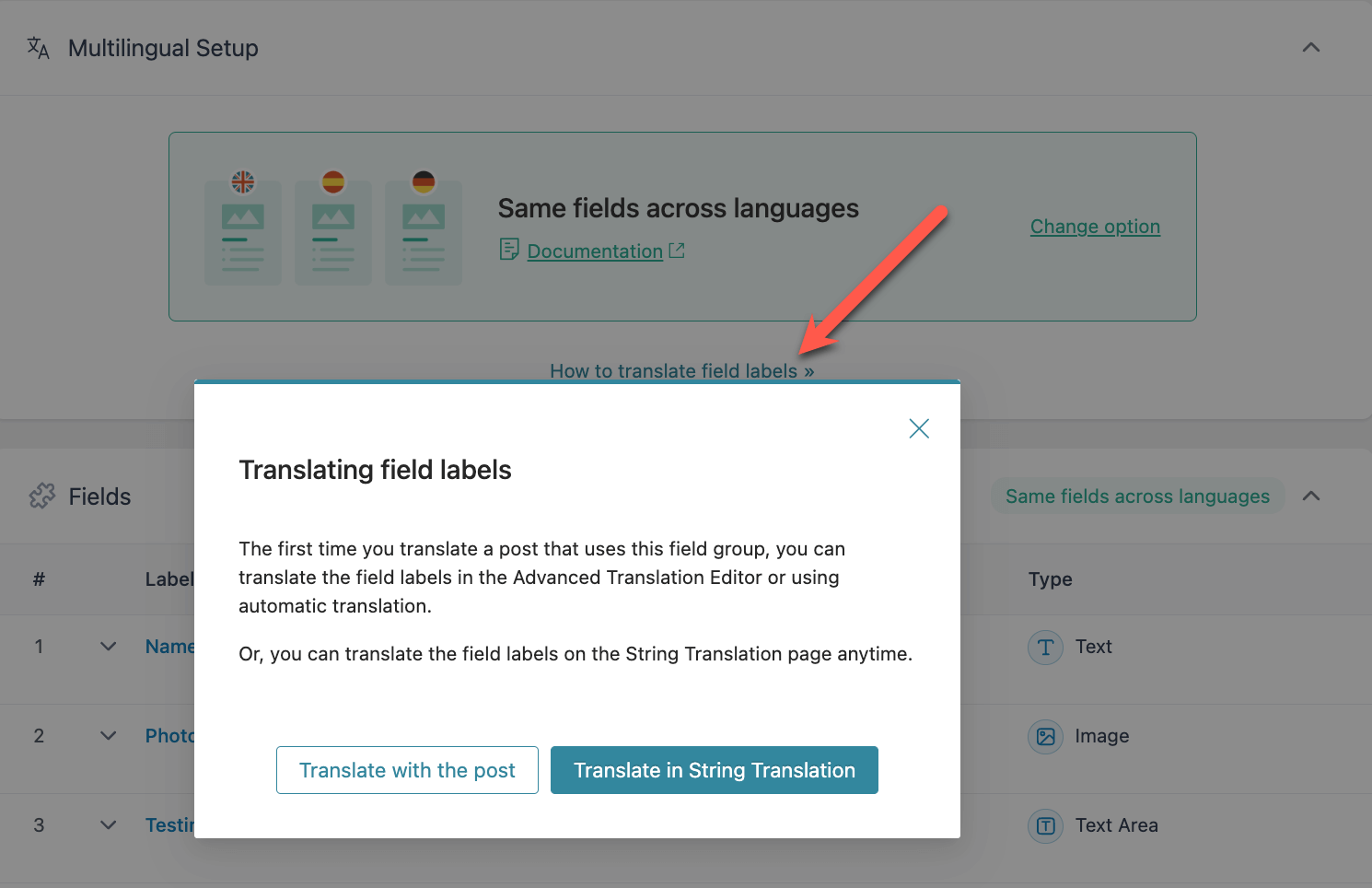
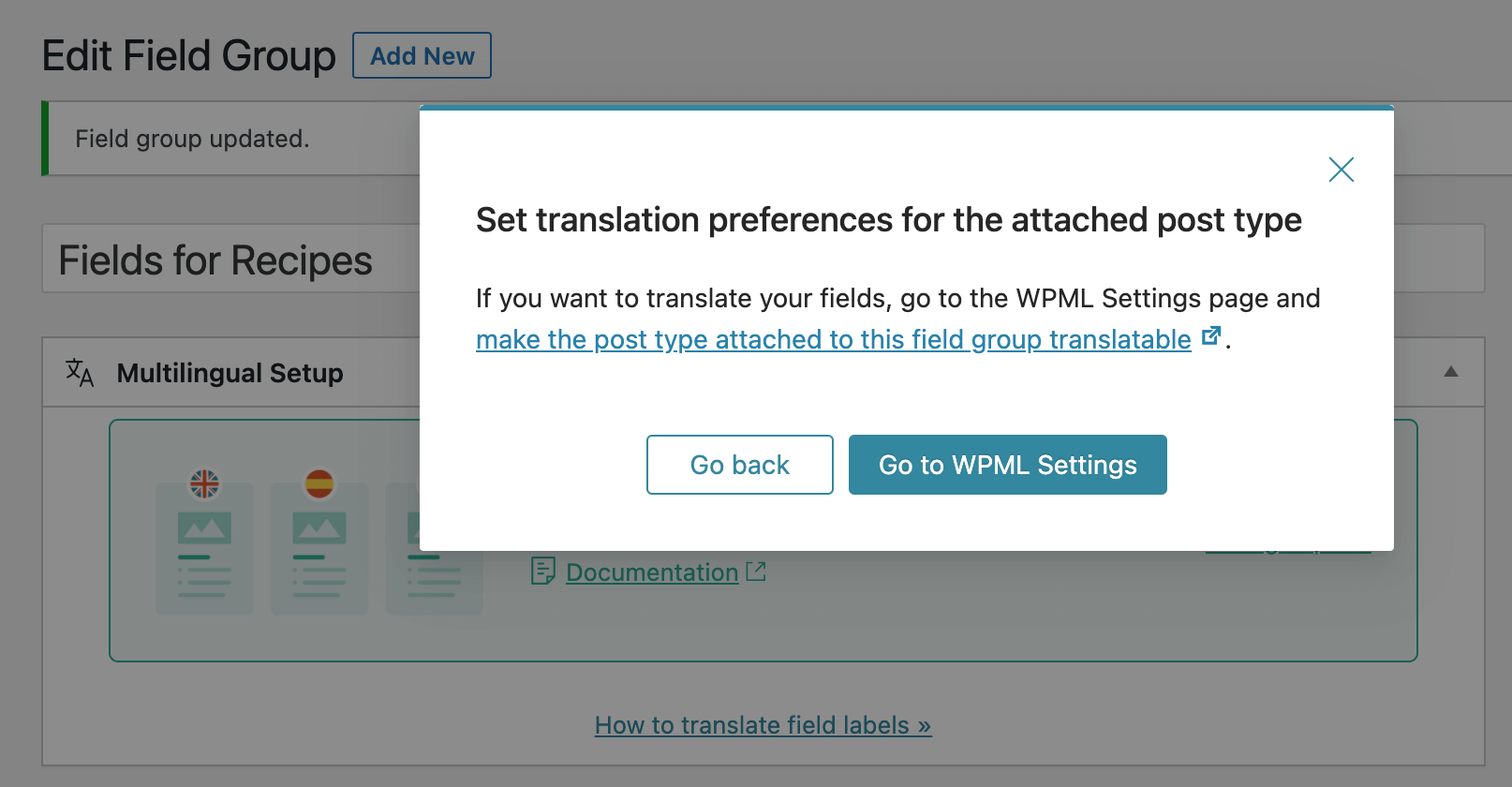
Each translation option comes with tips on where to go to translate your field labels. And if your custom fields are assigned to a custom post type that isn’t translatable, ACF Multilingual will let you know.
See where you need to go to translate the field labels in each field group
Stay on top of the translation settings for post types attached to field groups
We’re releasing ACF Multilingual 2.0 gradually, and you’ll see the update on your site when it becomes available to you.
If you don’t want to wait, you can go to Plugins → Add New and click on the Commercial tab. Then, hit the Check for updates button.
We hope you enjoy the new features and improvements in ACF Multilingual 2.0.
We would love to hear your feedback about this milestone release. Let us know if it improves your experience in translating ACF fields.
And of course, we’d love to hear any further feedback or questions. Leave us a comment below and our team will respond to all your questions and suggestions!
Translate Options Pages directly in Translation Dashboard, manage local fields more easily, and enjoy faster performance with ACFML 2.2.0.
WCML 5.5.3 focuses on how links work across languages, from category and account pages to Shop page links.
BuddyPress Multilingual 1.8.0 makes it possible to translate new content in BuddyBoss and BuddyPress user profiles.